 Yesith ThomasBrand & Web Lead
The best AI for Mac in 2026 does the work in your apps. Incredible, Claude, ChatGPT, Raycast AI and Meta Muse, ranked on what they get done.
Last updated: October 5, 2026
You asked the AI on your Mac to sort out the invoice, and it wrote you a lovely paragraph about how to do it. Then you did it yourself.
The best AI for a Mac in 2026 is the one that finishes the task, and on that measure Incredible comes first. Hold a key, say what you need, and it clicks and types in your own browser, files and apps until the job is done. Claude is second and the best pick for writing and code. ChatGPT is the broadest all-rounder, and Raycast AI and Meta Muse each own a narrower job.
Incredible is free for 7 days, no card needed. Try it on your Mac.
| # | Assistant | Best for | Acts across apps | Platform |
|---|---|---|---|---|
| 1 |  Incredible Incredible |
Doing the work in your own apps, by voice |  Yes Yes |
 .svg) |
| 2 |  Claude Claude |
Writing and coding | Paid plans |
 |
| 3 |  ChatGPT ChatGPT |
General all-round use |  Work Work |
|
| 4 |  Raycast AI Raycast AI |
Keyboard-driven productivity | Agents |
|
| 5 |  Meta Muse Meta Muse |
Personal errands handed off by message | Mac app |
|
In 2026 the Mac assistants started doing things. ChatGPT replaced its Agent Mode with Work, Claude merged Cowork into every conversation, Apple rebuilt Siri, and Meta launched Muse. Gartner expects 40% of enterprise apps to include task-specific AI agents by the end of 2026, up from less than 5% the year before.
So the order follows one question: how much of a real task does it finish in your own Mac apps? An assistant that hands back text still leaves you the clicking, pasting and sending. Where two are close, quality, how well it fits macOS, and whether you can get it today decide.
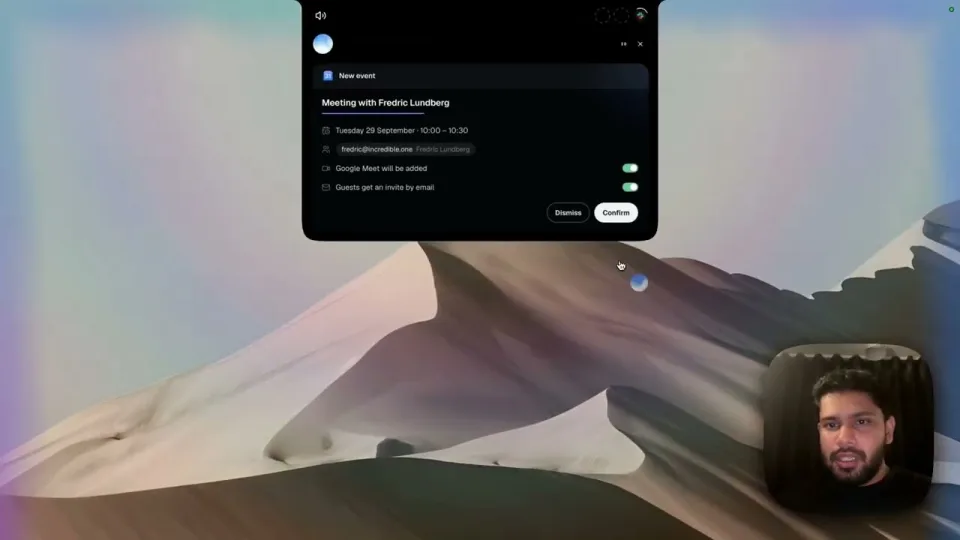
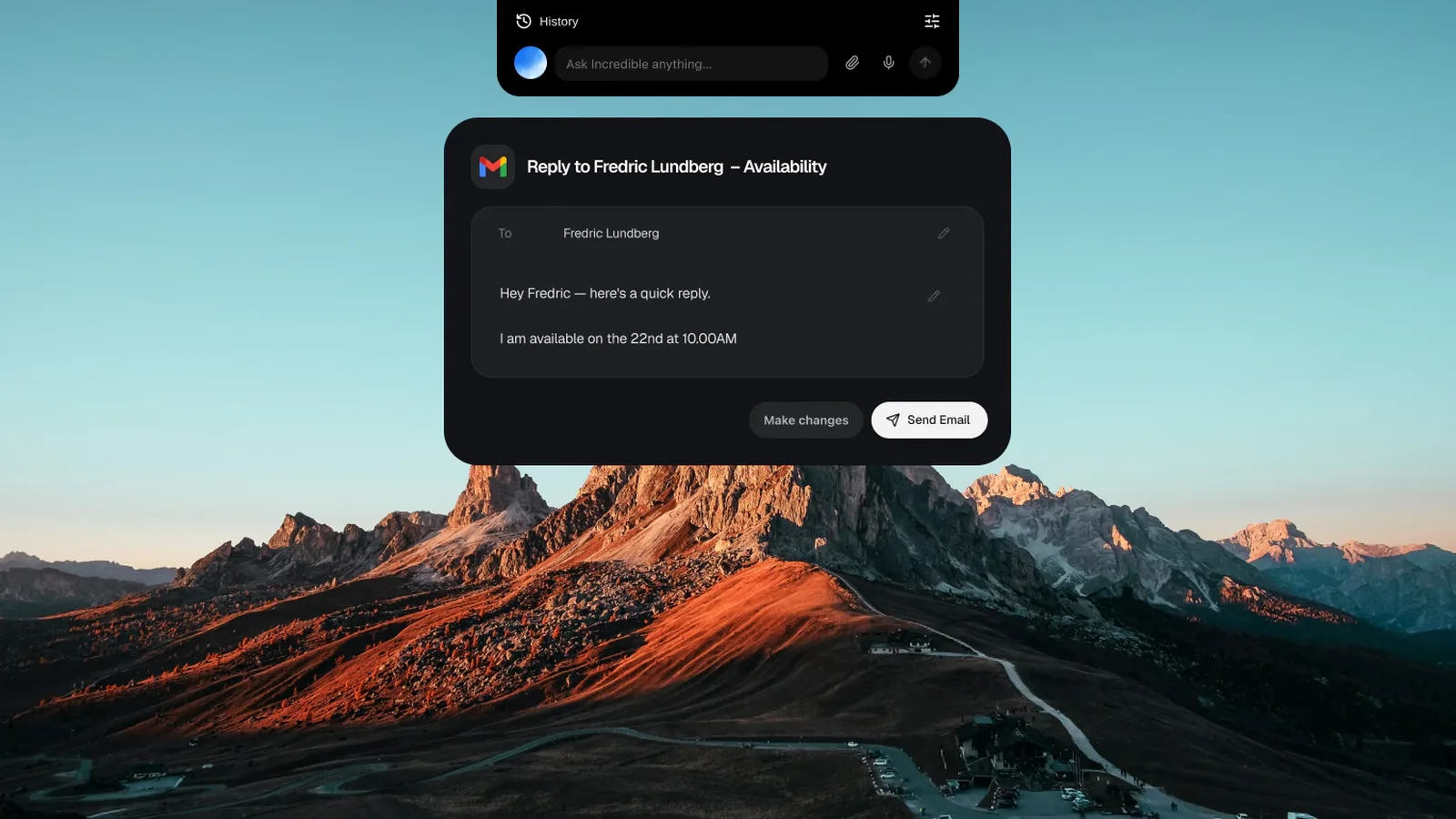
1. Incredible: best AI that does the work in your Mac appsHold the talk key and say it the way you would to a colleague: "reply to this and say Thursday works." Incredible sees the page in front of you, so "this" is enough. Then it clicks and types in your browser, files and apps, exactly like you do, and asks before anything is sent.
It works in the software you already use, in your own browser, signed in as you, and your logins stay on your computer. That covers the CRMs, ERPs, supplier portals and admin panels with no integration, and it uploads the file into the form for you.
With an Excel file, a deck or a PDF open, point at what you want changed and say it. No copying, no uploading, no detailed instructions. For a job that has to be done your way, do it once while you talk it through. Incredible learns it, runs it on a schedule or on Autopilot, and your team can run it at the press of a button.
“It’s Copilot on steroids.”
Kyle Rademacher, Office Manager, ProGuard Security Services
Runs on macOS 13 Ventura or later and Windows 10 or later. Best for: anyone who wants the task done in their own apps, by voice, instead of an answer to copy across.
2. Claude: best for writing and codingIf your work is writing, code or careful reasoning, Claude is the best assistant on the Mac for it. On paid plans its Mac app works on your files, and on Pro and Max it can click and type in your apps as a beta. On September 16, 2026 Anthropic merged Cowork and chat into one Claude, rolling out to Pro and Max first. It has a voice mode on every plan, in beta, and it doesn't generate images.
Best for: serious writing, coding and long documents. How Incredible compares with Claude
3. ChatGPT: the broadest all-rounderOne app for a bit of everything: Option + Space from any app, screenshots and files, web search, voice and images. The desktop app puts Chat, Work and Codex together, and OpenAI lists Work on every plan, with limited access on Free and Go. In Codex, Record & Replay turns a workflow you demonstrate into a reusable skill on the Mac, not yet in the EU, the UK or Switzerland. It needs macOS 14 or later.
Best for: a do-everything default with image generation. How Incredible compares with ChatGPT
4. Raycast AI: best for keyboard-driven power usersAI inside a launcher you already run from the keyboard, with clipboard history, window management and a deep extension library. Raycast 2.0 adds agents that can run on a schedule. The AI is on the paid Pro plan (from $10 a month), and the app needs macOS Tahoe on Apple Silicon.
Best for: keyboard-first people who want AI inside a launcher.
5. Meta Muse: best for handing off personal errandsMeta's personal agent, launched in September 2026. You message it in the app, at muse.ai or in WhatsApp, and it sends emails, books travel and shops, mostly on a computer in Meta's cloud. The Mac app works with your files and Apple's apps with per-app access, and since September 24, 2026 it can drive apps on your Mac with your permission. Free with a usage limit, or $20 and $100 a month. It ranks last for reach: limited testing, US first, no Windows app. Checked against Meta's announcement, Connect roundup, Muse on a Mac and subscriptions pages on October 4, 2026.
Best for: personal errands by message, where available. How Incredible compares with Meta Muse
Prompt injection, where hidden instructions in a page hijack the assistant, is the number-one risk for LLM applications according to OWASP. Pick one that asks before anything it can't undo and lets you watch it work. Incredible asks before anything is sent, and you can approve, change or stop the step. More in AI that can control your Mac.
Try this now. Open an email that needs an answer, hold the key and say: "Reply to this and suggest Thursday at 10." Incredible is free for 7 days with no card. Download it, or read the Quickstart first.
Writing or code all day? Add Claude next to it. Want one app for chat and images? Add ChatGPT.
For getting work done, Incredible. You hold a key, say the task, and it clicks and types in your own browser, files and apps until it is done, asking before anything is sent. For writing and coding, Claude is the strongest. ChatGPT is the broadest all-rounder.
Yes. With Incredible you hold a key, say what you need, and it does the task on your Mac by clicking and typing in whatever app you are using, from drafting an email to updating a spreadsheet.
Some can. Incredible is built around it: it works in your own browser signed in as you, in your files, and in the apps you connect, and it can upload files into web apps that have no integration. Claude, ChatGPT and Meta Muse have added ways to act on a Mac too, mostly on paid plans or in beta. Look for one that confirms before irreversible actions.
They're close, and they've split. Claude is stronger for writing, coding, and long-document or careful reasoning work. ChatGPT is the broader all-rounder, with image generation and the wider range of features. Many people run one of them next to an assistant that does the work in their apps.
Incredible is free for 7 days with no card. Among free tiers, Claude's is the better option for writing or code, and ChatGPT's is the most capable free standalone app for general tasks. Meta Muse is also free to start, with a usage limit, where it's available. Apple Intelligence is free and built in, and since macOS 27 it includes the rebuilt Siri in beta, with daily usage limits.
Yes. Muse has a Mac app, and since September 24, 2026 it can drive apps on your Mac with your permission, besides working with your files and with apps like Messages, Notes, Mail and Calendar. Most of its work still happens on a cloud computer at Meta. It's in limited testing, rolling out in the US first, and Meta lists no Windows app.
The same as for any Mac. For getting work done, Incredible: it runs on any MacBook Air or MacBook Pro with macOS 13 Ventura or later, on Apple Silicon or Intel, and does the task in your own apps when you hold a key and say it. For writing and code, Claude. For a broad free assistant, ChatGPT.
Some do. Apple Intelligence needs Apple Silicon, and so does the new Raycast, which also needs macOS Tahoe. ChatGPT's Mac app runs on Apple Silicon or Intel with macOS 14 or later. Incredible runs on macOS 13 Ventura or later and also supports Windows.
It clicks and types in your browser, files and apps, exactly like you do.
Requires macOS 13 or Windows 10, or later.
 Download for Mac
 Download for Windows