The fastest way to automate a repetitive task is to demonstrate it once, not build it: record yourself doing the task while you narrate, and the workflow reconstructs itself, ready to replay by voice or a click.
The fastest way to automate a repetitive task is to demonstrate it once rather than build it. You record yourself doing the task while you explain what you're doing, and software reconstructs those steps into a workflow you can replay on demand. No flowcharts, no trigger configuration, no learning a tool's logic before you start.
That's the approach behind Incredible: you hold a button, talk through the task while you complete it, and it learns the whole workflow from that single run, then replays it by voice or a single click. The reason this matters comes down to one thing most automation gets wrong, so it's worth slowing down on.
The boring tasks aren't small in aggregate. They're most of the job for a lot of people.
The average enterprise employee runs more than 1,000 copy-paste actions a week, which works out to north of 52,000 a year, according to research from ProcessMaker. Most of that is moving the same kind of data between the same apps, the same way, every time. Separately, Smartsheet's Automation in the Workplace report found that over 40% of workers spend at least a quarter of their week on manual, repetitive tasks, and nearly 60% think they could claw back six or more hours a week, almost a full workday, if those tasks were automated.
It adds up over a year in a way that's genuinely depressing to look at. Asana's 2026 Anatomy of Work data puts the average knowledge worker at 209 hours a year on duplicative work alone. That's five weeks. Five weeks of doing things you've already done, in a shape you already know, that a machine could have handled.
So the demand is obviously there. The question is why almost nobody acts on it.
Because automating it is its own job, and usually a worse one than the task.
Every standard automation tool asks the same thing of you before it does anything useful: stop working, and go describe your work to the machine. Map the trigger. Lay out each step in order. Handle the edge cases. Learn how this specific app names its fields and where the buttons live. Zapier, Make, a Python script if you can write one, they all charge that same upfront tax.
For one task you do twice a week, the math never works. The hour you'd spend wiring it up is more painful than the five minutes a week of doing it by hand. So you keep doing it by hand. Forever. The repetitive work wins by default, not because it's hard, but because the cure costs more than the disease.
That's the gap. The tasks most worth automating are exactly the ones too small to justify the setup.
The fix is to remove the setup entirely. Instead of describing the task to a tool, you just do the task while the tool watches.
Here's the actual sequence with Incredible:
You hold down a button to start. The screen recording rolls. You do the task you'd be doing anyway, and you narrate it as you go, the same way you'd explain it to a new hire sitting next to you. "I'm opening the sales sheet, grabbing this week's totals, pasting them into the Monday report, then sending it to the team." You let go of the button when you're done.
That's it. You didn't configure anything. You did your job once, out loud.
Yes, and that's the whole idea behind this.
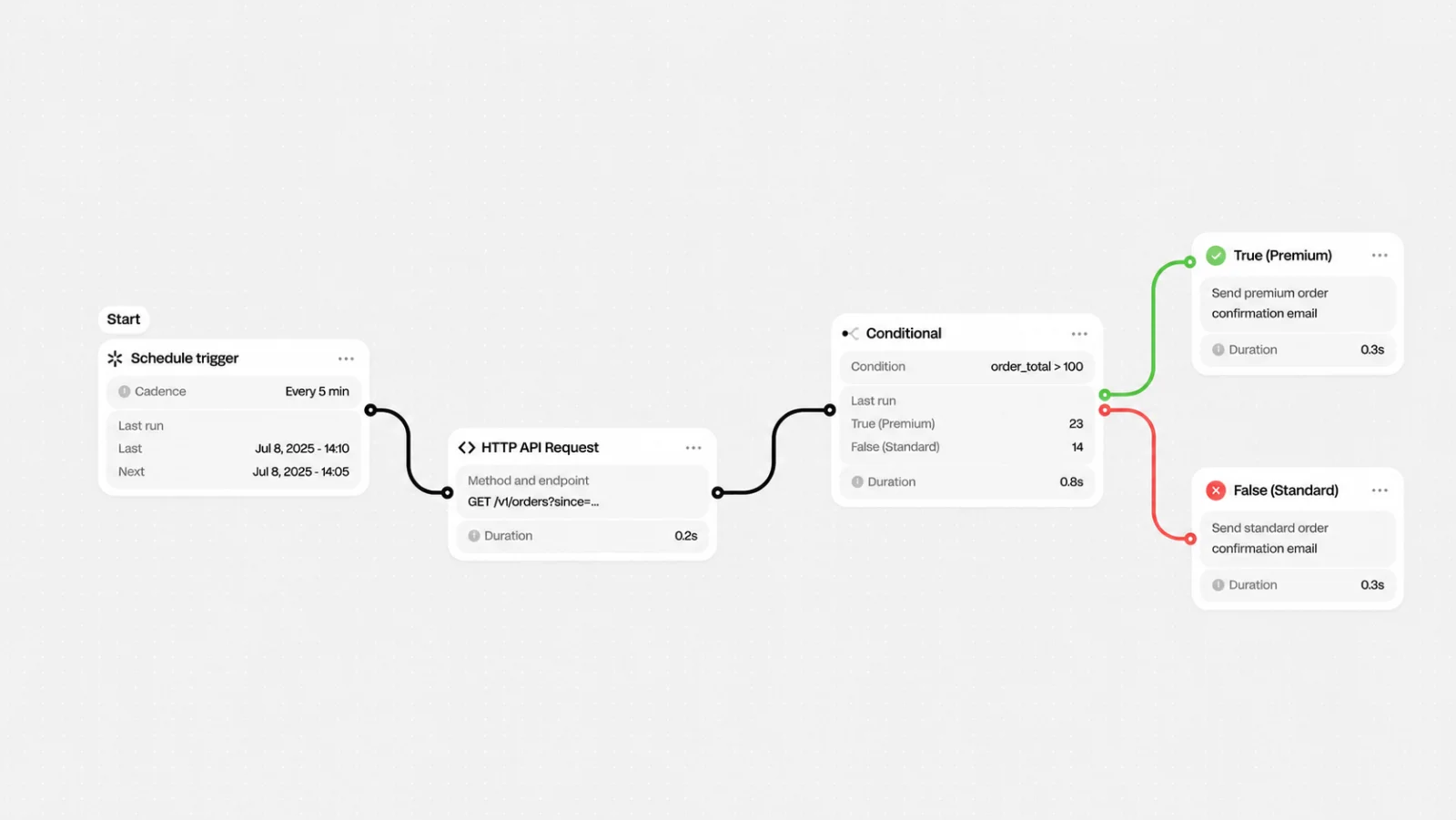
Once the recording stops, Incredible reads the screen capture and your narration together and reconstructs the workflow underneath: the steps, the order they belong in, and what you were actually trying to accomplish. Then it gives you that workflow back as something you can trigger again, either by saying it out loud or clicking a saved button.
The recording isn't a tutorial you file away and forget. It becomes the automation. The thing you'd normally treat as documentation is the thing that runs.
Here's the difference that matters. Every other tool makes you translate first. You think in terms of your work; the tool thinks in terms of triggers and actions; and the entire setup process is you doing that translation by hand, badly, in a language you don't speak fluently.
Incredible flips the direction. You demonstrate, it translates.
And the narration does real work here, more than you'd expect. It tells the system the intent behind the clicks, not just the mechanical motions. That's how it can tell which parts are the actual point ("paste this week's totals into the report") and which parts were just how you happened to get there that day (clicking through three folders to find the file). Show it the task and explain it, and it learns the goal, not only the keystrokes.
This is learning by demonstration, which is roughly how humans teach each other anything hands-on. You don't hand a new colleague a flowchart. You show them once and talk through it. Incredible just makes software learn the same way.
Take a report you rebuild every Monday from the same two sources.
Right now you've got two bad options. Keep doing it by hand every week until you retire. Or burn an afternoon building an integration that breaks the first time someone renames a column or moves a tab.
With Incredible, you record yourself building the report once this Monday, narrating each step as you go. Next Monday you say "run the weekly report," or click the saved workflow, and it executes the same sequence. The week after that, same thing. The five-minutes-that-was-really-twenty task becomes a sentence you say while the coffee brews.
This isn't magic, and pretending otherwise would just waste your time.
It's strongest on tasks that hold a consistent shape every time. The steps are stable; the thing that changes is the data flowing through them. Weekly reports, filing and renaming routines, copy-paste shuffles between two apps you touch constantly. That's the sweet spot.
A genuine one-off you'll never repeat isn't worth recording. And like anything that learns from a single demonstration, a messy recording teaches it a messy workflow. Record the task cleanly, narrate clearly, and it learns cleanly.
This is what we mean when we talk about directing your computer instead of operating it. You shouldn't have to learn your software's private language just to hand off the dull parts of your day. You should be able to show it what you want, in plain words, and have it take that off your plate. It's the same idea that runs through everything we build: recording beats configuring.
Read more on Vibe Computing.
The repetitive task you're dreading this week is probably one recording away from being the last time you ever do it by hand.
You record yourself doing the task once. Incredible captures your screen and your spoken narration, reconstructs the workflow from that single run, and lets you replay it by voice or click. There's no code, no trigger configuration, and no flowchart to build.
Yes. Incredible combines what it sees on screen with what you say out loud to work out both the steps and the intent behind them. The narration is what lets it separate the meaningful steps from the incidental ones, so a single clean recording is usually enough.
Tools like Zapier and Make require you to define triggers and actions before they do anything, which means describing your work to the tool in advance. Incredible reverses that: you perform the task and it learns from the demonstration. The setup time drops from an afternoon to a single run-through.
Related: Incredible vs Zapier, Incredible vs Make
Repetitive tasks with a stable structure, where the steps stay the same and only the data changes. Recurring reports, data entry between apps, file renaming and filing, and routine copy-paste work are strong fits. One-off tasks aren't worth recording.
Either say a voice command or click the saved workflow inside Incredible. It runs the same sequence it learned from your original recording.
 Get started on macOS
 Get started on Windows