Download for Mac
 Download for Windows
AI that can control your PC: Windows 11 options in 2026
Yes, AI can click and type in Windows apps. What Incredible, ChatGPT, Claude and Copilot can control on your PC, with their limits explained.
 Emil WagmanCTO
The short answer
Yes. Incredible, ChatGPT Computer Use and Claude computer use can click and type in Windows apps. Copilot Cowork works in Microsoft 365 and on websites; Copilot Actions is an experimental Windows Insider preview. Incredible runs on Windows 10 or later: hold Ctrl and Space and say the task. It works in your own browser, signed in as you, and asks before anything is sent.
Free for 7 days. Mac and Windows.
Yes. An AI can click and type in Windows apps for you. Incredible does tasks in your own browser, files and apps. ChatGPT and Claude also have computer use in their desktop apps. Microsoft Copilot can do tasks too, but which part of the PC it reaches depends on the feature and the access your account has.
If you searched for an AI agent for PC or a desktop AI agent, check one thing first: can it operate the app where your work is waiting? Seeing a screen and explaining the next step is different from entering the data for you.
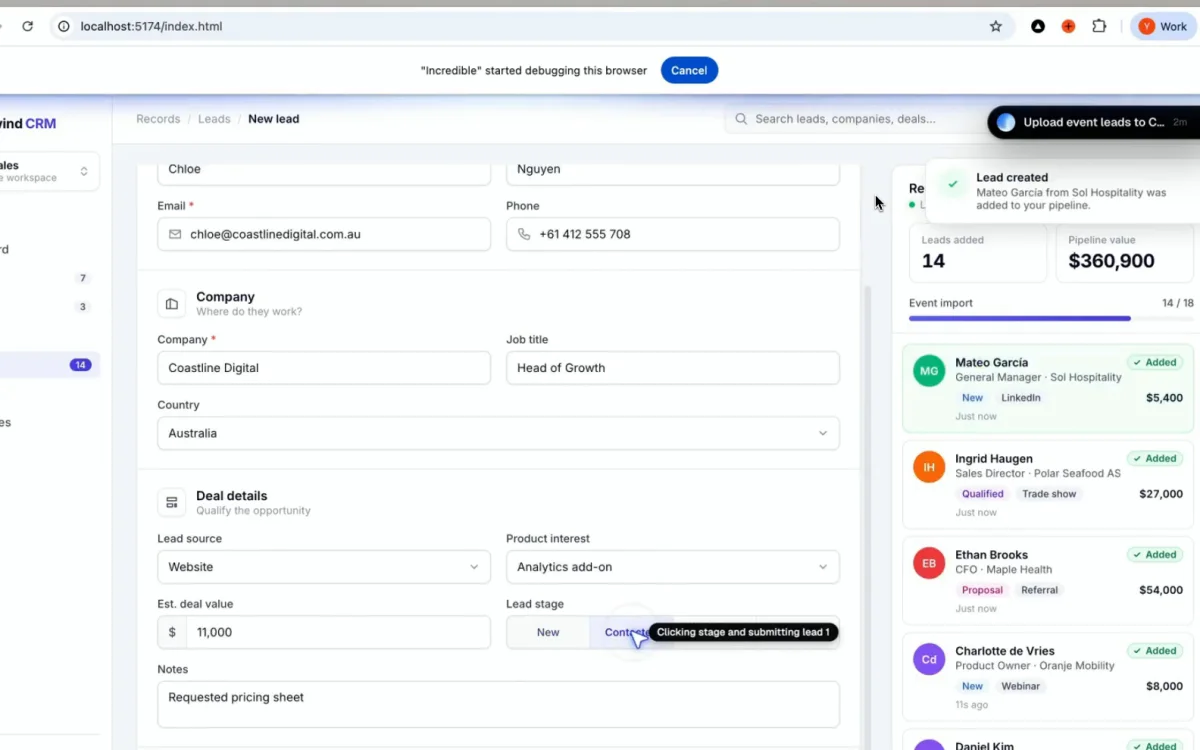
The recording above shows Incredible taking 18 leads from a spreadsheet, entering them into a CRM in the browser and checking them against the sheet. It was recorded on a Mac. It works the same way on Windows, and the CRM in the browser looks the same.
We make Incredible. Everything about Microsoft, OpenAI and Anthropic below comes from their own pages, fetched and read on 21 November 2026.
What it looks like when you ask Incredible
On Windows, hold Ctrl + Space and say what you need. You can type the request too. Incredible sees the window in front of you and clicks and types in your browser, files and apps. It runs on Windows 10 or later and macOS 13 Ventura or later.
In our spreadsheet-to-CRM recording, the request is: "Take this spreadsheet, go through all the leads and add them to my CRM, filling in all the details and clicking Create lead."
Incredible enters each lead, checks each one against the spreadsheet and confirms that the pipeline value matches. The website does not need an API or an import button. It uses the form a person would use.
It works in your own Chrome or Edge, already signed in as you. Your logins stay on your computer. Before anything is sent, it stops to ask. You can approve the step, change it first, or stop it.
If your next job is typing the same data into a website, AI that fills out forms for you shows how to start with one spreadsheet row and stop before submitting.
Can Copilot control your PC?
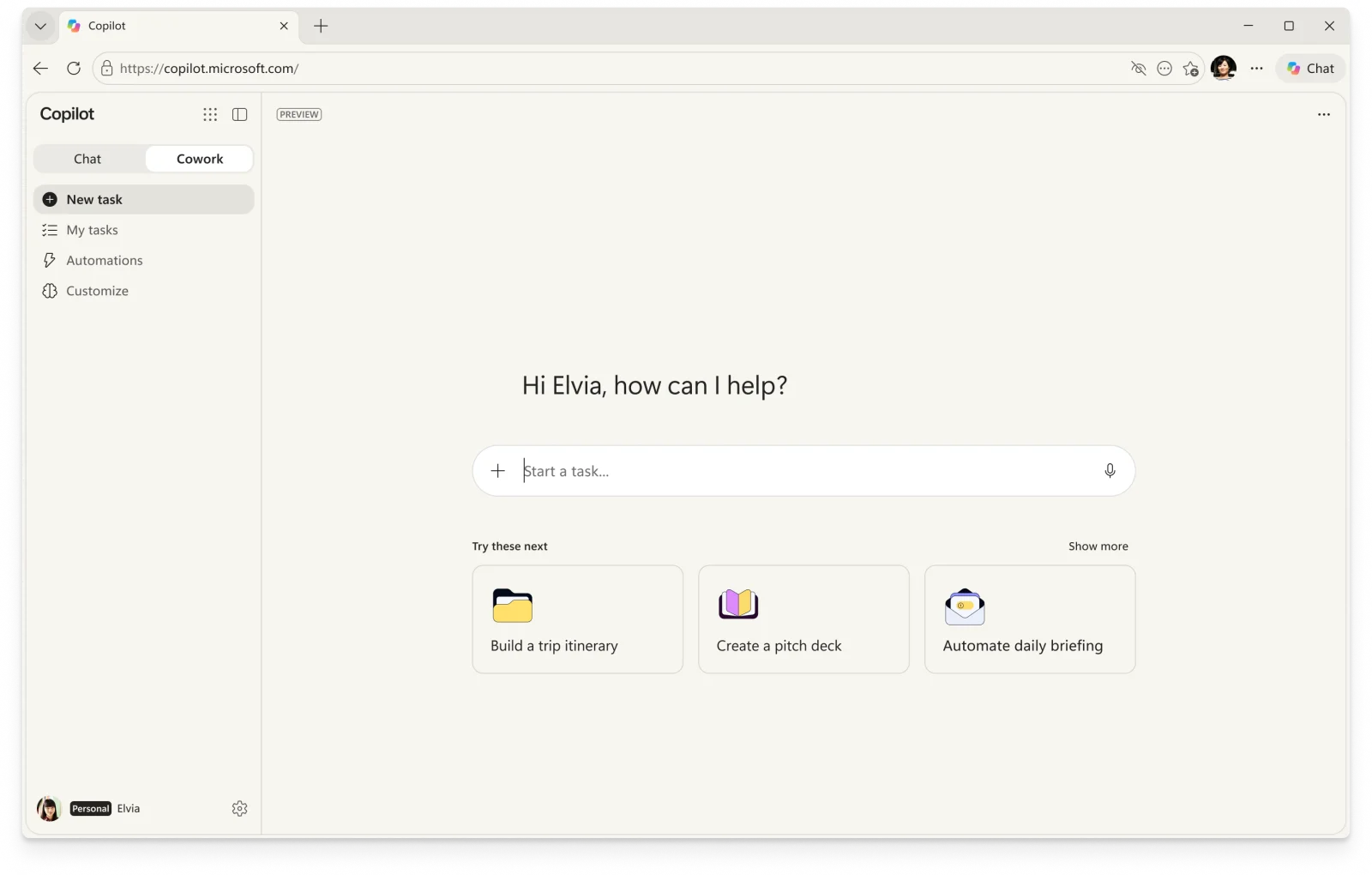
Partly. Microsoft's Cowork guide says it creates and edits Office files, handles email and calendars, manages OneDrive files, and clicks, scrolls and types on websites. It runs in the browser and Copilot desktop app. Personal accounts need an eligible Microsoft 365 subscription, and that version is in preview.
For desktop apps and local files, Microsoft describes Copilot Actions as experimental and available to Windows Insiders through Copilot Labs. The experimental agentic features setting is off by default. Its agent workspace uses a separate agent account and Windows session, with controlled access to your files.
Copilot Vision helps explain what you share on screen. Microsoft says it does not click, type or scroll. If Copilot is talking you through a task while you do the clicking, that may be Vision working as intended.
Can ChatGPT use Windows desktop applications?
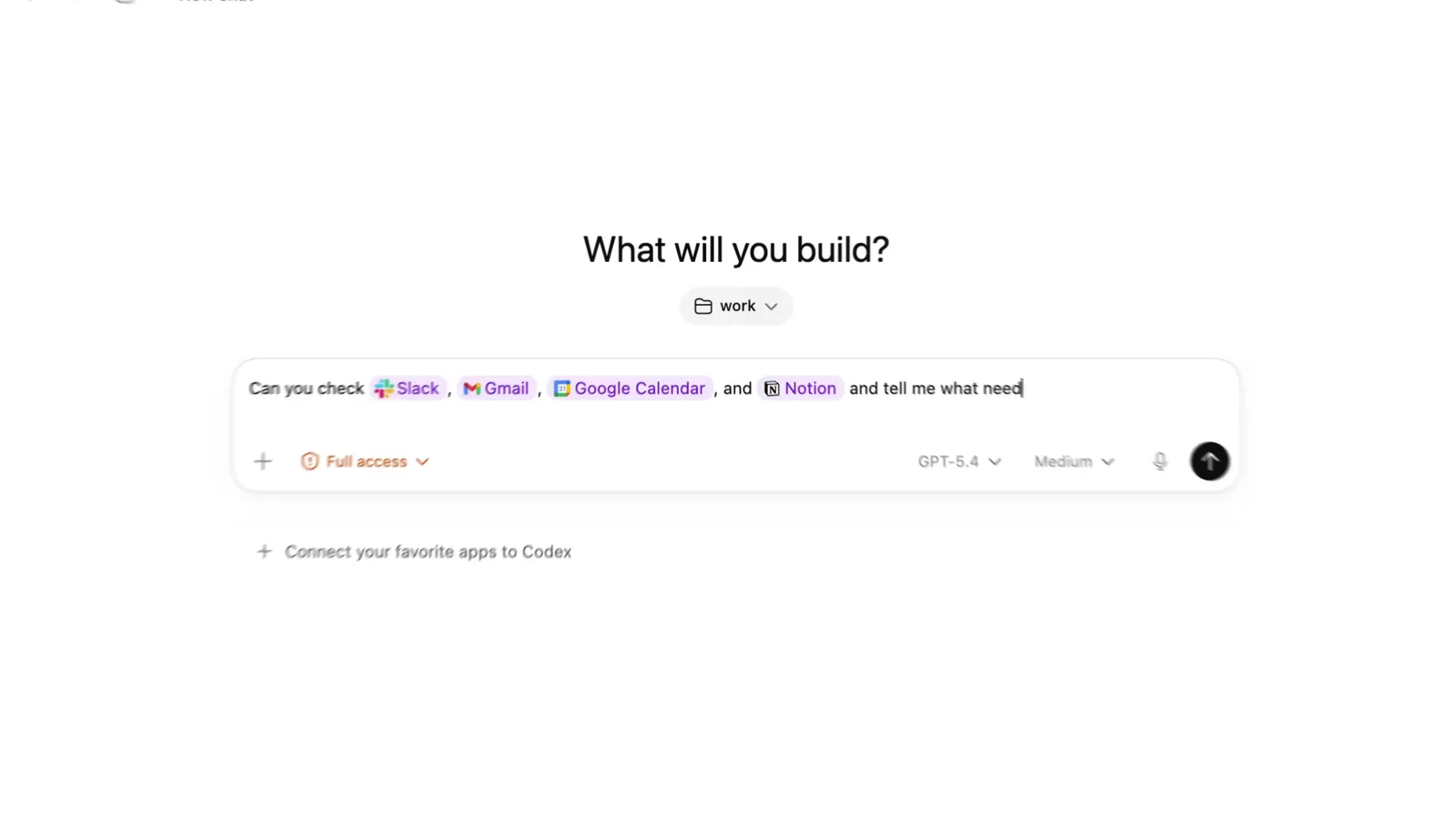
Yes. OpenAI's Computer Use documentation says it operates Windows apps through ChatGPT Work and Codex in the desktop app, in supported regions. Its app guide explains how to switch between Chat and Work.
To set it up, open Settings, Computer use, then enable Any App under Control. Some versions show a Computer Use plugin setup instead. If you only see controls for a browser or a particular app, those do not give access to every desktop app.
Ask it to use @Computer or name the target app. ChatGPT asks for app permission, which you can save for future tasks. On Windows it uses the active desktop and takes over the pointer and keyboard. You cannot keep using that same Windows session while it works. OpenAI suggests a Windows virtual machine if you need it to operate separately.
Can Claude control Windows apps?
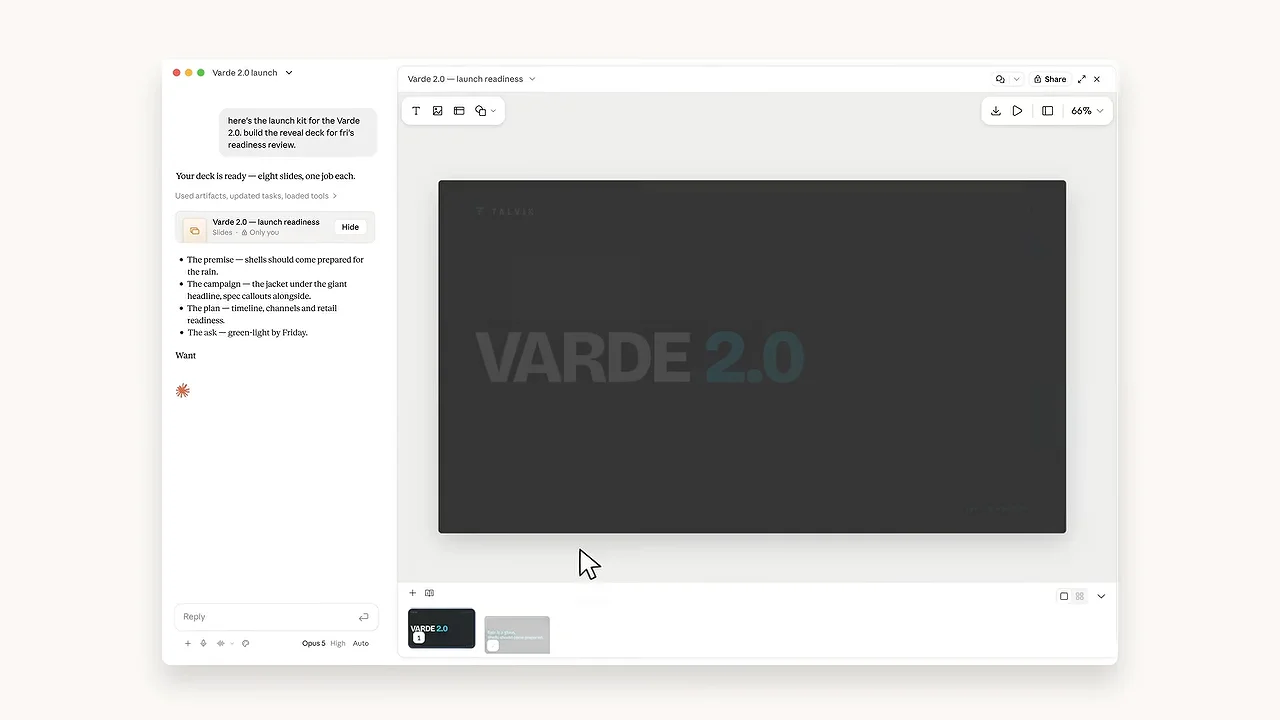
Yes. Anthropic lists computer use on Windows for Pro, Max and Ultra, with Team and Enterprise in beta. It can click and type in desktop apps you approve. The desktop installer supports Windows 10 or later.
There are limits. The current computer use guide says browsers can be viewed but not clicked or typed in through that tool. Claude can use its built-in browser or Claude in Chrome for browser tasks. Terminals and code editors allow clicking and scrolling, but not typing through computer use. Most other approved apps allow full access.
Claude asks before accessing each app, then can keep using it during that session. Anthropic says there is no sandbox between computer use and your applications. Its unified app announcement explains why chat and Cowork may now appear as one experience.
Is it safe to let AI control your computer?
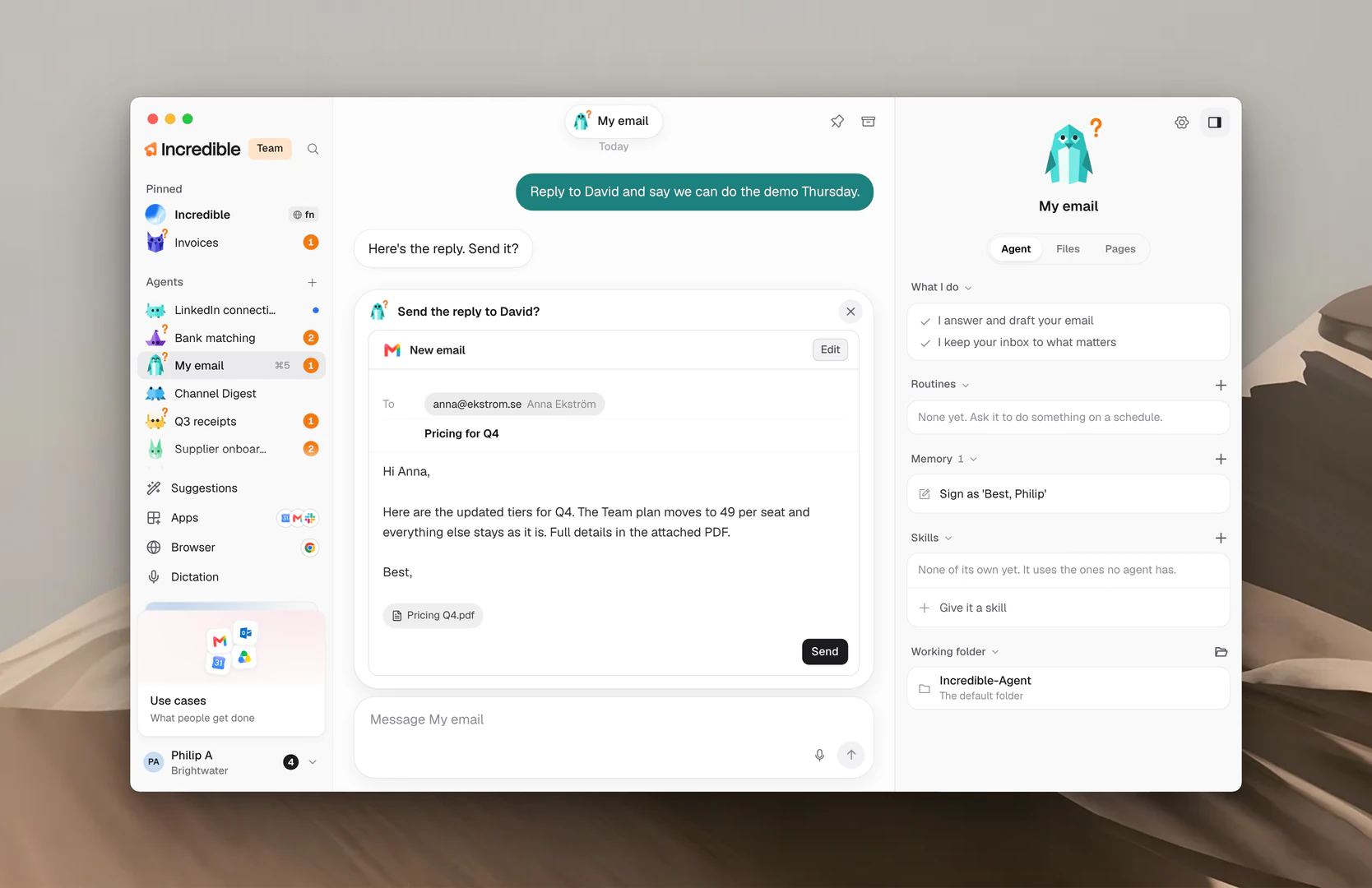
Check the permissions and the point where it waits for you. Permission to use an app gives an agent room to act inside it. Read the approval prompt before granting access, and check the finished work before relying on it.
For Incredible, the rule is the same as in our Mac guide: it works in your own browser, signed in as you, and asks before anything is sent. You can approve the step, change it first, or stop.
Start with a few spreadsheet rows or a draft you can review. Keep unrelated sensitive apps closed. In the CRM recording, the useful final step is the check against the source spreadsheet. A completion message alone is not a reason to skip checking the result.
Try this now. Open your spreadsheet and the form in your browser, hold Ctrl + Space and say: "Enter these rows into this form." Incredible is free for 7 days. Download it, or read the Quickstart first. You add a card in the app; cancel before the trial ends and nothing is charged.
For a wider comparison, see the best AI assistants and agents for Windows and the best AI agents that can use your computer. If you want to ask about a window before letting an AI act in it, see AI that can see your screen.
Frequently asked questions
Is there an AI that can control my PC?
Yes. Incredible clicks and types in your browser, files and apps on Windows 10 or later. ChatGPT Computer Use and Claude computer use also work in Windows desktop apps, subject to their availability and app permissions. Copilot Actions is an experimental preview for Windows Insiders.
Can Copilot control my computer?
It depends on the feature. Cowork can act in Microsoft 365 and click and type on websites. Copilot Actions can interact with desktop apps and files, but Microsoft still describes it as an experimental Windows Insider preview. Vision explains what you share but does not click, type or scroll.
Is it safe to let an AI control my computer?
Check which apps it can access and when it asks for approval. Start with a small task you can check, keep sensitive apps closed and review the result. Incredible uses your own browser logins and asks before anything is sent. You can approve the step, change it first, or stop.
Does Incredible work on Windows 10?
Yes. Incredible runs on Windows 10 or later and macOS 13 Ventura or later. On Windows, hold Ctrl and Space to talk. The CRM recording in this guide was made on a Mac; the task works the same way on Windows.
Is there a free AI that can control my PC?
Incredible has a 7-day free trial, then a paid subscription. You add a card in the app and can cancel before the trial ends. Claude computer use requires a paid plan. Copilot Cowork for personal accounts requires an eligible Microsoft 365 subscription. Free chat access does not establish that desktop control is included.