Download for Mac
 Download for Windows
AI reminder app: Set reminders by voice on Mac and Windows (2026)
Set reminders by voice with Incredible or Siri on Mac. See the real recording, free Windows options, and how Gemini saves reminders in Google Tasks.
 Emil WagmanCTO
The short answer
With Incredible, hold fn on Mac or Ctrl+Space on Windows, say what to remember and when, and release the keys. Our recording shows two reminders confirmed and saved in Scheduled. On a Mac you can also activate Siri and say the reminder. Incredible runs on macOS 13+ and Windows 10+ and is free for 7 days. Microsoft To Do currently offers free reminders on Windows; Gemini can add reminders to Google Tasks.
Free for 7 days. Mac and Windows.
You remember something while working, then forget it before you open a task list. A voice reminder app lets you say the task and its time while it is still in your head.
Incredible takes spoken reminders on Mac and Windows. The recording above shows two requests, their confirmation and where they appear afterwards. On a Mac or MacBook, Siri and Apple Reminders are the built-in option, covered below with Microsoft To Do and Gemini. If your reminders need to reach your phone, check the Apple and Google options below before choosing.
The best AI reminder app for you depends on where you want to keep the reminder and receive the alert. The Apple, Microsoft and Google facts below come from their official pages, read on 21 November 2026. We make Incredible; its example comes from our own published recording.
Set reminders by voice with Incredible
Incredible runs on macOS 13 or later and Windows 10 or later. Hold fn on a Mac or Ctrl+Space on Windows, say the reminder and let go. The Quickstart explains the talk key.
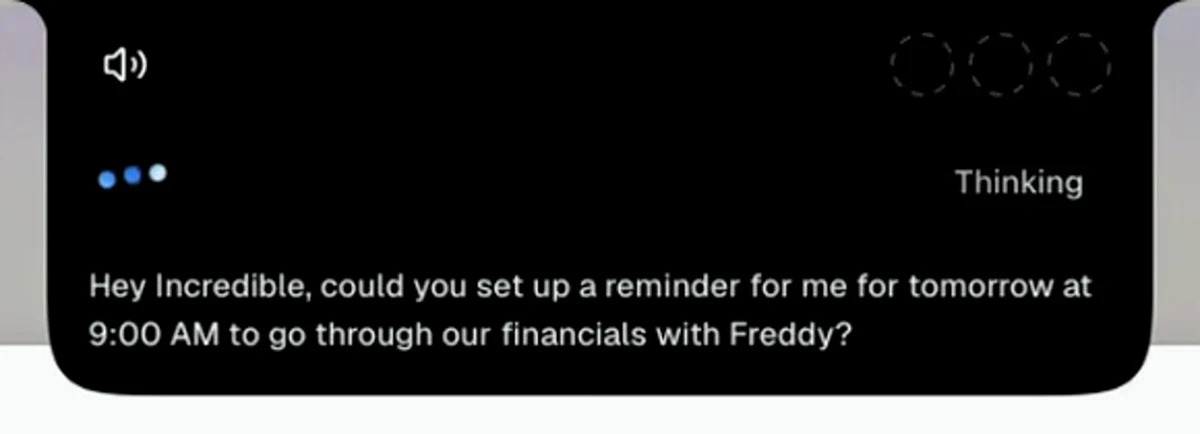
Our reminder recording was made on a Mac. The first request appears in the voice bar as:
"Hey Incredible, could you set up a reminder for me for tomorrow at 9:00 AM to go through our financials with Freddy?"
The reply text confirms tomorrow at nine and the financials with Freddy. A second spoken request asks for a reminder today at 1 PM. The reply identifies it as the marketing material with David, today at one.
These are two requests in the same conversation. You can see the app's text as each request comes in, then its confirmation. The examples here quote the on-screen text rather than a separate audio transcript.
Check that the reminders are in Scheduled
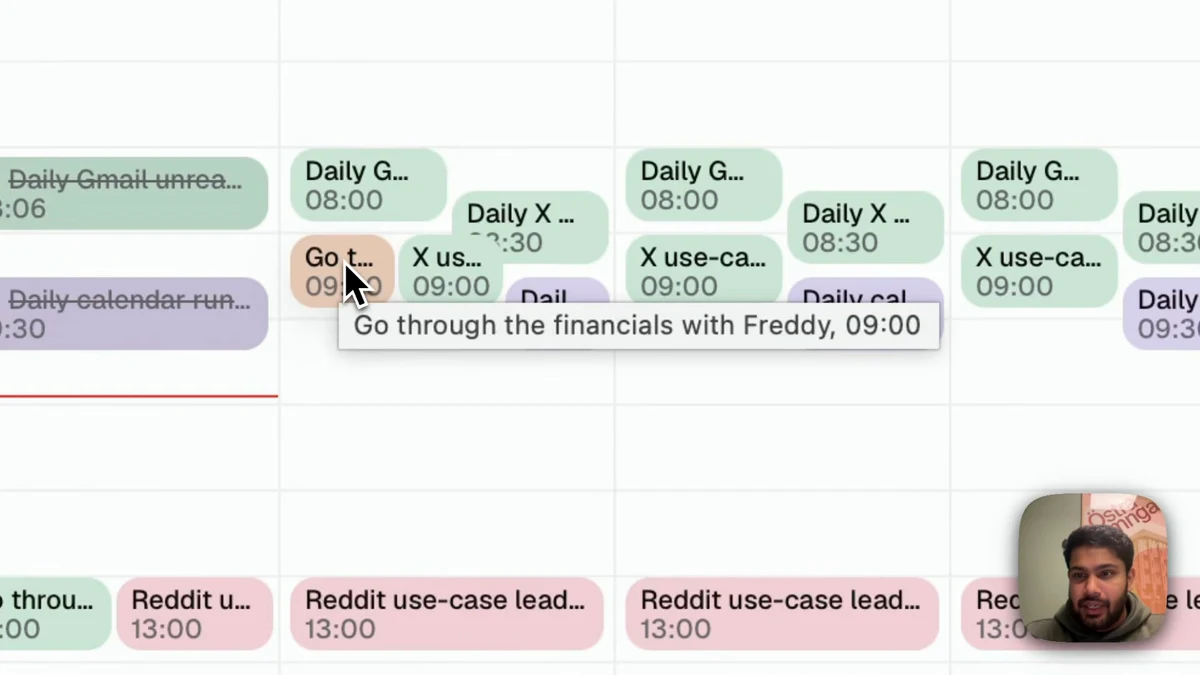
The confirmation reads "Both reminders are locked in: financials with Freddy tomorrow at nine, and marketing material with David today at one." A Reminders set card appears below it.
The presenter then opens Scheduled in the left sidebar. It shows a calendar headed Scheduled Tasks. Hovering over the financials entry reveals "Go through the financials with Freddy, 09:00". The marketing entry shows "Go through marketing material with David, 13:00" later in the recording.
That is the result shown here: both spoken requests saved with their times. The film ends with the calendar. It does not show the reminders firing or an alert on a phone. Check the saved task and time before relying on any reminder app.
How to set a reminder on a Mac with Siri
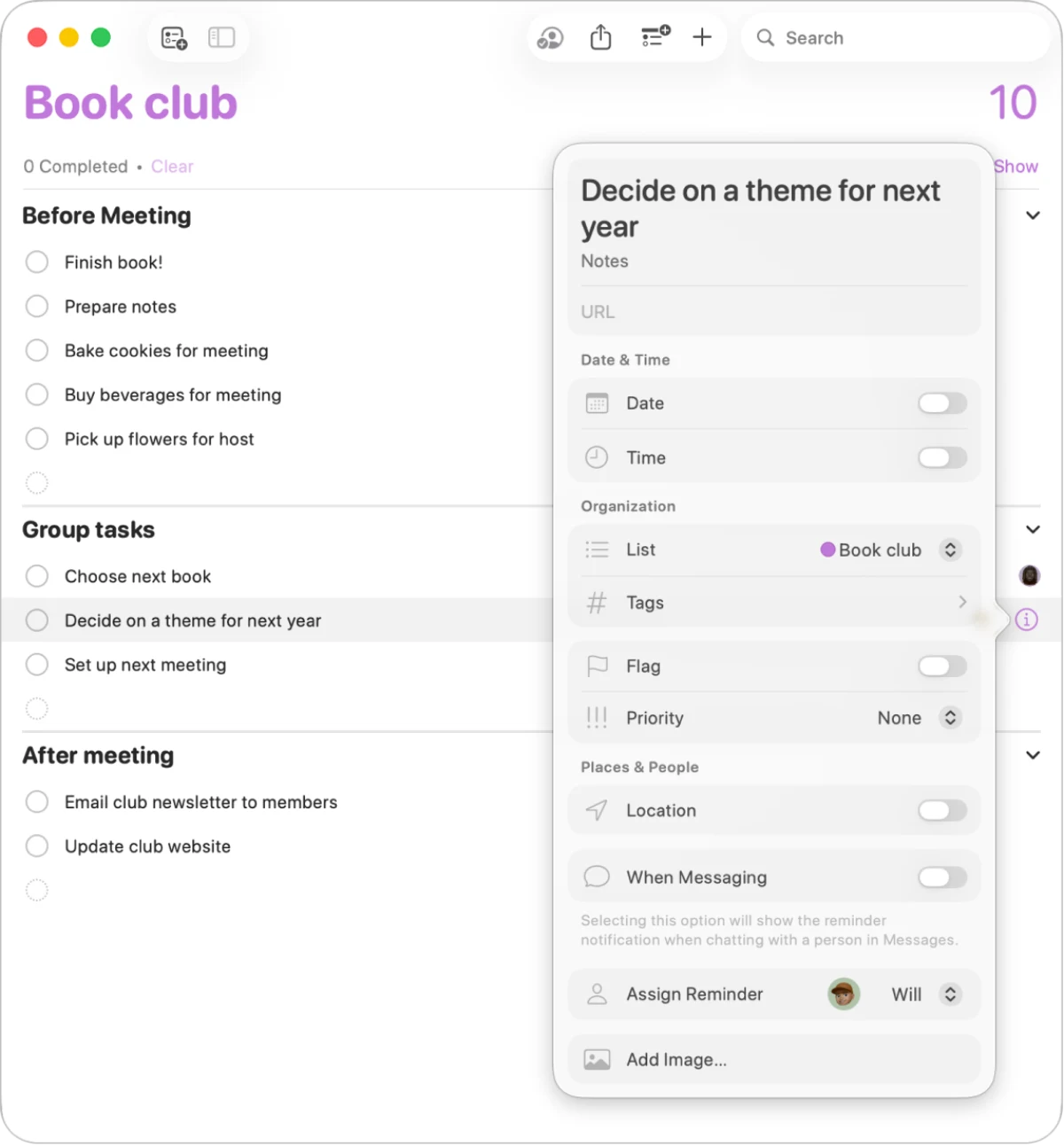
You can set a reminder by voice with Siri. Apple's Mac guide to using Siri lists adding reminders among the things you can ask it to do.
- Turn on Siri in System Settings if you have not already. Apple's activation guide says you can use the shortcut in Siri settings, click Siri in the menu bar, or say "Siri" or "Hey Siri" if that option is available and enabled. Siri needs an internet connection.
- Say what you want to remember and when. For example, try "Remind me tomorrow at 9 AM to review the financials." This is an example request for your own task.
- Open Reminders and check the task, date and time.
To type it instead, Apple's Reminders guide says to select a list, click the Add button and enter a title. Click Add Date, then Add Time. A reminder with a date but no time is an all-day reminder.
For the same lists on your iPhone, Apple's iCloud setup page says to sign in to the same Apple Account and turn on Reminders in iCloud on each device.
Set a task reminder on Windows with Microsoft To Do
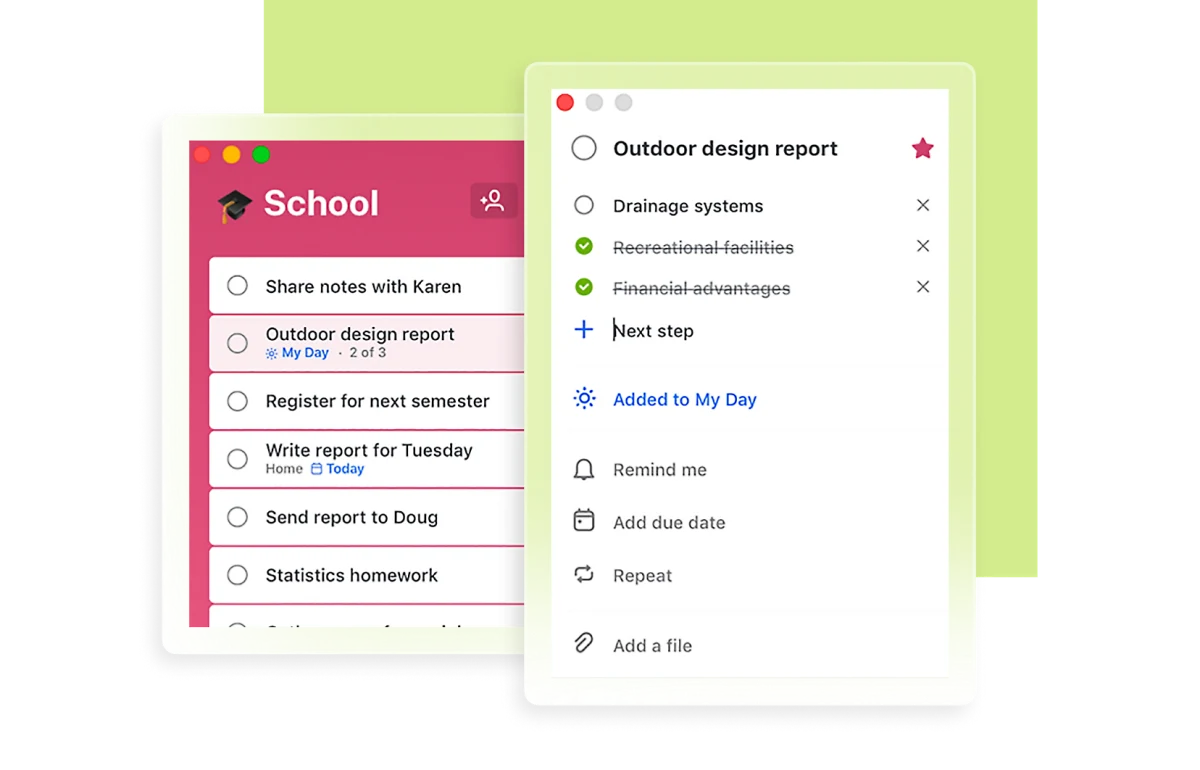
For a task list on Windows, Microsoft's To Do page says it is free, syncs lists across Windows, the web, iOS and Android, and works with Outlook tasks.
Microsoft's reminder instructions give these steps:
- Select a task.
- Select Remind me.
- Choose a suggested time or pick your own date and time.
Add due date is a separate control. Use Remind me when you want to choose when to be reminded. Microsoft's natural-language guide also says the Windows app, version 2.66 or later, recognizes reminder dates and times typed into the task title. That page documents typing, so it is not evidence of a voice reminder workflow.
Before starting a new list there, read Microsoft's retirement notice. To Do apps retire on 30 June 2027, including Windows and mobile apps. Microsoft points work and school accounts to Planner, but says Planner is unavailable for personal Microsoft accounts and its due-date notifications differ from To Do's individually scheduled reminders.
Use Gemini to save reminders in Google Tasks
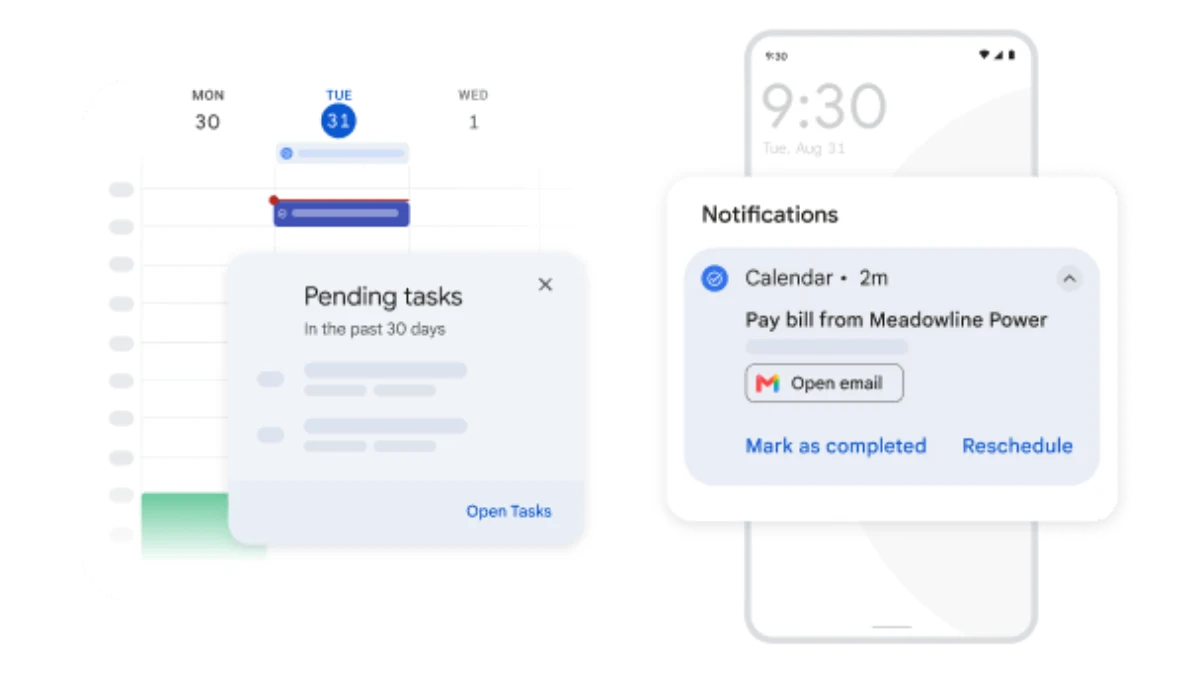
Google's Gemini reminder guide says Gemini can add, edit and show tasks from Google Tasks. On a computer, sign in to Gemini with the same account you use for Google Workspace. Ask it to add a task and connect Google Workspace when prompted. Google says History must be on to connect these apps.
Include @Google Tasks to specify where it should go. Google's example format is "Remind me on [date] at [time] to [task]." For voice, Google's Gemini Live announcement explicitly describes asking Live to set a Google Tasks reminder to pick up a prescription.
Google's Tasks page says tasks sync across devices using the same Google Account. Its iPhone notification guide says to add a date and time and enable notifications. If both Tasks and Calendar are installed, only one app sends the notification. This is a documented phone-alert option if that is where you need the reminder.
Try this now. Hold fn on Mac or Ctrl+Space on Windows and say a task you need to remember, with its date and time. Check the result in Scheduled. Incredible is free for 7 days on macOS 13+ and Windows 10+. Download it.
For more on the Mac options, read Siri alternatives for Mac and how to control your Mac with your voice. For a longer spoken conversation with Incredible, see the real-life Jarvis AI assistant recording.
Frequently asked questions
How do I set a reminder on a Mac or MacBook?
Activate Siri and ask it to remind you of a task at a specific time. Or open Reminders, select a list, click the Add button and enter the task. Choose Add Date and Add Time for a timed reminder. Incredible also accepts spoken reminders on macOS 13 or later and shows them in Scheduled, as the recording demonstrates.
Can I set reminders by voice with an AI reminder app?
Yes. Our Incredible recording shows a request for financials with Freddy tomorrow at 9 AM, followed by marketing material with David today at 1 PM. Both appear in Scheduled. Apple documents voice reminders with Siri on Mac, and Google documents setting Google Tasks reminders through Gemini Live.
Is there a free AI reminder app?
Microsoft lists To Do as free, and its Windows app recognizes dates and reminder times typed in natural language. You can also use Siri with the Reminders app already on your Mac. Incredible offers a 7-day free trial. Microsoft says To Do apps will retire on 30 June 2027.
Which AI task reminder app can I use on Windows?
Incredible runs on Windows 10 or later and accepts voice requests through Ctrl+Space. The recording in this guide was made on a Mac. For a task list, Microsoft To Do lets you select a task, choose Remind me and pick a date and time. Its Windows app also recognizes reminder dates and times in typed task titles. To Do apps retire on 30 June 2027.
Will it remind me on my phone?
Google Tasks documents phone notifications when you add a date and time and enable notifications. Apple Reminders can sync between a Mac and iPhone when both use the same Apple Account with Reminders enabled in iCloud. The Incredible recording shows reminders saved on the desktop; it does not demonstrate phone alerts.