The short answer
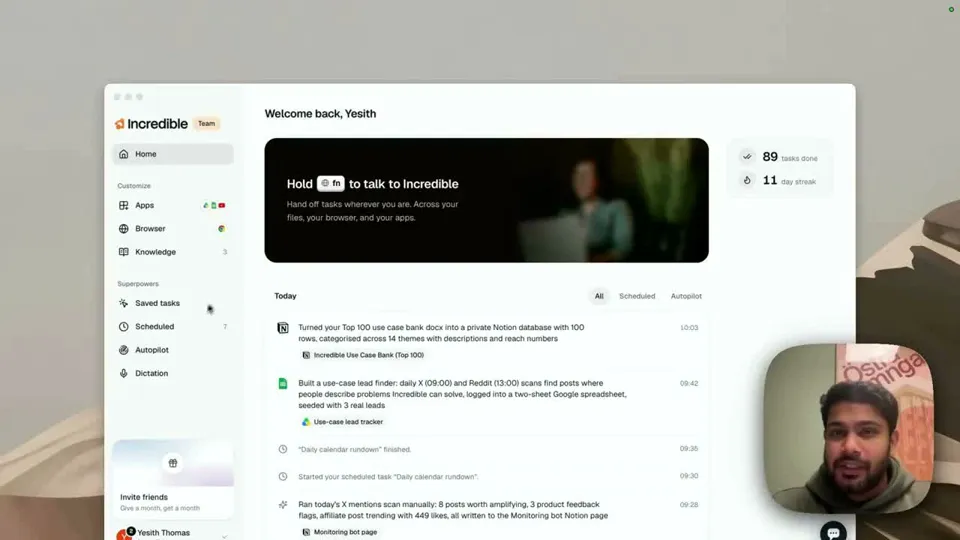
Incredible works like a real-life Jarvis on your computer. Hold a key, or turn on hands-free, and talk to it like a colleague. It answers out loud, takes several requests at once, and does them in your email, calendar, Slack, files and browser, asking before anything is sent. It runs on Mac and Windows.
Free for 7 days. Mac and Windows.
An AI assistant you talk to that talks back, takes several jobs at once and does them in your apps. A Jarvis-style assistant for Mac and Windows, on video.
The assistant from the films does three things that most voice assistants still don't. It talks to you like a person, it handles several things at once, and when you ask for something, it gets done.
Here is what that looks like on an ordinary computer. In the recording above, someone sits down at their Mac and starts talking to Incredible: "It almost feels like Jarvis, honestly."
"Hey Incredible, could you pull up my latest unread emails for me?"
Incredible answers out loud and goes to check. Before it is back, the request grows:
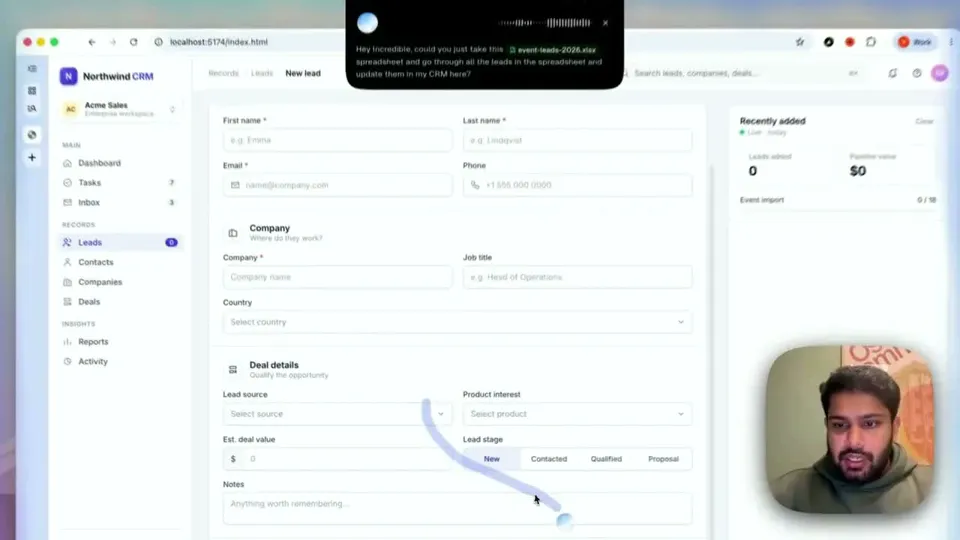
"While you're at it, could you also check my calendar and see what's on my calendar for today? And also could you book a meeting with Fredrik Lundberg for tomorrow at 10:00 a.m., and send a message to Nikola in Slack saying I'm filming a video right now and I'll be back in another 30 minutes."
It keeps up. "Two more coming up," it says, and works on all of them at once. Then it does what a good assistant does when something is unclear: it asks. There are two people called Nikola, so it asks which one, the one in the Incredible workspace or the Norditech one.
The meeting shows up as a card with the guest, tomorrow at 10:00, a Google Meet link, an invite by email. "You can confirm it," he says. The Slack note gets the same treatment. "Yep, looks good. You can send it through."
"Meeting booked, Slack note delivered."
No windows were opened by hand and nothing was typed. That is the part people mean when they say Jarvis.
It talks back. Pick a female or male speaking voice and the language it replies in. Replies also appear on screen, so you can mute it in a meeting and read instead. After five quiet minutes (you can change that) it switches to passive mode, and new results wait silently on the top bar instead of being spoken.
You don't have to hold anything. Hold fn on a Mac, or Ctrl and Space on Windows, for a quick request. For a longer conversation, turn on hands-free with fn and Space (Mac) or Ctrl, Alt and Space (Windows). There is also an experimental Hey Incredible setting that starts it by voice, though it is not available on every computer.
It knows what you are looking at. When you talk, it sees the screen in front of you. In another recording it is asked which of two designs in Figma is better, gives its pick out loud, and lists what to fix in the other.
It gets names right. It feeds the names in your Contacts to its speech recognition, so a colleague called Fredric comes back as Fredric, not Frederick. Anything else it mishears, add once to Vocabulary.
It does the work, in your apps. Email, calendar and Slack once connected, plus your files, desktop apps and your own signed-in browser, including web apps that have no integration at all. It sets reminders and runs tasks on a schedule, too.
It asks before acting on your behalf. Anything that sends, books or changes something shows up as a card for your go.
“It’s Copilot on steroids.”
Kyle Rademacher, Office Manager, ProGuard Security Services
 ChatGPT Voice in the desktop app is built on GPT-Live. OpenAI's voice page says it lets you talk through ideas and coordinate tasks in Chat, Work and Codex, on paid plans. OpenAI's pricing page says voice in the desktop app uses your Codex budget at $0.05 per minute.
 Copilot on Windows starts when you say "Hey, Copilot" and holds a spoken conversation. Microsoft says Copilot Vision can see your screen but won't click, type, or scroll.
Siri AI is Apple's new Siri, in beta on macOS 27. Apple's macOS page says it can take actions in apps like Messages, Music and Reminders, and it is available in English to start. More in our Siri alternative for Mac guide.
Do-it-yourself projects on GitHub connect a speech model to ChatGPT or Claude with your own scripts. They are a fun weekend build, and every action is one you write and maintain yourself.
Everything above about ChatGPT, Copilot and Siri is from OpenAI's, Microsoft's and Apple's own pages, read on 21 October 2026.
Try this now. Turn on hands-free and say: "What's on my calendar today, and remind me at 4 to send the weekly update." Incredible is free for 7 days. Download it, or read the Quickstart first.
For the step-by-step version, see how to control your computer with your voice.
Close to it. Incredible is an assistant on your Mac or Windows PC that you talk to and that talks back. In our recording it checks for unread email, reads out the day’s calendar, books a meeting and sends a Slack message, all from one spoken conversation, and asks before anything is sent.
Yes. Incredible runs on Windows 10 or later. Hold Ctrl and Space and say what you need, or turn on hands-free talk with Ctrl, Alt and Space. It replies out loud and does the task in your apps and your own browser.
Yes. Incredible runs on macOS 13 or later. Hold the fn key and talk, or turn on "Hey Incredible", an experimental setting, to start without touching the keyboard. It answers out loud in the voice you choose.
You can, with open-source projects that wire a speech model to an AI model and some scripts, but you write and maintain the actions yourself. Incredible works out of the box: it uses your screen, apps and signed-in browser the way you do, so there is nothing to wire up.
It clicks and types in your browser, files and apps, exactly like you do.
Requires macOS 13 or Windows 10, or later.
 Download for Mac
 Download for Windows