Download for Mac
 Download for Windows
AI That Fills Out Forms for You? Yes, in 2026
Yes, AI can fill out web forms for you. Watch 18 spreadsheet leads go into a CRM, try three rows, and see what to use for PDFs and Google Forms.
The short answer
Yes. Incredible fills out web forms in your own browser, signed in as you. The recording shows 18 spreadsheet leads entered into a demo CRM and checked against the sheet. Start with one row and ask it to stop before submitting.
Free for 7 days. Mac and Windows.
Yes, AI can fill out forms for you. The recording above shows Incredible, our product, entering 18 leads from a spreadsheet into a CRM web form and checking them against the sheet.
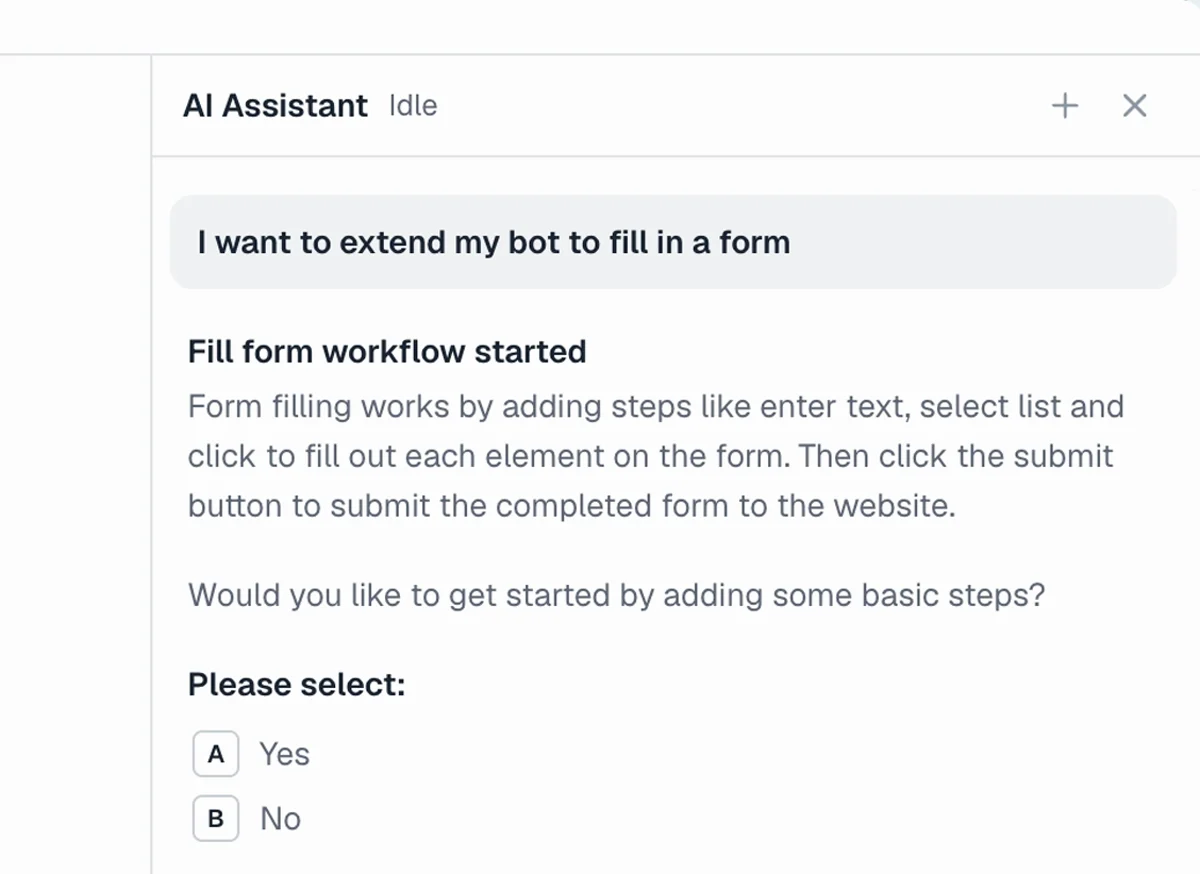
That is the job this page is about: the information already exists, but someone still has to type it into the website. Incredible works in your own browser, signed in as you. It asks before submitting; for your first attempt, ask it to stop with the fields filled so you can check them.
Download Incredible for Mac or Windows. Starter has a 7-day free trial, with a card required and no charge until it ends. Then it is $25 per seat per month, billed monthly.
Open the form you need to use, then try this on your own spreadsheet:
Help me enter the first three rows of my spreadsheet into the web form I have open. Ask me to choose the file and confirm the form. Fill the first row, then stop before submitting so I can check it.
 Try in Incredible
Can AI fill out a web form from a spreadsheet?
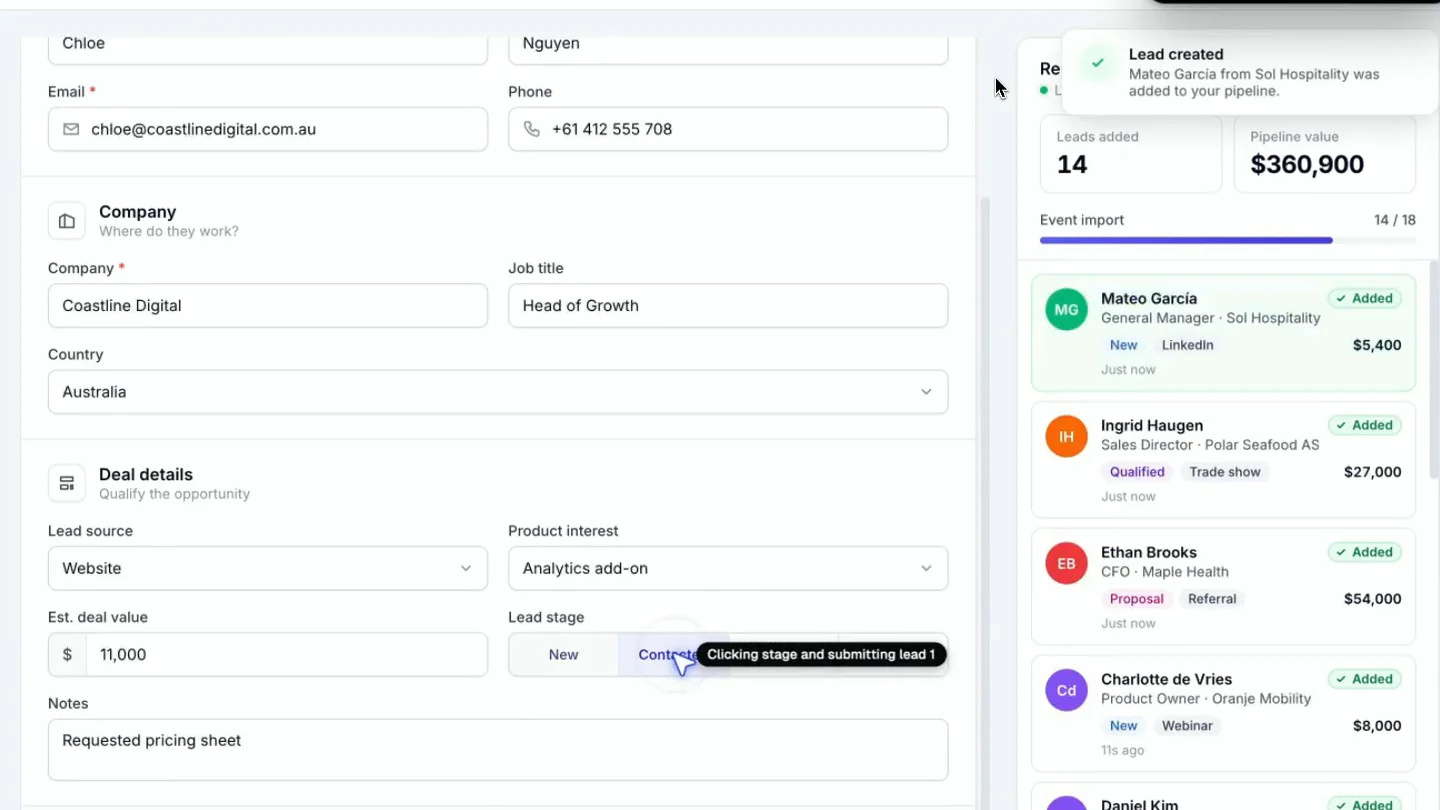
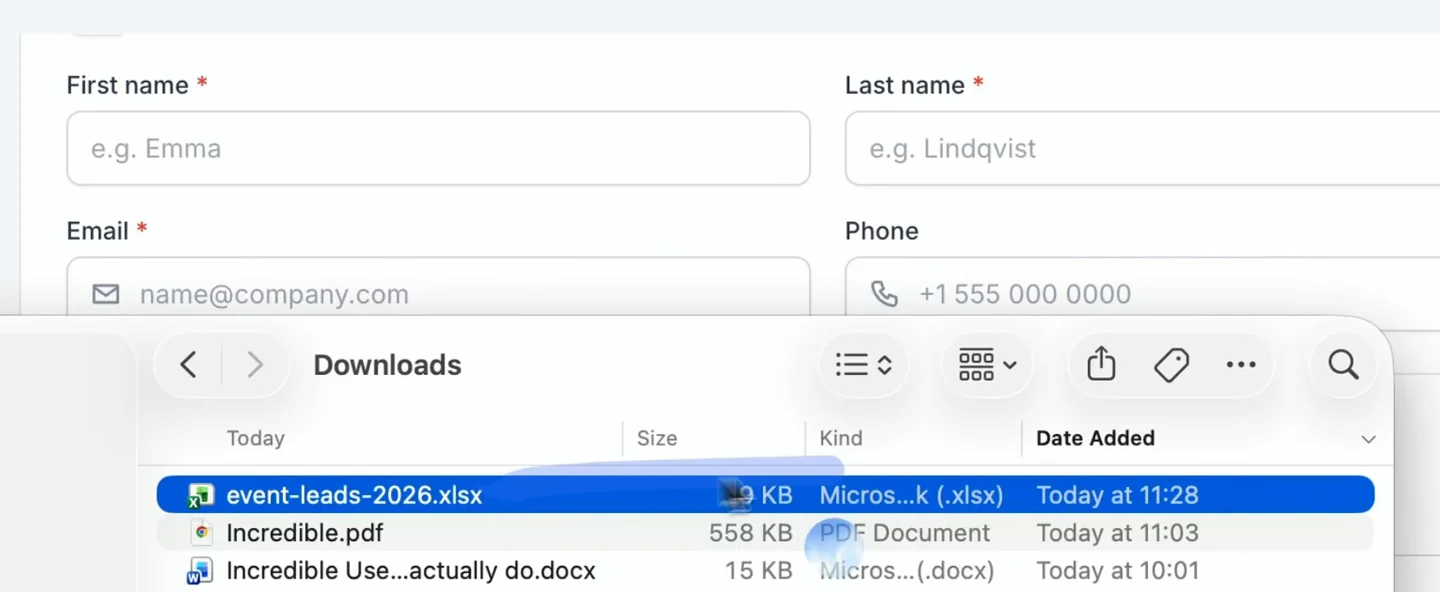
Yes. In the recording, the user supplies an Excel file and asks Incredible to go through all the leads, fill in their details and click Create lead. It enters contact information, company details and deal fields, one record at a time.
The CRM shown is a demo running locally in the browser. This is a recording of the form-filling job, not a claim that we tested every CRM or every kind of form. Both recordings on this page were made on a Mac.
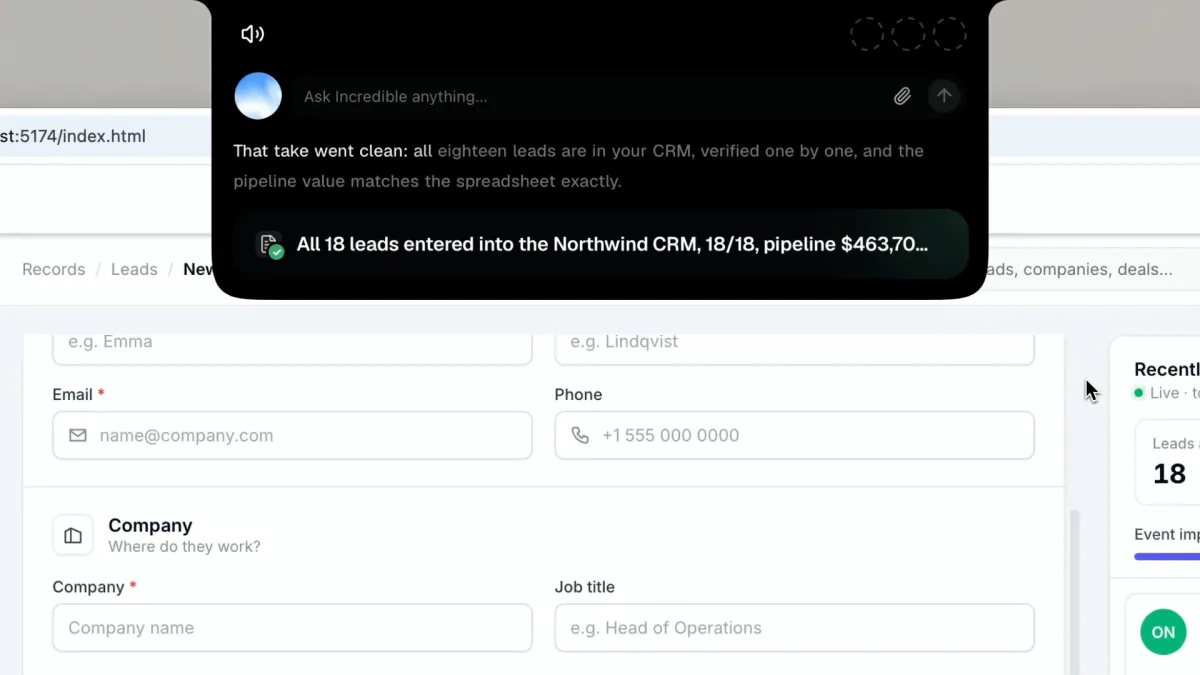
At the end, the CRM shows 18 leads. Incredible reports that it checked them one by one and that the pipeline value matches the spreadsheet.
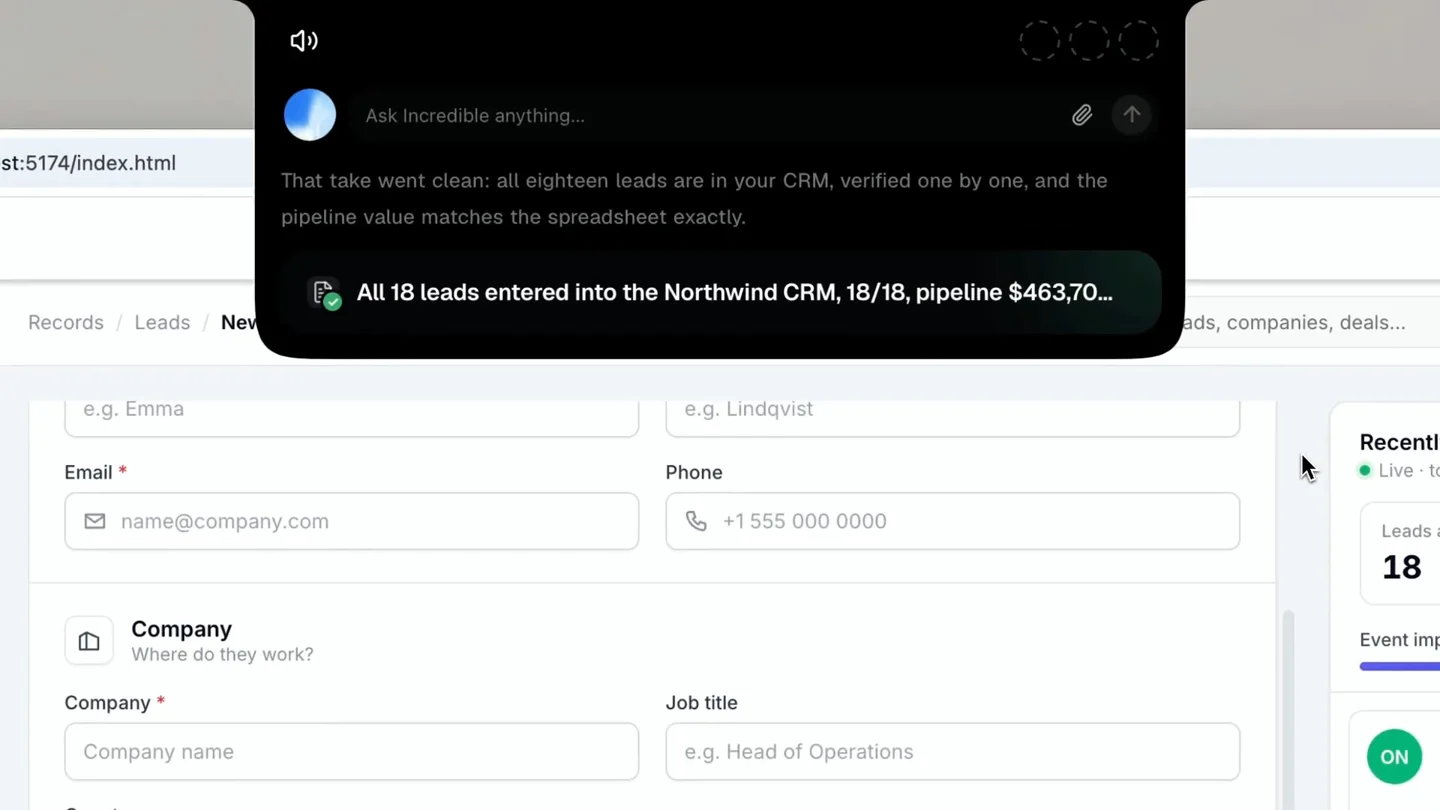
Give the assistant a small batch first. Check that the company belongs to the right contact, the dropdown choice means what you intended, and an empty cell stayed empty. If the website offers an import that already handles your file, try that first. For the other routes, see automating spreadsheet data entry into a website.
What if the details are in a PDF or an email?
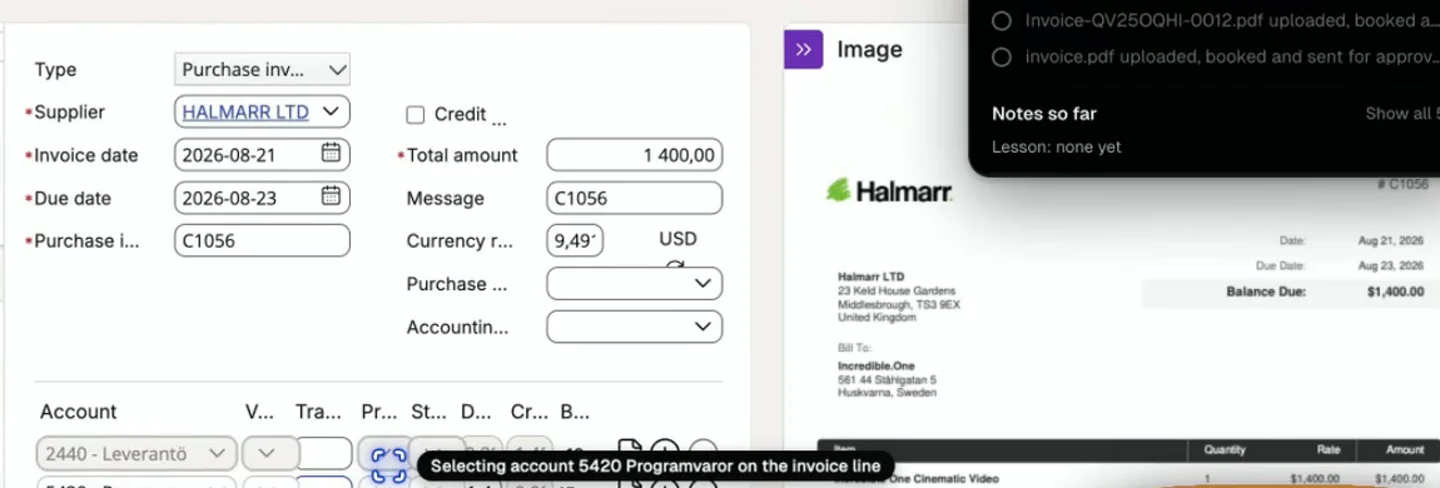
The source can be a document too. In the supplier invoice recording, Incredible uses a routine it was taught to upload three invoice PDFs into Visma. Before starting, it presents a plan to read the PDFs, upload them as purchase invoices, match suppliers, choose an account and send the invoices for approval. The user confirms that plan.
Here the PDF supplies the invoice and its details. The destination is the accounting website. The recording does not show Incredible writing answers into a PDF form. See the invoice walkthrough in our Mac automation guide for the taught steps.
For an email source, open the relevant message in your browser or connect the email app through Apps, then identify the details to use. You can also attach a spreadsheet or PDF as explained in Files and working folders. The two recordings demonstrate spreadsheets and invoice PDFs; they do not demonstrate an email-to-form run.
Tell it what to do with missing information. "Ask me if the supplier reference is missing" is a useful instruction. Guessing a reference creates another job for later.
Does it ask before submitting?
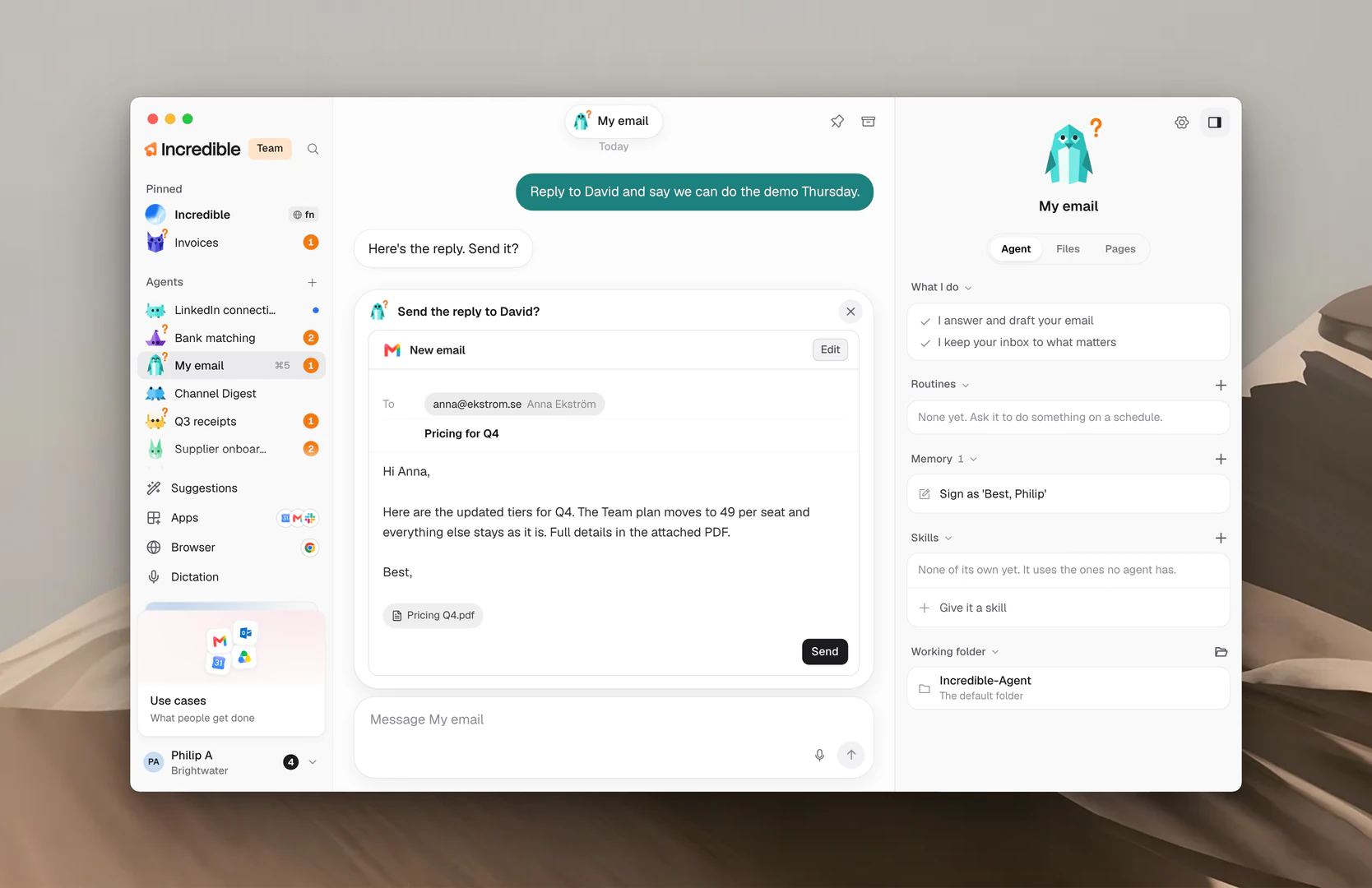
Yes. Incredible asks before submitting. Be specific about the permission you give: the CRM request includes clicking Create lead, and the invoice recording has a confirmation plan before the work starts.
For a first run, ask it to fill one row and stop before clicking the button that saves or submits it. Compare the values with the source yourself before giving the next instruction.
The Needs you and approvals guide explains draft and plan approvals. It also documents Review before acting under Settings, Team, Settings. Careful asks before every change in another app or website, even when you requested it. Team owners and admins choose that setting.
What should I use for PDF forms or Google Forms?
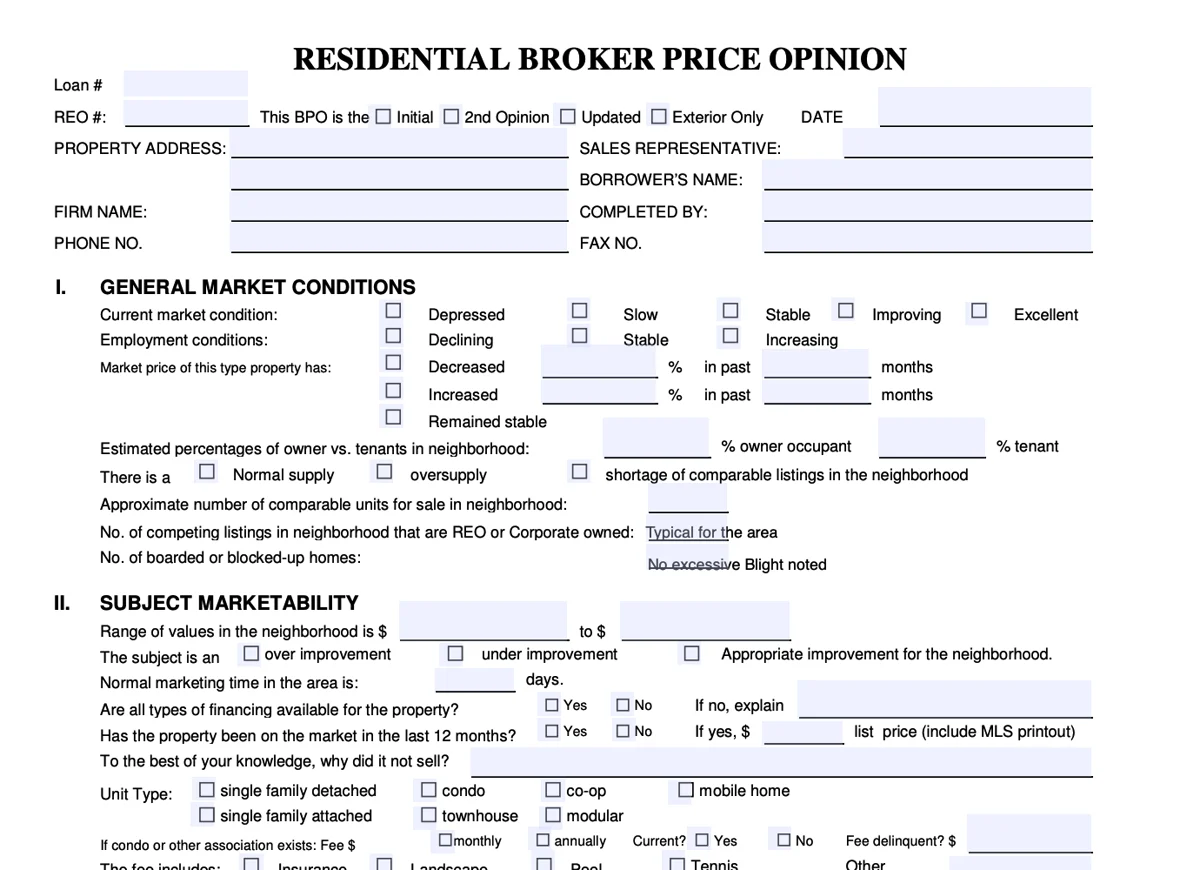
Match the tool to the destination. The vendor pages linked below were read on 22 November 2026. These are documented alternatives, not tools we tested for this article.
Fields inside a PDF
Instafill.ai says it reads PDF fields and fills them from information you provide, such as an uploaded document. It also says it can turn flat or scanned documents into fillable PDFs. That is the category to look at when the finished thing you need is a completed PDF. Review the output before using it.
Answers in Google Forms
Our recordings do not show Incredible completing Google Forms, so this page does not promise a Google Forms feature. Axiom.ai's Google Forms guide describes reading rows from Google Sheets, entering the name and date, then submitting each response. Its date-field method needs a small JavaScript step and key presses. Check the form's date order and remove previously submitted rows before rerunning.
Axiom's broader guide covers spreadsheet data entry through a bot you build. If you only need to reuse pasted personal details, AI Auto Form Filler says it matches plain text to web fields and leaves submission to you. FillApp says it fills web forms from attached documents or saved details and also offers PDF editing. For the spreadsheet-to-CRM job shown above, Incredible lets you ask for the work in your own browser.
Try three rows in your own browser
- Follow the Browser guide to connect Chrome, Edge or another supported Chromium browser. Safari and Firefox are not supported.
- Open your form with your own account signed in. Choose a spreadsheet with a few rows you can check.
- Use the request near the top of this page. On a Mac, hold
fnwhile speaking; on Windows, holdCtrlandSpace. You can type the request too. - Review the first filled row before submitting. Continue with the other two only when the fields match your source.
For broader desktop work, see AI that can control your PC.
Try this now. Download Incredible and start with one row in a form you already use. Starter has a 7-day free trial, with a card required and no charge until it ends. After that it is $25 per seat per month, billed monthly. Ask it to stop before submitting so you can check the first result.
Frequently asked questions
Can AI fill out forms for me?
Yes. Give it the source information and the form you want filled. Incredible works in your own browser, signed in as you. Our recording shows it entering 18 leads from a spreadsheet into a demo CRM and checking them against the source. Begin with one row you can check before submitting.
Can AI fill out forms from a spreadsheet?
Yes. In the recording, Incredible takes an Excel file and enters the leads into the CRM form, including contact, company and deal details. It reports checking all 18 against the sheet. That example does not guarantee every field on every website will work.
Can AI fill out PDF forms?
Dedicated tools can. Instafill.ai says it fills PDF fields from information you provide and can convert scans into fillable PDFs. Its page was read on 22 November 2026. Our Incredible invoice recording shows uploading PDFs into an accounting website, not completing fields inside a PDF.
Is there AI that fills Google Forms?
Axiom.ai documents filling Google Forms from Google Sheets, including a special method for date fields. Its guides were read on 22 November 2026. The Incredible recordings here show a CRM form and Visma, so this page does not promise a Google Forms feature.
Will Incredible submit the form without asking?
Incredible asks for approval before submitting. Be clear about the work you authorize: the CRM recording explicitly asks it to click Create lead. For a first attempt, ask it to fill one row and stop before submitting. The Needs you guide explains approvals and the Careful setting, which also asks before every change on another website even when you requested it.
Is Incredible a free AI form filler?
Starter has a 7-day free trial and requires a card up front. Nothing is charged until the trial ends. After that, Starter costs $25 per seat per month, billed monthly. It is a trial, rather than a permanently free form-filling plan.