Yes, an AI can now click and type in your Mac apps for you. The apps that do it in October 2026, what each one needs, and how they differ.
Yes. As of October 2026 several apps can click and type in your Mac's apps for you: Anthropic's Claude desktop app, OpenAI's ChatGPT desktop app and Incredible, while Apple's rebuilt Siri can act inside Apple's own apps.
They differ in how you ask, which plan you need and when they stop to check with you. Everything below about Claude, ChatGPT and Siri was read from each company's own documentation on 4 October 2026.
An AI that controls your Mac looks at the screen, moves the pointer, clicks and types in the same apps you use. macOS only lets an app do that after you allow it in System Settings. OpenAI's documentation for ChatGPT asks for two permissions: Accessibility, so it can click, type and navigate, and Screen Recording, so it can see the app. Anthropic asks for the same two for Claude.
This is a different thing from Apple's Voice Control, which carries out spoken commands one at a time, such as "Open Mail" or "Click Done". With an AI you describe the result and it works out the clicks. Both are compared in how to control your Mac with your voice.
Anthropic calls it computer use. Its support page says it is in beta for the Pro and Max plans, in Cowork and Claude Code in the Claude desktop app, on macOS and Windows. You turn it on under Settings, General.
Claude picks the most direct route first. It uses a connector such as Gmail or Google Drive when one exists, then the browser, and only then clicks on the screen. It asks before it opens each app, and some apps, such as trading and crypto apps, are blocked by default. On macOS 15 or later it works in background windows, so you can keep using the Mac. Anthropic is open about the limits: the Mac has to be awake with the app open, working on the screen is slower than a connector, and complex tasks sometimes need a second try.
It suits someone who already pays for Claude and wants longer jobs done with their files.
OpenAI also calls it Computer Use. Its documentation says it works on macOS and Windows with ChatGPT Work and Codex, in supported regions, and needs the ChatGPT desktop app. You install the Computer Use plugin, allow Screen Recording and Accessibility, and then mention @Computer or the app's name in your request.
ChatGPT asks before it uses each app, and you can choose "Always allow" for one. It cannot use terminal apps or ChatGPT itself, and it cannot sign in as an administrator or approve security and privacy prompts for you.
It suits someone who already works in ChatGPT and wants to hand a job to it from there.
Apple's rebuilt Siri arrived with macOS 27. Apple's page on getting Siri AI says it can "get things done across your apps to send messages, create events, and more", and that it needs a MacBook Neo or a Mac with M1 or later. It is a beta, in English to start, and Apple says daily usage limits may apply.
It is free and already on your Mac, and it is strongest in Apple's own apps. For work in a CRM in Chrome or a supplier portal, it is not the tool.
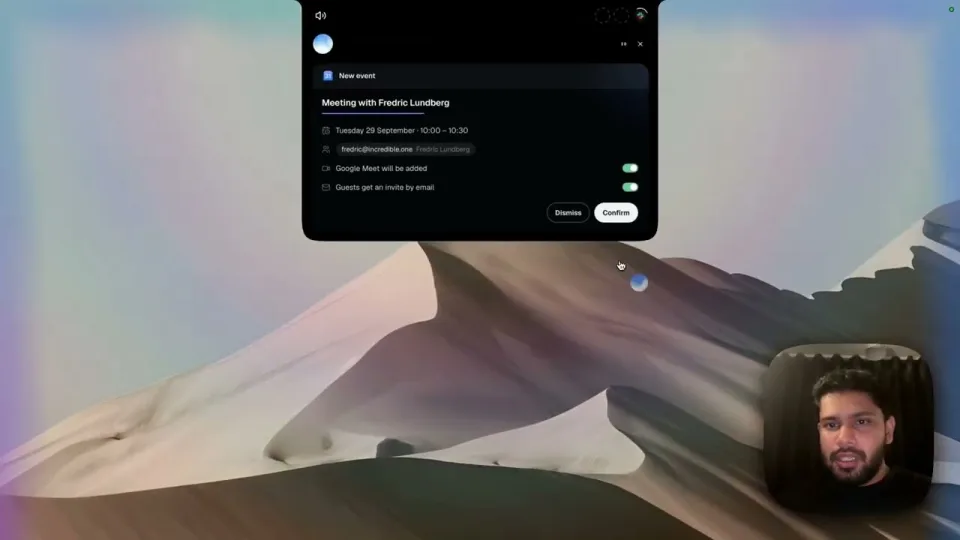
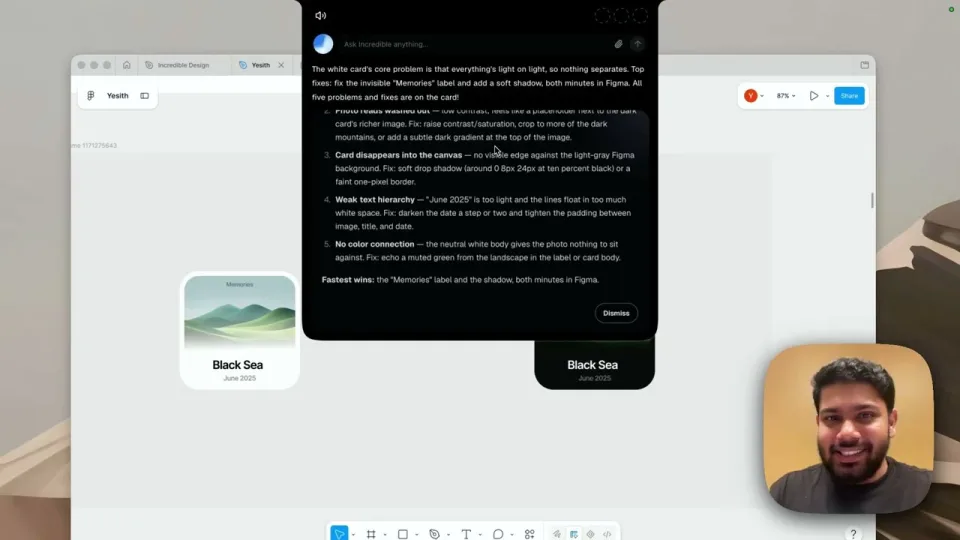
Incredible is an app built for this one job. You hold the fn key and say the task in your own words, or type it into the bar at the top of the screen, and it clicks and types in your browser, files and apps. It sees the window in front of you when you activate it, so "reply to this" works without saying which email you mean.
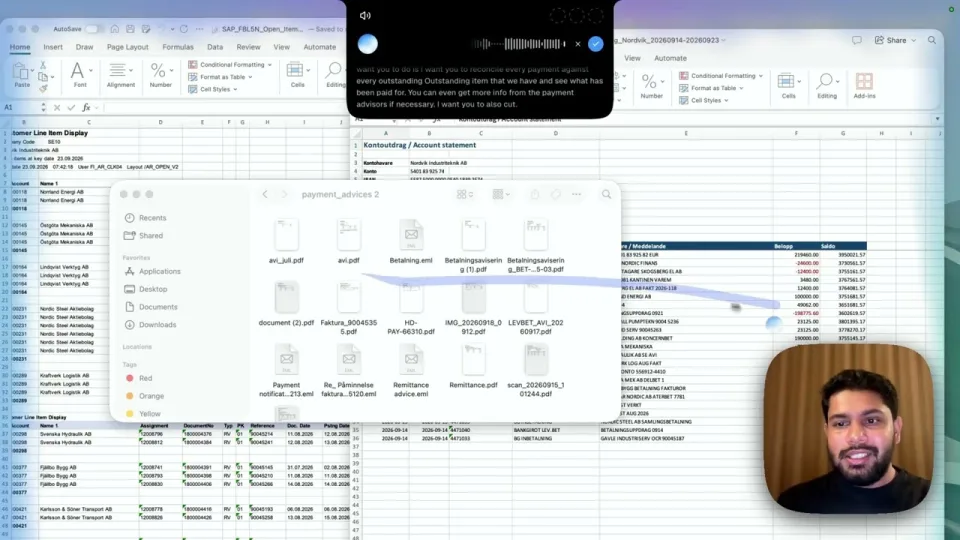
In the browser it works in your own Chrome, or another Chromium browser such as Edge, signed in as you, on any website, including systems that have no integration. Safari and Firefox are not supported (see the Browser guide). On your Mac it creates and edits files, Word, Excel, PowerPoint and PDF among them, as the Files guide describes (for spreadsheets in particular, see AI for Excel on Mac). Before anything is sent, it asks, and you can approve the step, change it first, or stop.
The difference from the chat apps is where you start. With Claude or ChatGPT you go to their window and give the job. With Incredible you stay in the app you are working in, hold a key and talk. A job you repeat can be taught once by doing it while you talk it through, and then put on a schedule or on Autopilot. See how teaching works.
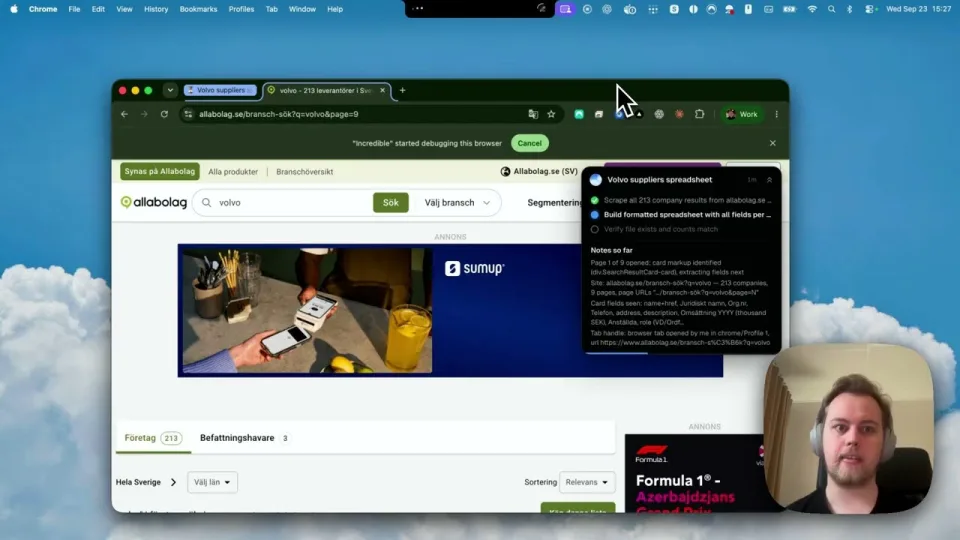
The recording of everyday tasks shows it looking up companies in Chrome and listing them in a spreadsheet while the person keeps working. Incredible runs on macOS 13 or later and on Windows 10 or later.
If you already pay for Claude Pro or Max, computer use is in the app you have, so try it there first. If your work happens mostly in Mail, Messages and Calendar on a recent Mac, turn on Siri AI.
If what you want is to say a task while you work, in the websites and files you already have open, try Incredible. It is free for 7 days with no card. Download it, or read the Quickstart first.
For a wider look at AI on the Mac, including Raycast and Perplexity, see the best AI for Mac in 2026.
An AI that can click in your apps can also click the wrong thing. Pages and documents can hold hidden instructions meant to steer it, which is why all of these ask before certain steps. Start with a job where a mistake is easy to undo, and watch the first few runs.
Yes. The Claude and ChatGPT desktop apps both have a computer use feature that clicks and types in your Mac apps, and Incredible does tasks in your browser, files and apps when you hold a key and say what you need. Siri AI in macOS 27 can act in Apple apps.
macOS asks you to allow it. OpenAI and Anthropic both ask for Accessibility, so the app can click and type, and Screen Recording, so it can see the window. Incredible asks for the microphone, accessibility, Finder and your browser, and screen reading.
Partly. Siri AI, in beta in macOS 27 on Macs with M1 or later, can get things done across your apps, such as sending messages and creating events, according to Apple. It is in English to start and has daily usage limits.
Check when it stops to ask you. Claude and ChatGPT ask before they use each app. Incredible asks before anything is sent, and you can approve the step, change it first, or stop it.
It clicks and types in your browser, files and apps, exactly like you do.
Requires macOS 13 or Windows 10, or later.
 Download for Mac
 Download for Windows