The short answer
RPA (robotic process automation) is software that clicks and types in your apps the way a person would, so a routine can run without someone doing it by hand. Classic RPA tools such as Power Automate for desktop and UiPath have you build each bot in a designer, keep it working when screens change, and license unattended bots per bot. That fits a company with someone technical to own it. A team of 5 to 50 without a developer has lighter options: Zapier or Make when both apps have an integration, and Incredible when they don't. With Incredible you do the routine once while you talk it through, and it saves it as a task you can run again, schedule or share with the team, on Mac and Windows.
Free for 7 days. Mac and Windows.
What RPA is, why classic RPA is a heavy fit for a team of 5 to 50 with no developer, the realistic options, and a way to hand over a routine by showing it once.
Your team of twelve spends Monday morning copying invoices into the accounting system and leads into the CRM. Someone says "we should get RPA", and you look it up. You find bot designers, robot licenses and a machine runtime, and the people who will maintain all that do not exist at your company.
Here is the short answer. RPA is software that clicks and types in your apps the way a person would. Classic RPA, the kind sold by Microsoft and UiPath, has you build each bot in a designer, keep it working when a screen changes and license unattended bots one by one. That suits a company with someone technical to own it. A small team with no developer has two lighter routes: Zapier or Make when both apps have an integration, and Incredible when they don't. With Incredible you do the routine once while you talk it through, and it saves it as a task you can run again.
Everything below about Microsoft, UiPath, Zapier and Make comes from their own pages, read on 28 October 2026.
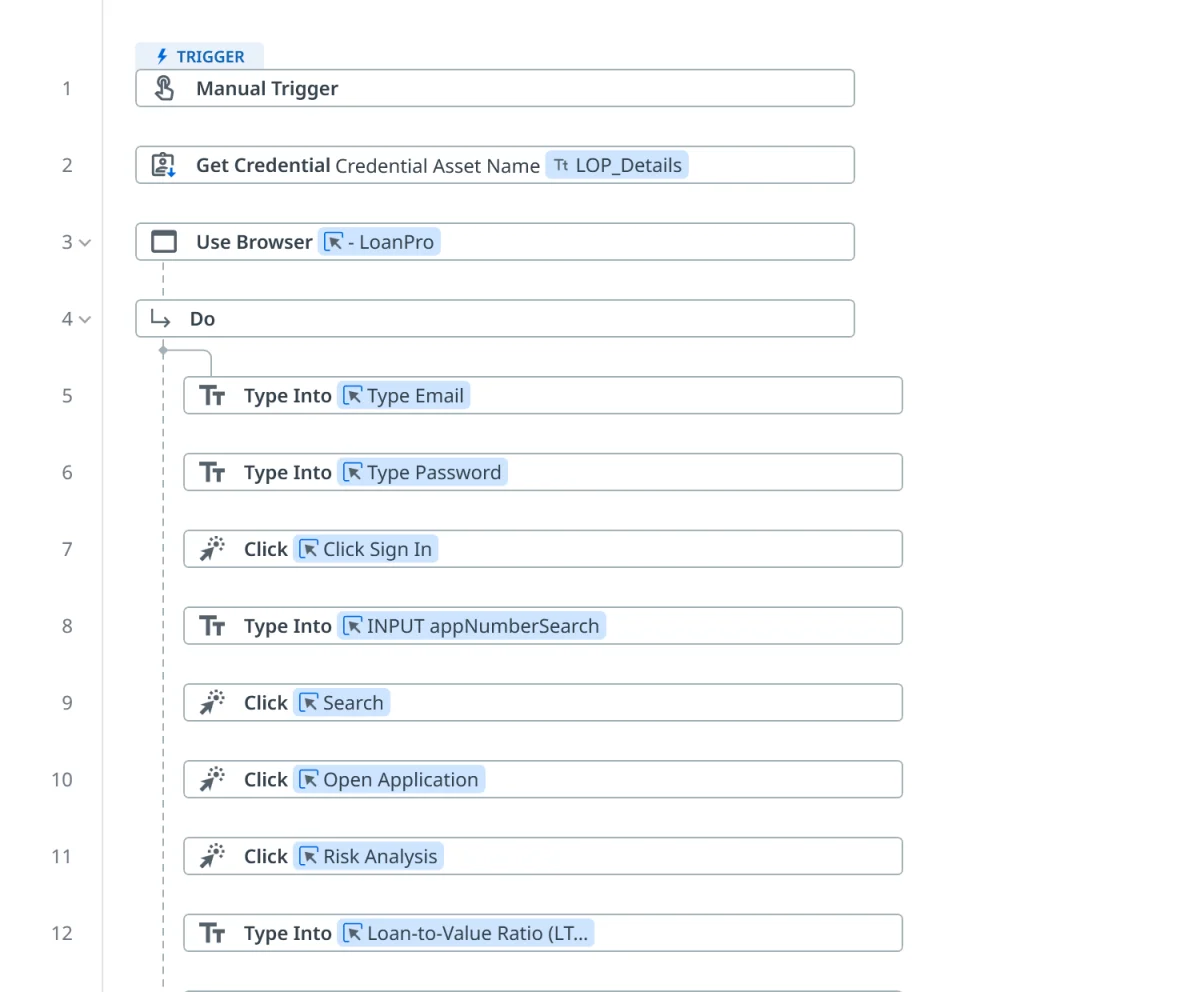
RPA stands for robotic process automation. A bot opens the apps, clicks the buttons, types into the fields and moves data from one system to another, the same steps a person would take. It is meant for systems that have no integration or API to connect them: the old ERP, the supplier portal, the government form.
Microsoft describes its desktop flows as robotic process automation for "everyone who performs simple or complex rule-based tasks on their workstations", from home users to large companies. The key word is rule-based. A bot follows its steps exactly, and someone writes those steps.
That someone is the part small teams underestimate. In the UiPath workflow above, every click and every field is a step a person placed in the designer, with a target for each one.
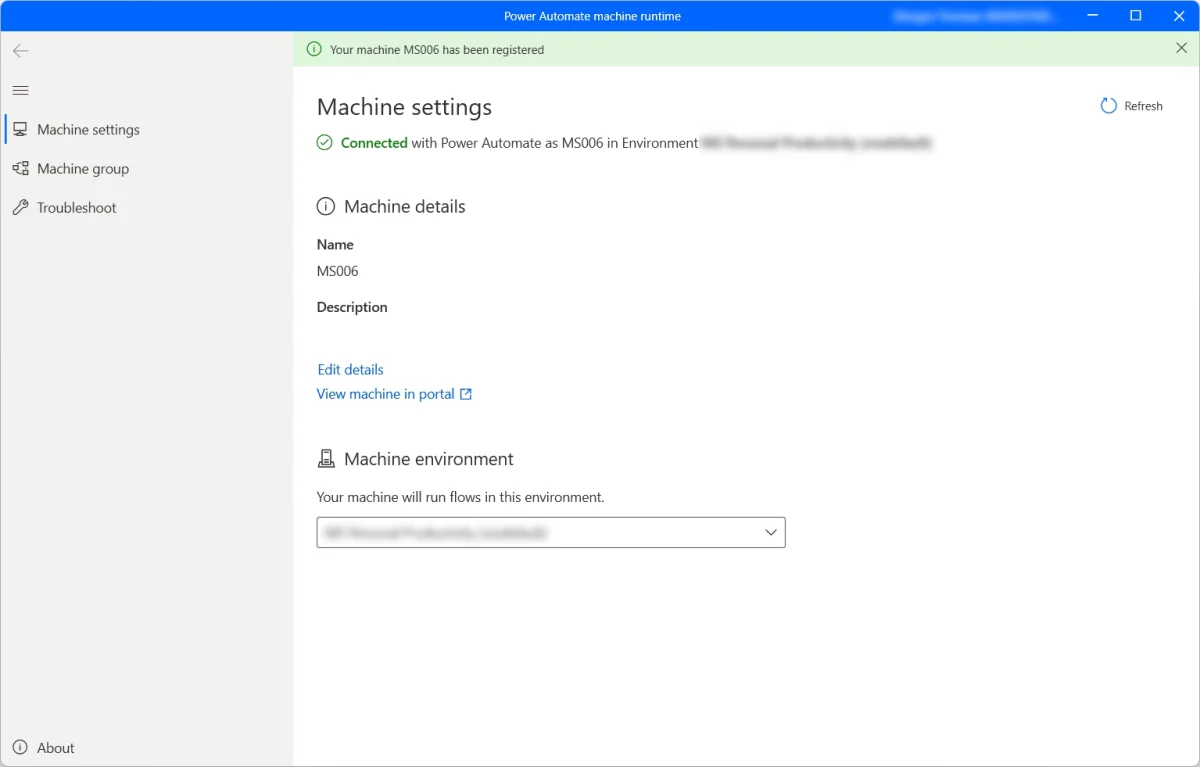
Three things make classic RPA a lot of work for a team of 5 to 50.
None of this is a flaw in the tools. They are built for companies with an automation team. A twelve-person firm has an office manager and an accountant, and both already have a full day.
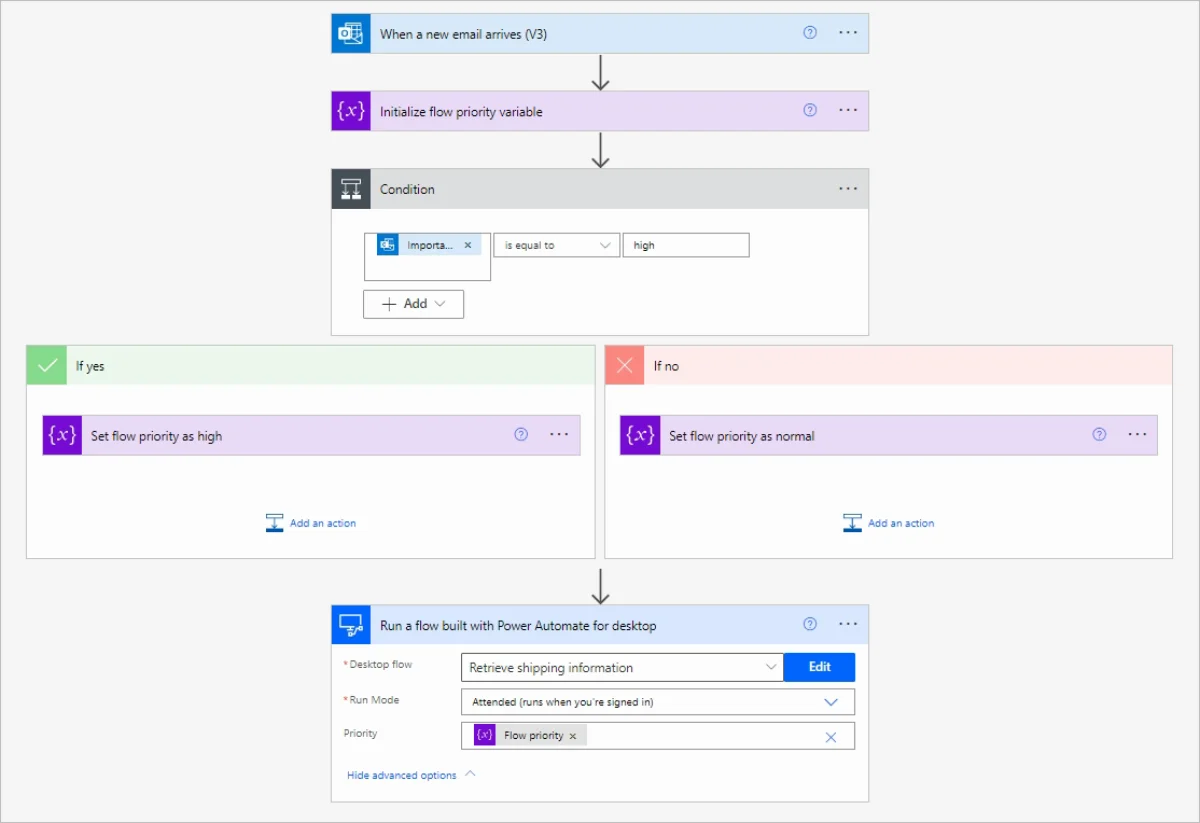
Power Automate is the RPA most small businesses meet first, because it comes from Microsoft. Its desktop flows are built in Power Automate for desktop, which Microsoft lists for Windows 10, Windows 11 and Windows Server, not for ARM devices. On a Mac you are limited to cloud flows; see Power Automate on a Mac.
The licensing follows the two ways a bot can run. Microsoft's pricing page lists:
Unattended runs have their own rules. Microsoft's unattended guide says they "require an available machine with all users signed out", keep the screen locked while they run, and can't run on Windows 10 or 11 if any user session is open, even a locked one. On Windows Home you can build and run flows locally, but Microsoft's requirements page says you can't trigger desktop flows from the cloud.
If your team already pays for Microsoft 365 and someone enjoys building flows, attended desktop flows on Windows are a reasonable start.
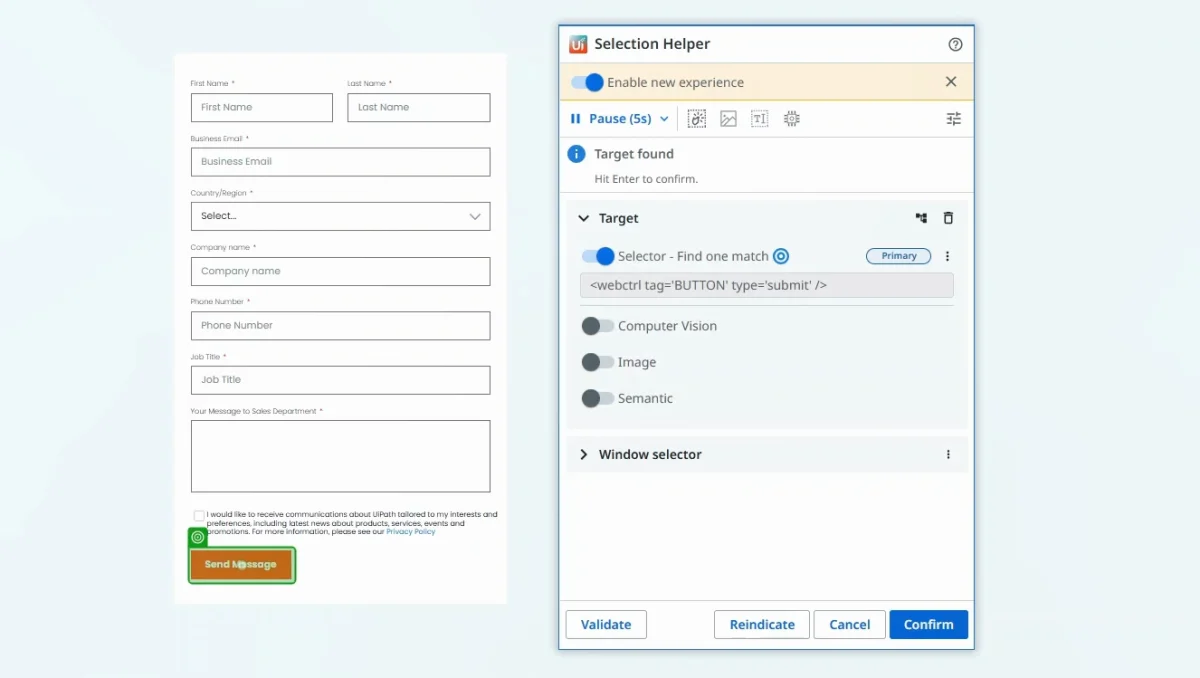
UiPath is the best-known name in RPA, and its pricing page has two plans a small team can look at:
Standard and Enterprise remove the user and robot limits, and their prices come from UiPath's sales team.
The price of entry is low. The work is the same as with any designer-based RPA: someone learns Studio, builds each bot and picks a target for each click, like the selector above. When the page changes, that target is what someone fixes.
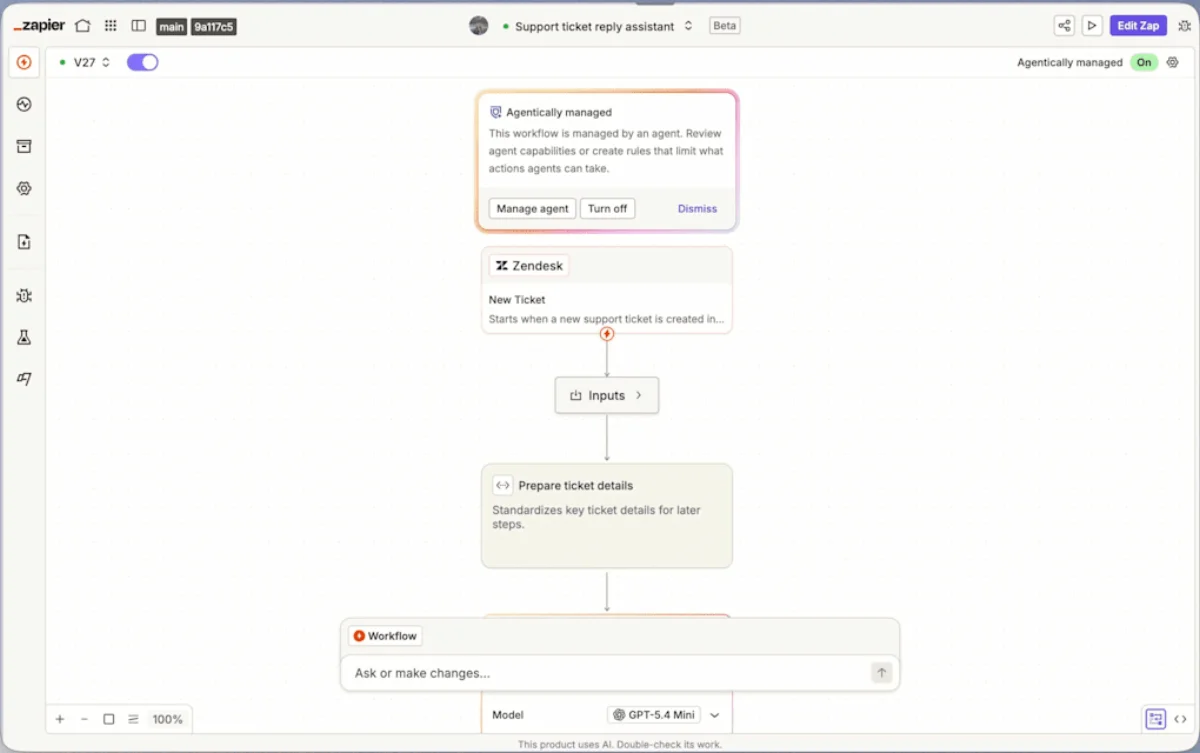
Many jobs people call RPA are really "when this happens in one app, do that in another." If both apps have an integration, you don't need a bot that clicks. You need Zapier or Make.
Zapier's pricing page says it connects more than 9,000 apps. Its Free plan has 100 tasks a month and two-step Zaps; Professional starts at $29.99 a month, or $19.99 a month paid yearly, for 750 tasks and multi-step Zaps. Make's pricing page gives its Free plan 1,000 credits a month.
These run in the cloud, around the clock, with no machine of yours switched on. The limit is the integration. A supplier portal, an old accounting system or a website only your industry uses usually has none, and that is where most small-business routines live. The full comparison is in Zapier vs an AI agent that uses your computer.
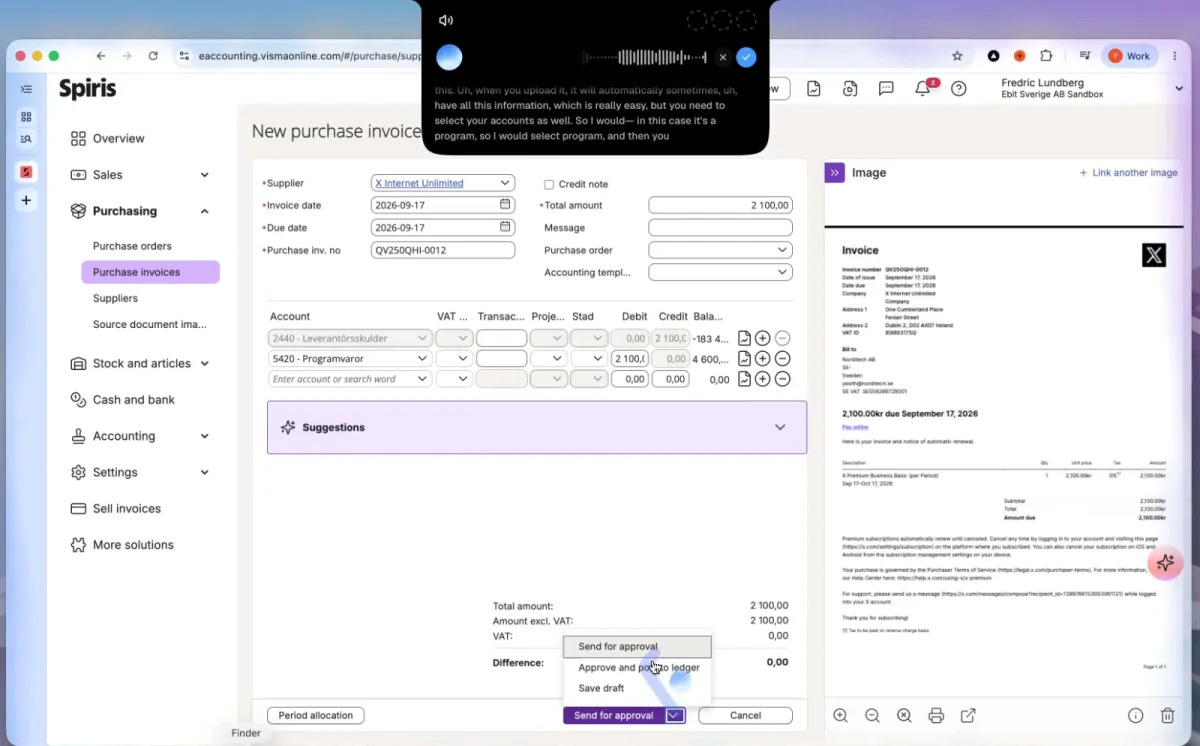
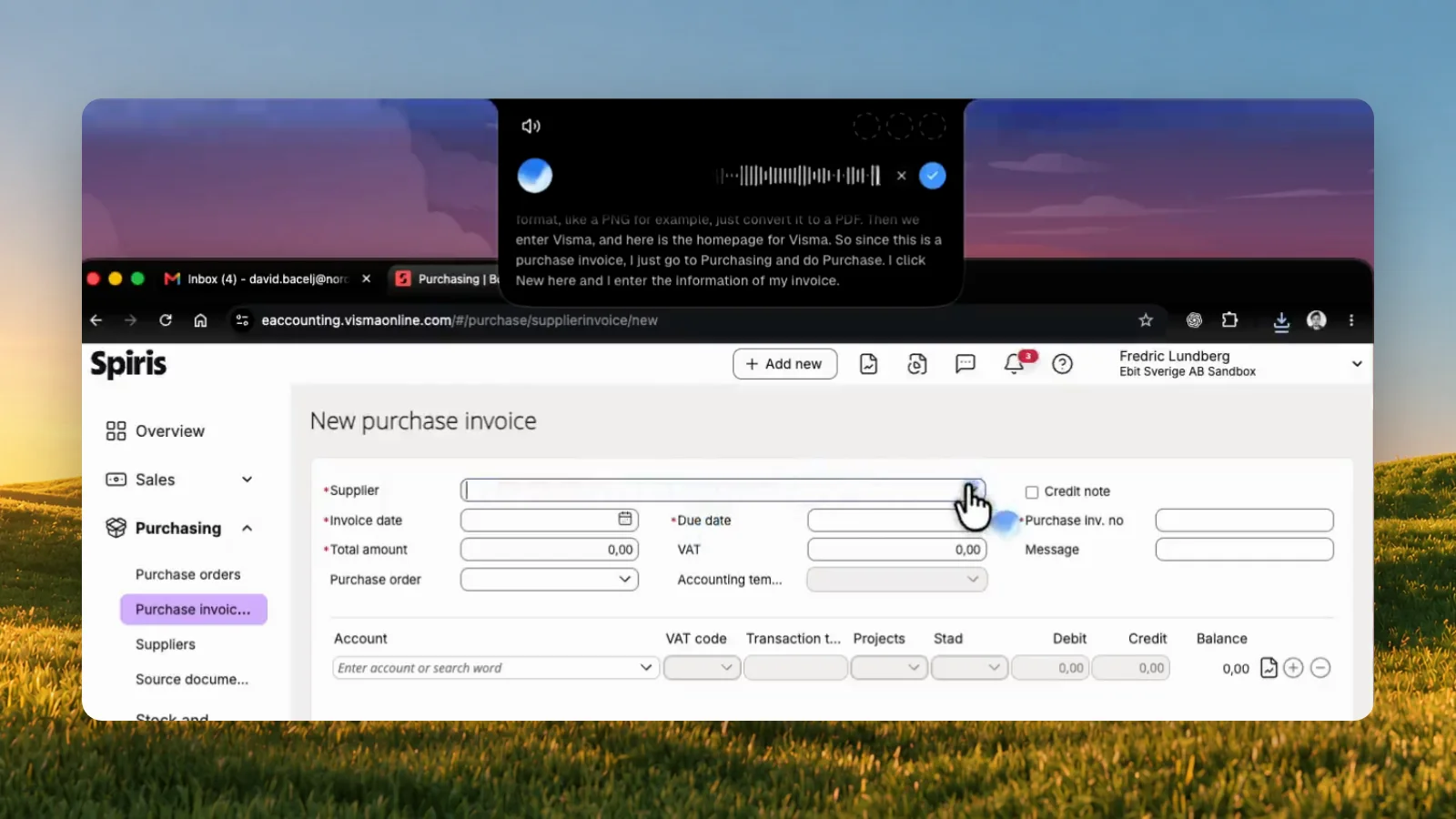
Incredible is an assistant that clicks and types in your real apps and your own browser when you ask, by voice or text. For a routine, you teach it the way you would teach a new colleague.
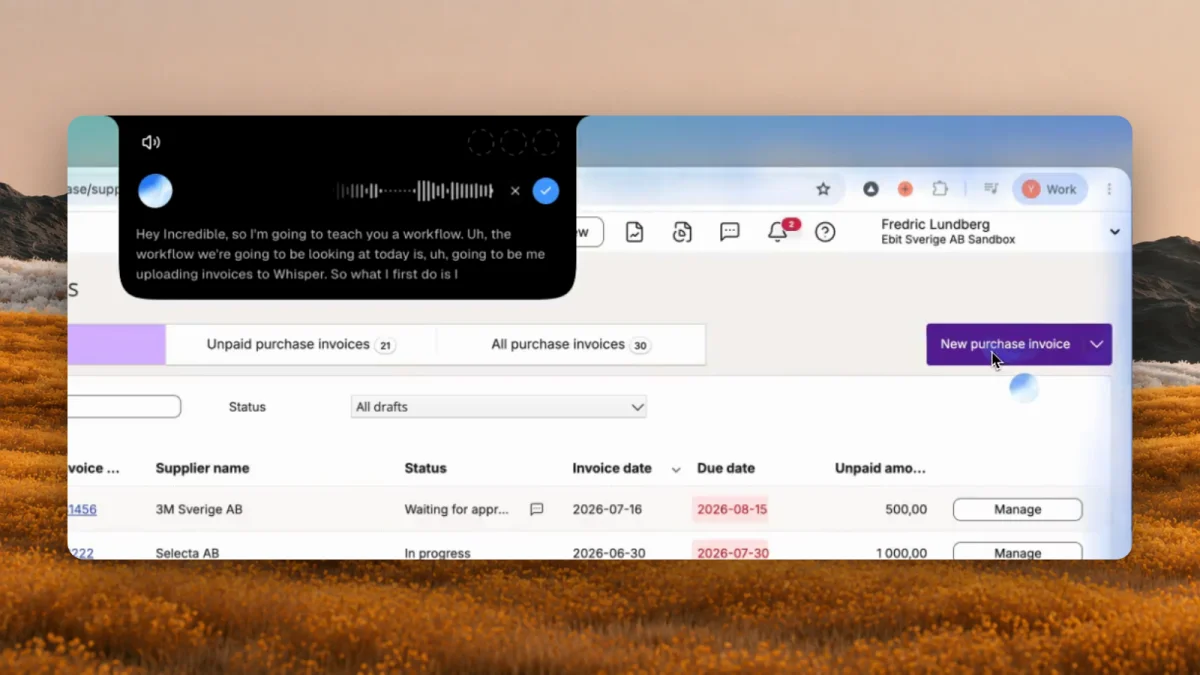
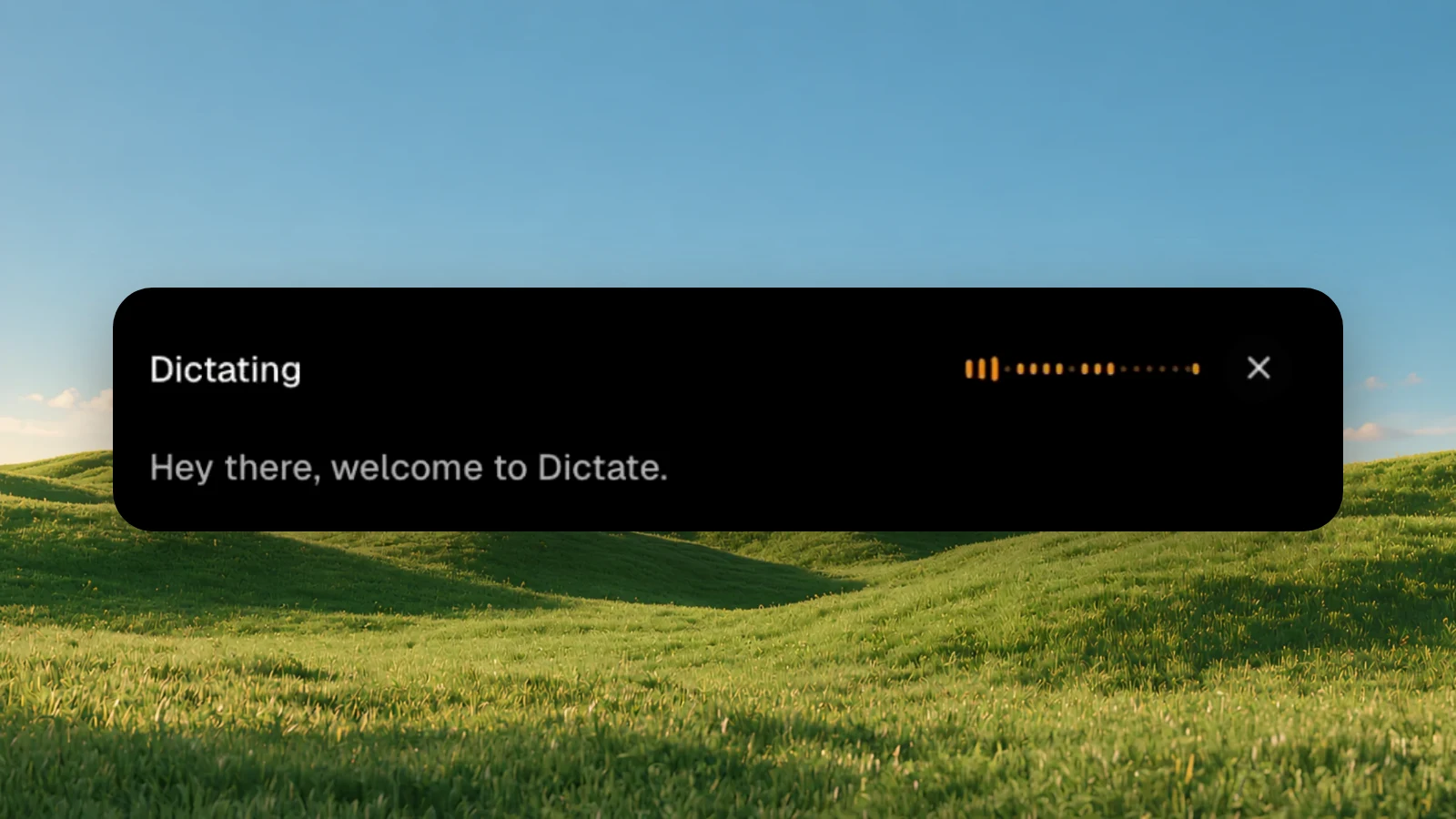
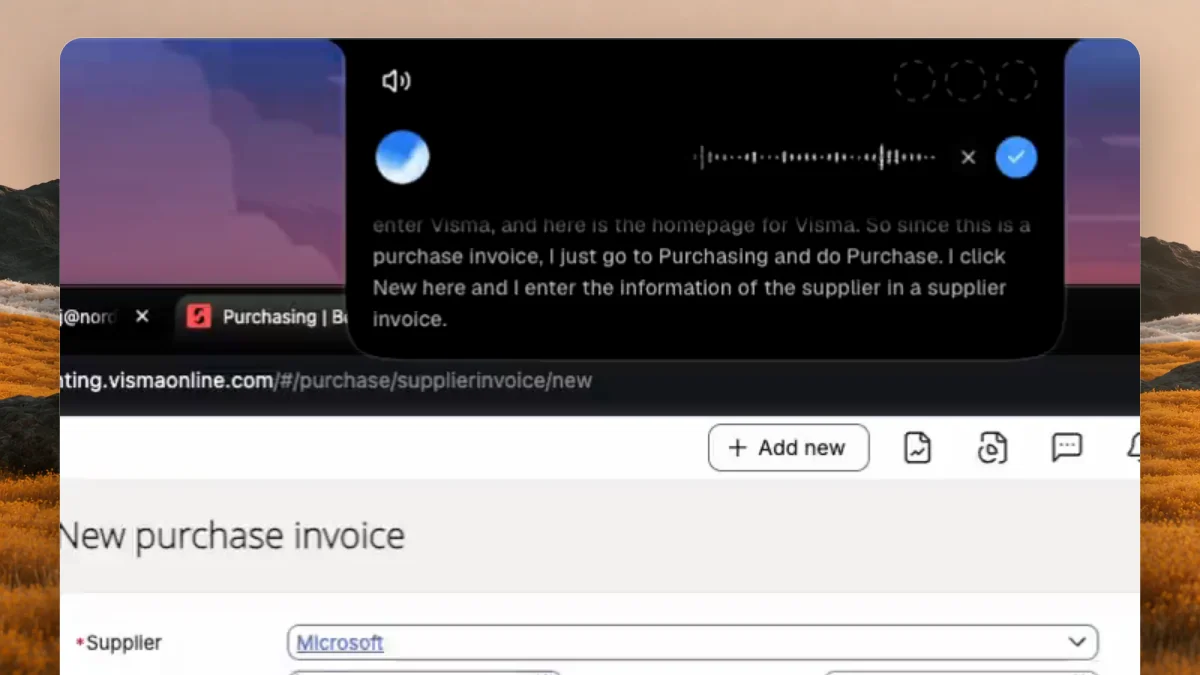
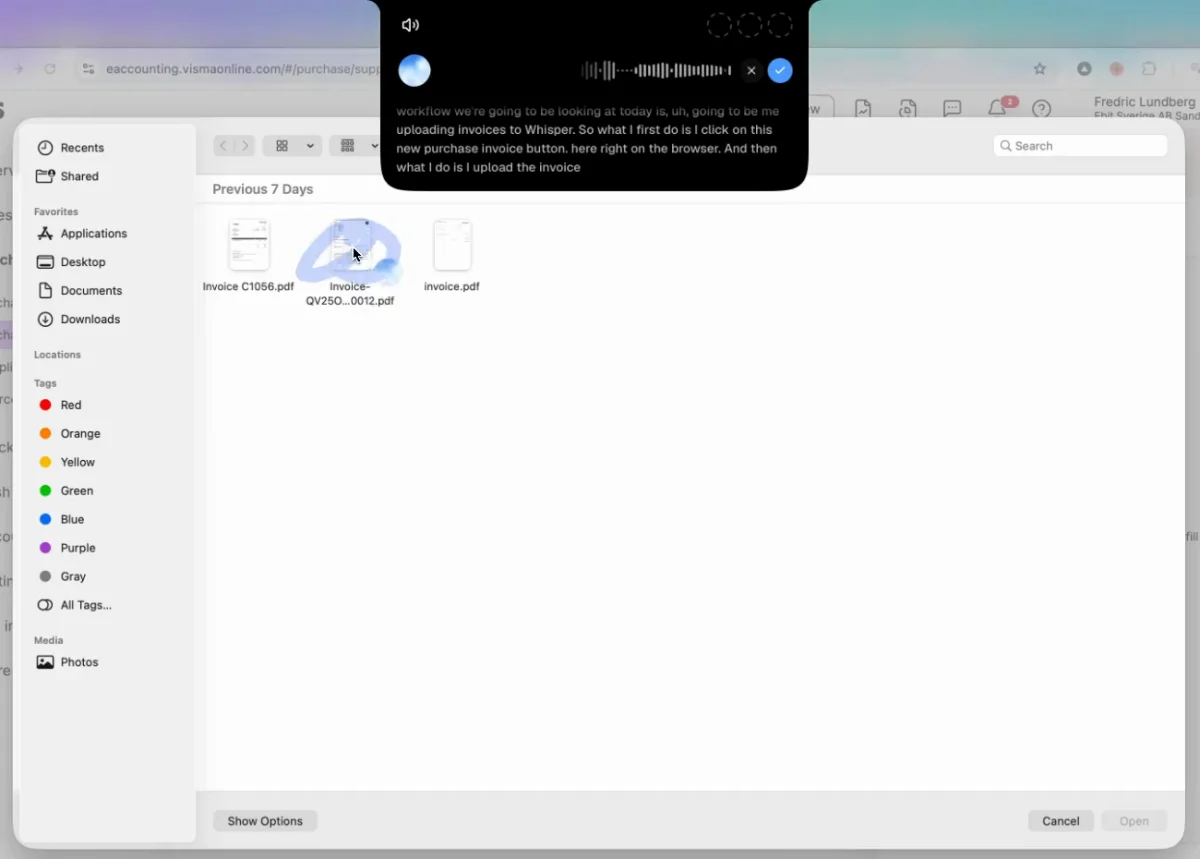
Turn on hands-free (fn and Space on a Mac, Ctrl, Alt and Space on Windows) and say what you are about to show: "Let me teach you how I upload my invoices to our ERP." Then do the job the way you always do and talk while you do it. Incredible notes each click, everything you type or copy, and each app or tab you switch to, and matches them to what you said. When you finish, it saves the job as a task under Saved tasks, where you can rename it and change its steps.
There is no designer and no selector to pick. Your words carry the rules a bot builder would have to write down: which account a software invoice goes to, what to do when the invoice is an image. Because Incredible follows the steps as instructions, a button that has moved or a column with a new name doesn't stop it.
It works in your own browser, signed in as you, so the accounting system or portal needs no integration or API. It runs on macOS 13 or later and Windows 10 or later. The full walk-through is in how to automate a repetitive task by showing it once.
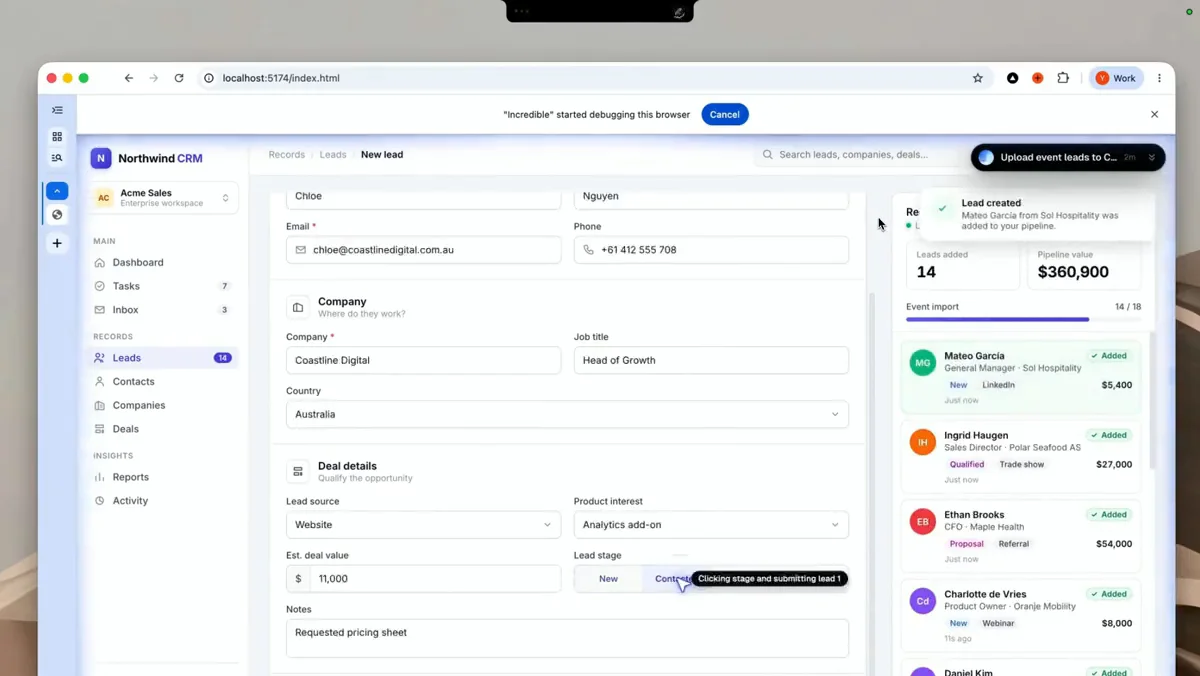
A saved task runs when you ask for it by name, on whatever the data is that day. It can also run without you asking. Put it on a schedule, such as every Monday at 9, or on Autopilot, where it runs each time something happens in an app you have connected, such as an invoice email arriving.
For a small team, sharing matters more than any robot count. A job one person teaches Incredible can be shared, so anyone on the team can ask for it. The accountant teaches the invoice routine once, and the office manager can run it the week the accountant is on holiday. A team plan is paid per seat and can start with one.
Incredible stops before anything it can't undo. Anything that sends, pays or deletes waits for your go first.
Pick by two questions: does the app have an integration, and is there someone who will build and maintain bots?
| Incredible | Power Automate desktop flows | UiPath | Zapier or Make | |
|---|---|---|---|---|
| How you set it up | Do the job once and talk | Build or record a flow in the designer | Build a bot in Studio | Build a trigger and steps |
| Apps with no integration | Clicks and types in them | Clicks and types in them | Clicks and types in them | Needs an integration |
| When a screen changes | Does what each step was for | Edit the flow | Fix the target | Edit the Zap or scenario |
| Runs by itself | Schedule or Autopilot on your computer | Unattended bot, $150 per bot a month | Unattended robots, 2 on Basic | In the cloud |
If you are on a Mac, the first two options shrink; see Power Automate on a Mac.
Try this now. Pick the routine your team complains about most. Turn on hands-free and say: "Let me teach you how I do this." Then do it once, talking as you go, and say what will be different next time. Incredible is free for 7 days. Download it, or read the Quickstart first.
Thinking of a plain macro recorder instead? See a macro recorder alternative that understands what you did.
Software that does a routine on a computer the way a person would: it opens the apps, clicks the buttons, types into the fields and copies data from one place to another. It is used for systems that have no integration or API to connect them.
It depends on who will build and maintain the bots. Classic RPA has you build each routine in a designer and fix it when an app changes, and an unattended bot is licensed per bot. Microsoft lists Power Automate Process at $150 per bot per month, paid yearly. With a developer or an IT person who owns it, that can pay off. Without one, a tool you teach by showing works better for most small teams.
UiPath's pricing page lists a Community plan as free forever, with UiPath Studio for building automations. Automations there are built in a designer. Incredible is free for 7 days.
An attended bot runs on a computer while you are signed in, usually when you start it. An unattended bot runs by itself on a machine nobody is using. Microsoft says unattended desktop flows need a machine with all users signed out, and keep its screen locked while they run.
Yes. With Incredible you do the task once while you say what you are doing and why. It saves the job as a task that you can run by asking for it, put on a schedule, or put on Autopilot, and a teammate can run it too.
It clicks and types in your browser, files and apps, exactly like you do.
Requires macOS 13 or Windows 10, or later.
 Download for Mac
 Download for Windows