 Download for Mac
 Download for Windows
Using Incredible
Scheduled
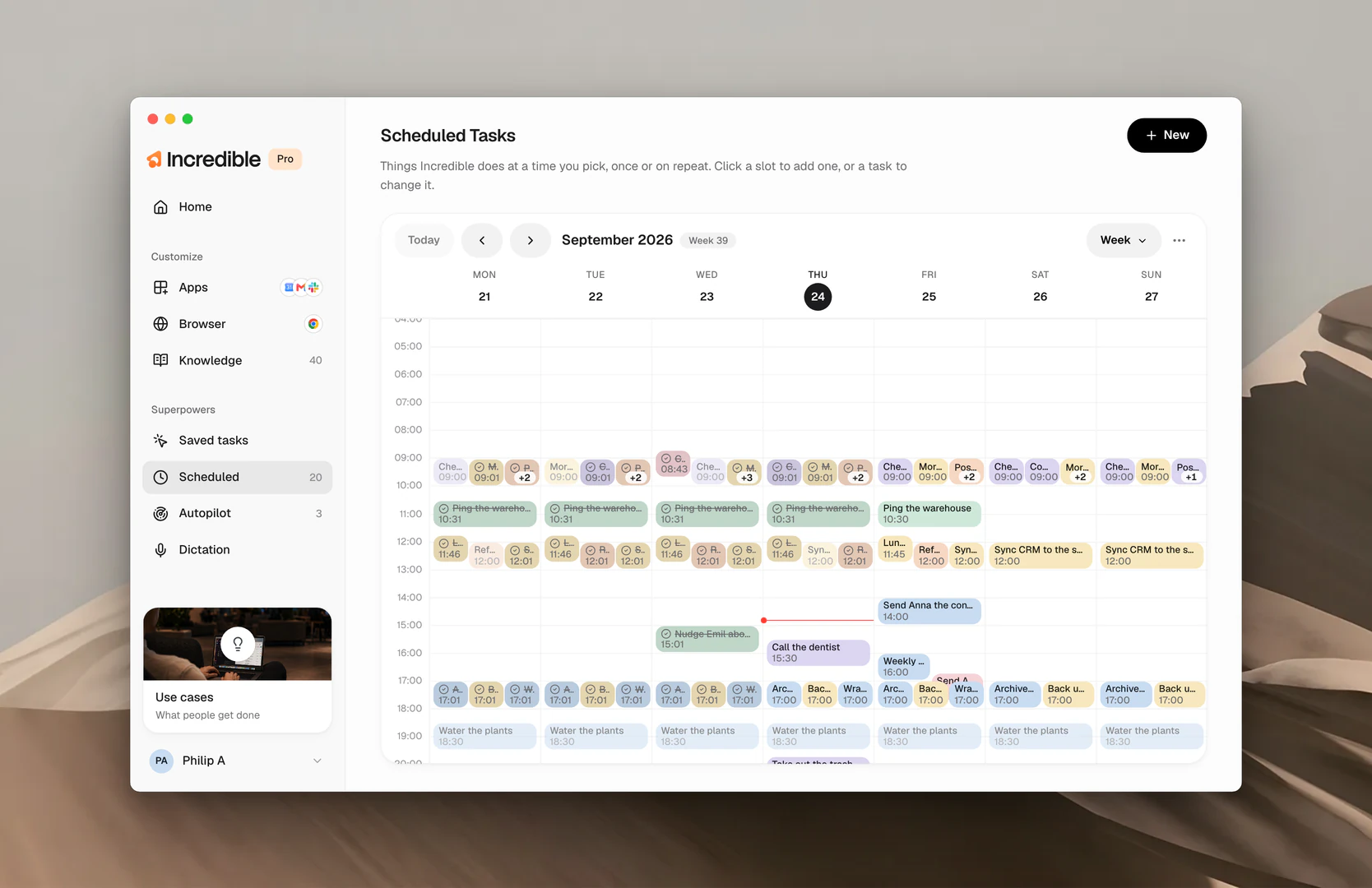
Scheduled is any task on a time frame. You say when, and Incredible does it then: a reminder tomorrow at 8, a summary of your inbox every morning, the weekly report every Friday at 9. Everything with a time on it lives under Scheduled in the sidebar, laid out as a week, so you can see what's coming at a glance.
What you can schedule
- A reminder. A one-line nudge at the time you said. It shows up quietly and lands on Home.
- A task on a timer. Any job, including one you've saved in Saved tasks, run for you at the time you pick. Once, or on repeat.
If you want Incredible to act when something happens rather than when the clock says so, that's Autopilot.
Set one up
There are two ways to schedule a task: say it to Incredible, or add it in the app.
Say it. Hold the talk key and say when and what.
"Remind me tomorrow at 8 to send Emil the contract."
"Every Friday at 9, run the weekly report."
In the app. Click New, or click an empty slot in the week. Give the task a name, write what Incredible should do the way you'd brief a colleague, choose Once or Repeatedly (every day, weekdays, every week or every hour), set the time, and click Set it up. The preview on the right shows the task as it will appear in your week.
Anything a scheduled task sends to other people still stops for your approval, the same as a task you run by hand.
See what's coming, change it, or remove it
The Scheduled page is a week view. Each task sits in its slot, and a line marks where you are in the day. Use the arrows to move, Today to jump back, and the view menu to see a day, four days, the week or the month. Click a task to change it, Run now, or Remove it. To change one by voice, just say so.
"Make the weekly report every Monday instead."
See what happened
Runs that already happened stay on the calendar, filled in with a check, so the week is a record as well as a plan. Every run also lands on Home, marked Scheduled. Turn off Show past runs in the calendar's menu to see only what's coming.
Related guides
- Saved tasks: the saved jobs a schedule can run
- Autopilot: the same idea, fired by something happening instead of a time