 Download for Mac
 Download for Windows
Updated
AI That Does Tasks for You on Your Computer? Yes, in 2026
Yes, AI can do tasks on your computer. Watch Incredible turn nine pages of company results into Excel, then try a small job in your own browser.
 Emil WagmanCTO
The short answer
Yes. Incredible clicks and types in your own browser, files and apps. The recording shows it collecting nine pages of company search results into an Excel file with 213 companies on a Mac. Hold a key and say the task. It asks before anything is sent. It runs on macOS 13 or later and Windows 10 or later, with a 7-day free trial, then from $25 a month.
Free for 7 days. Mac and Windows.
Yes, there is AI that does tasks for you on your computer. The recording above shows Incredible, our product, collecting nine pages of company search results into an Excel file with 213 companies. It was recorded on a Mac.
You say what you need, and Incredible does the clicking and typing in your browser, files and apps. It asks before anything is sent. You can approve, change the step first, or stop.
Try it on your computer. Incredible runs on macOS 13 or later and Windows 10 or later. Starter has a 7-day free trial, with a card required and no charge until it ends. Then it is $25 per seat per month, billed monthly.
Open a results page you need in a spreadsheet and start small:
Take the first three company results on the page I have open and put them in an Excel file, one row per company. Leave missing details empty and let me check the file before continuing.
 Try in Incredible
What does AI doing a real task look like?
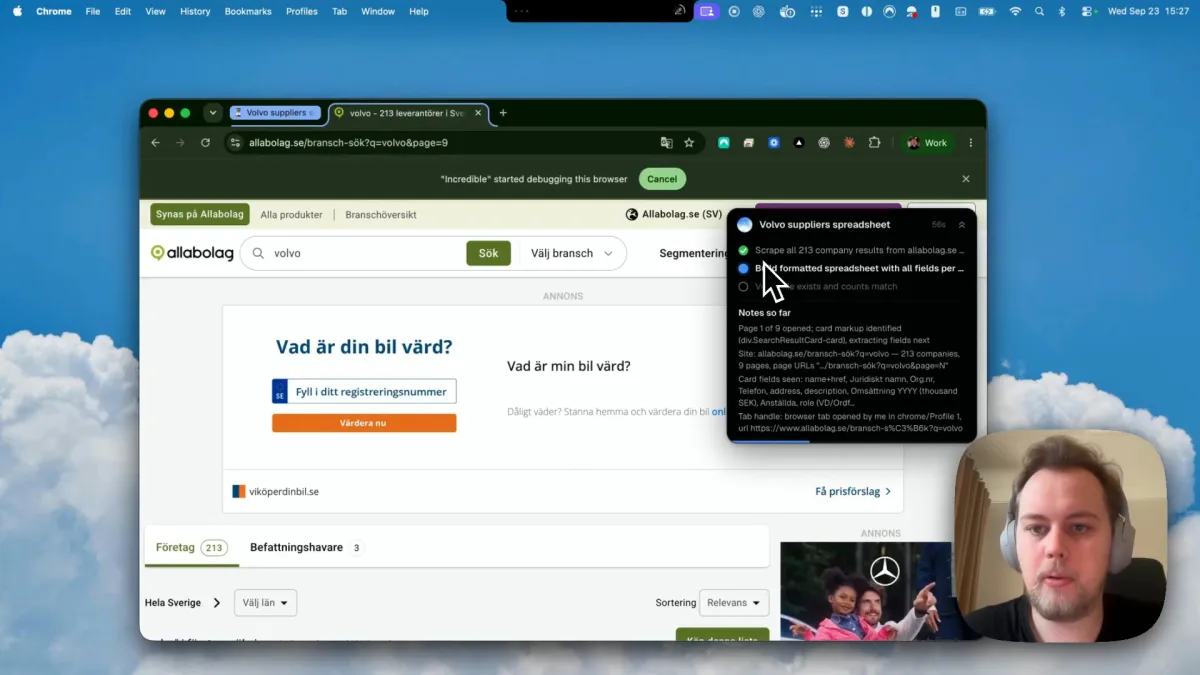
The job starts with company results on a website. The user wants them in Excel. In the recording, Incredible collects the results across nine pages and opens the finished file on the Mac.
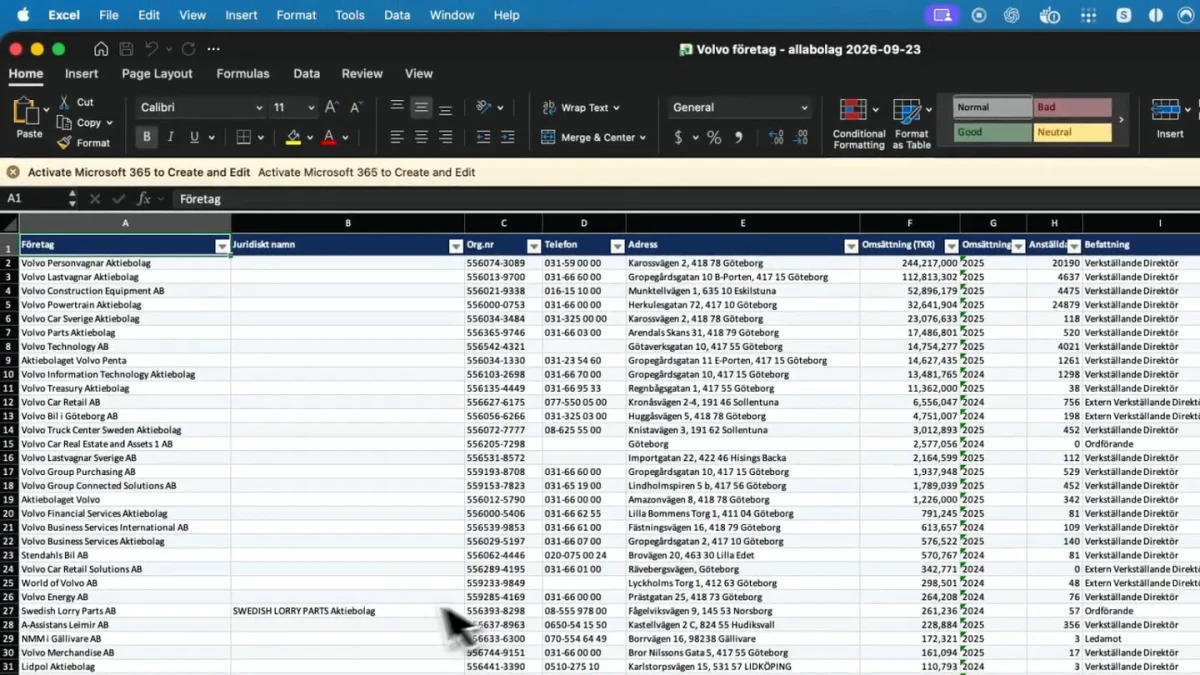
That is the result to look for when you want AI to do things for you: the file you asked for, ready to check. The website-to-Excel walkthrough follows this job in more detail. This recording shows one completed task, not a promise that every website will work.
What can it do in your browser, files and apps?
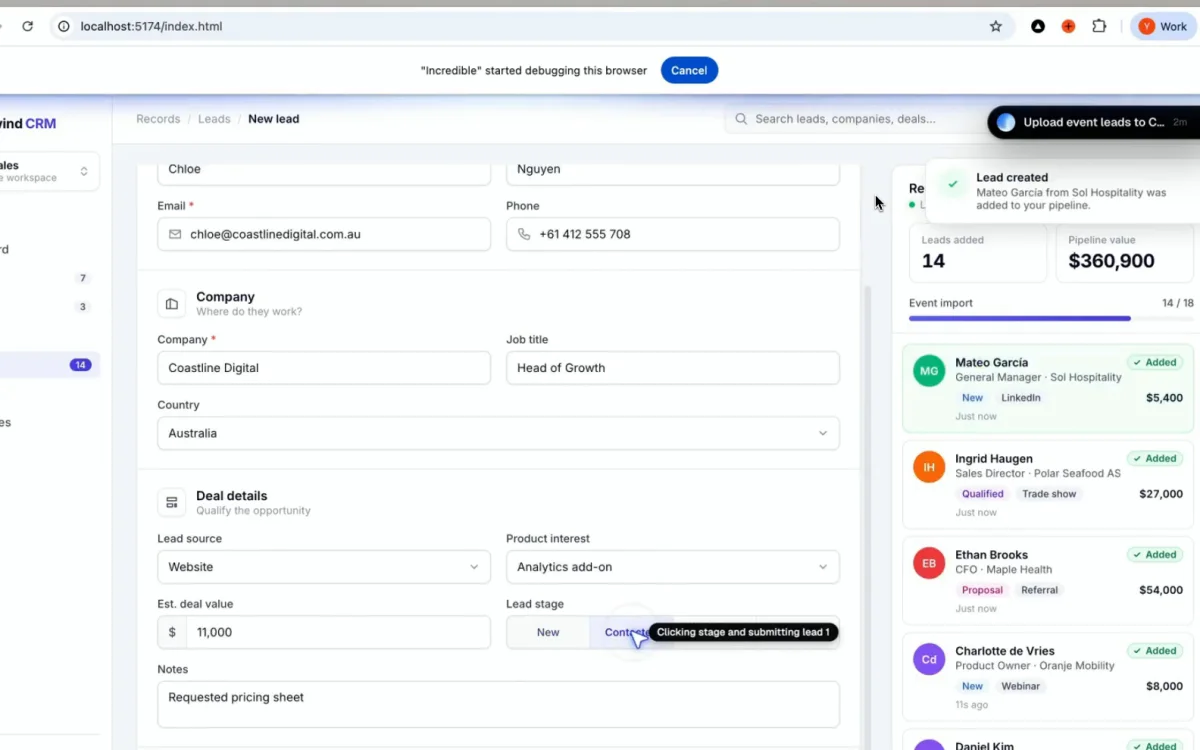
Start with the work waiting on your screen. Incredible can collect website results, fill web forms from a spreadsheet, make and change documents, spreadsheets and presentations, and sort folders. For the form-filling job, see AI that fills out forms for you.
If you want an AI browser that does tasks for you, Incredible uses an extension in your own Chrome, Edge or another supported Chromium browser, signed in as you. Follow the Browser guide to connect it. Safari and Firefox are not supported.
Hold fn on a Mac, or Ctrl and Space on Windows, and say the task. You can type too. Name the page or file, the work to do and where the result should go. For platform details, read AI that can control your PC or AI that can control your Mac.
Does it ask before sending anything?
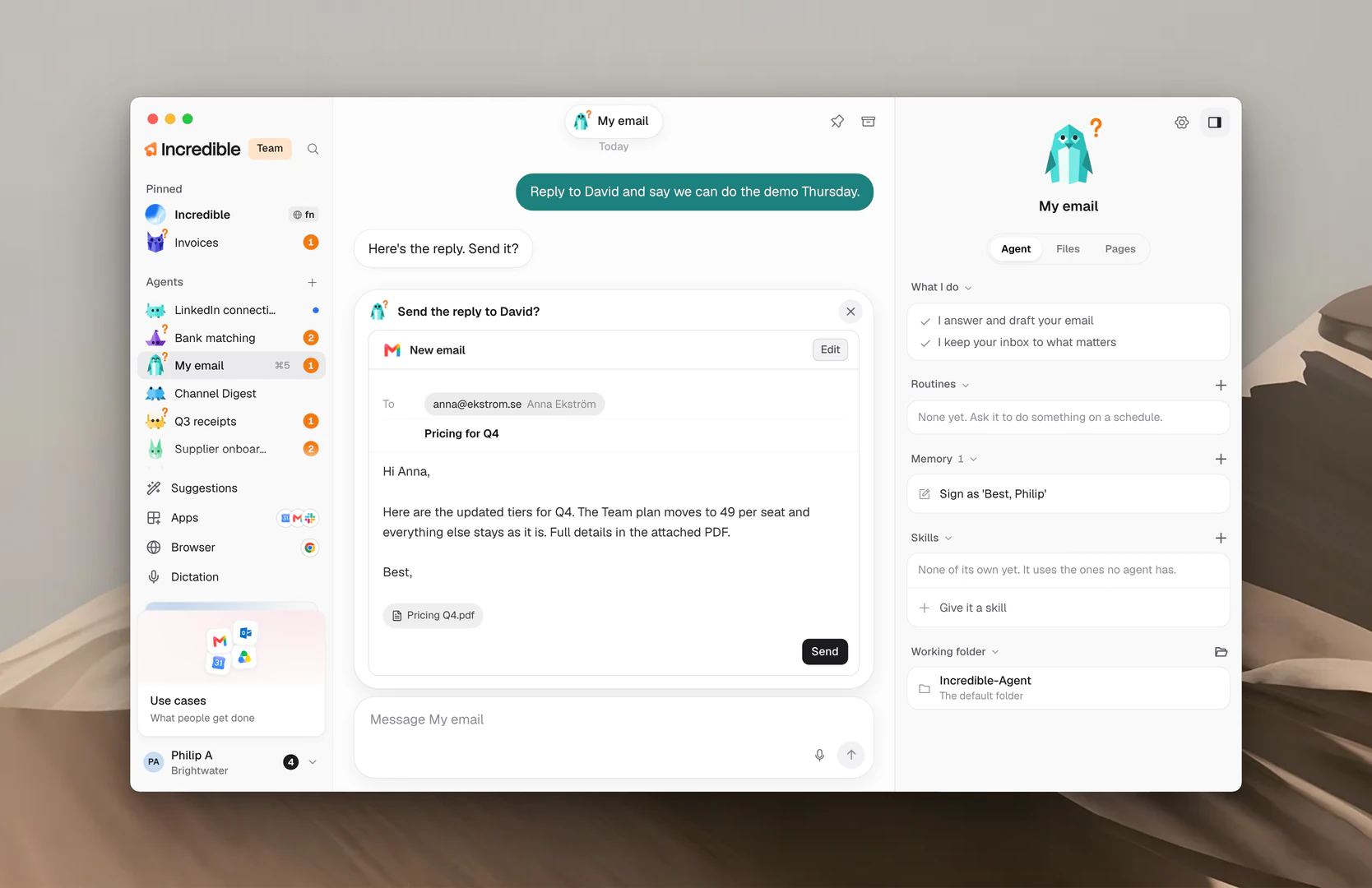
Yes. Incredible asks before anything is sent. You can approve the step, change it first, or stop. Needs you and approvals explains the questions, drafts and plans that wait for your answer.
For your first task, ask for a small result you can check. Open the spreadsheet, compare the rows with the source page, and decide whether to continue. If the job involves a form, ask it to stop before submitting.
Can ChatGPT and Claude do tasks too?

Yes. These official pages were checked on 24 November 2026:
- ChatGPT Computer Use supports desktop apps on macOS and Windows through Work and Codex in supported regions, with app permissions.
- Claude computer use supports Mac and Windows on Pro, Max and Ultra, with per-app permissions. Team and Enterprise access is in gradual beta rollout.
If you already use either, try its desktop controls with a small task. For Incredible, the recording above shows the website-to-Excel job, and you can ask for similar work by holding a key and speaking.
Try one task on your computer
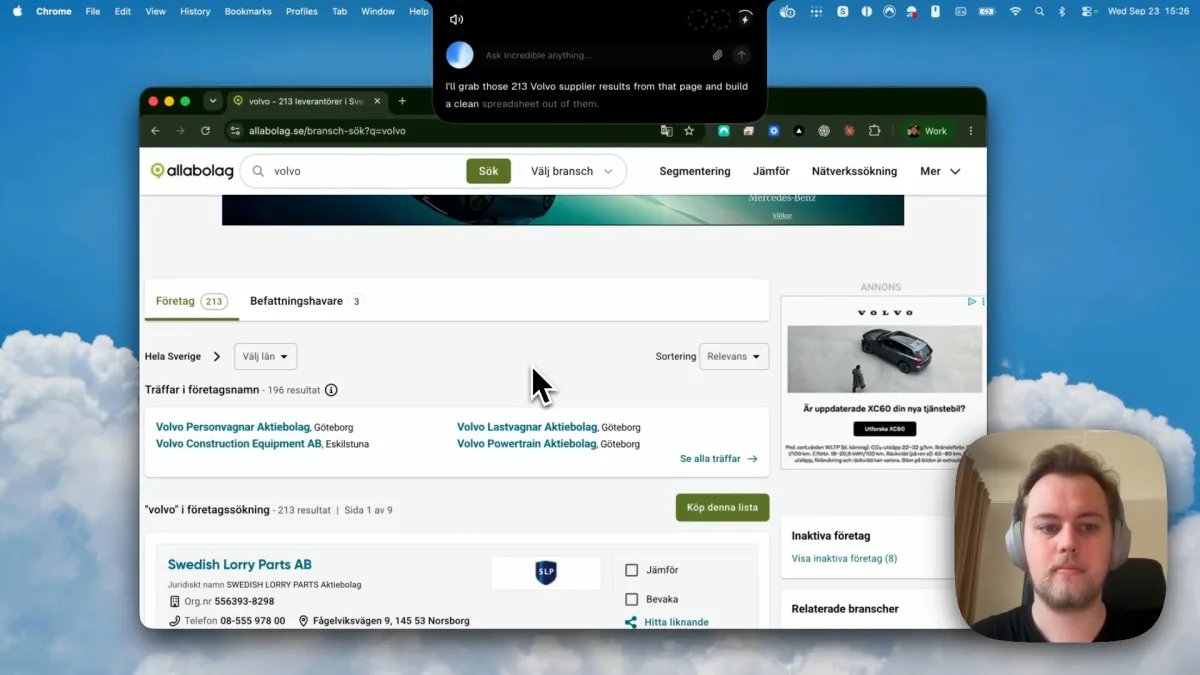
- Download Incredible for macOS 13 or later or Windows 10 or later. The Quickstart covers setup and permissions.
- Connect your browser and open the results page you want to use.
- Hold the talk key and use the request near the top of this page, or type it.
- Open the resulting file and check it against the page before asking for more.
Try this now. Download Incredible and give it one small task in your own browser. Starter has a 7-day free trial, with a card required and no charge until it ends. After that it is $25 per seat per month, billed monthly. Cancel before the trial ends to avoid a charge.
Frequently asked questions
Is there an AI that does tasks for you?
Yes. Incredible does tasks in your browser, files and apps when you say what you need. The recording on this page shows nine pages of company search results collected into an Excel file with 213 companies. We make Incredible; this is our recording, not a comparison test.
Is there an AI browser that does tasks for you?
Incredible works in your own Chrome, Edge or another supported Chromium browser through its extension, signed in as you. It can collect website results or enter spreadsheet rows into a web form. Safari and Firefox are not supported.
Can AI do things on my computer by voice?
Yes. On a Mac, hold fn while you speak, then let go. On Windows, hold Ctrl and Space. Tell Incredible which page or file to use and what result you want. You can type the request too. It needs macOS 13 or later or Windows 10 or later.
Does Incredible ask before sending anything?
Yes. Incredible asks before anything is sent. You can approve the step, change it first, or stop. The Needs you list holds questions, drafts and plans waiting for your answer. Start with a small task and check the result.
Is Incredible free?
Incredible has a 7-day free trial, then starts at $25 a month. Starter costs $25 per seat per month, billed monthly. You add a card in the app; nothing is charged until the trial ends. Cancel before it ends to avoid a charge.