The short answer
When the work goes beyond the sheet, Incredible: hold one key, say the job, and it works in the Excel file on your screen and in the other workbooks, PDFs and websites the data comes from or goes to, on Mac and Windows. For help inside one workbook, ChatGPT for Excel is on every ChatGPT plan, Copilot is built into Excel if your Microsoft 365 plan includes it, and Claude for Excel suits financial models. Gemini is the pick if your team lives in Google Sheets.
Free for 7 days. Mac and Windows.
The best AI for Excel in 2026: Incredible, ChatGPT for Excel, Copilot, Claude for Excel, Gemini in Sheets, Julius and Better Analyst, ranked.
Last updated: October 28, 2026
Every tool on this list can write a formula, explain a number or fill a column. The difference is where the job ends. Many Excel jobs don't stop at the edge of the workbook: the payments are in a bank statement, the proof is in a folder of PDFs, and the result has to go into the CRM or a supplier portal.
For that, Incredible comes first. Hold one key and say the job, and it clicks and types in Excel and in the other apps the data comes from or goes to, on Mac and Windows. For work that stays inside one workbook, ChatGPT for Excel is on every ChatGPT plan, Copilot is built into Excel if your Microsoft 365 plan includes it, and Claude for Excel is made for financial models. Gemini fits teams in Google Sheets, and Julius and Better Analyst analyze files you upload to them.
Incredible is free for 7 days. Try it on your computer.
| # | Tool | Best for | Where it works |
|---|---|---|---|
| 1 |  Incredible Incredible |
Jobs that go beyond the sheet: PDFs, other workbooks, websites | The Excel file on your screen, and your other apps, on Mac and Windows |
| 2 |  ChatGPT for Excel ChatGPT for Excel |
Building and fixing a workbook, on any ChatGPT plan | Add-in in Excel and Google Sheets |
| 3 |  Copilot in Excel Copilot in Excel |
Companies already paying for it in Microsoft 365 | Built into Excel on Windows, Mac and the web |
| 4 |  Claude for Excel Claude for Excel |
Financial models with traced assumptions | Add-in in Excel on Windows, Mac and the web |
| 5 |  Gemini in Google Sheets Gemini in Google Sheets |
Teams that work in Google Sheets | Google Sheets in the browser |
| 6 | Julius AI | Charts and statistics from an uploaded file | Its own web workspace |
| 7 | Better Analyst | Formulas, plus dashboards that refresh | Its own web workspace |
How we ranked them. Every tool here does useful work on a spreadsheet: formulas, analysis, charts or filled cells. The order weighs how much of a real Excel job each one finishes without you copying data in and out, whether it works in the file you already have, what it costs to start, and whether it runs on both Mac and Windows. Claims about each tool come only from its maker's own website, help pages or pricing page, read on October 28, 2026. Incredible is our product.
1. Incredible: best when the job goes beyond the sheet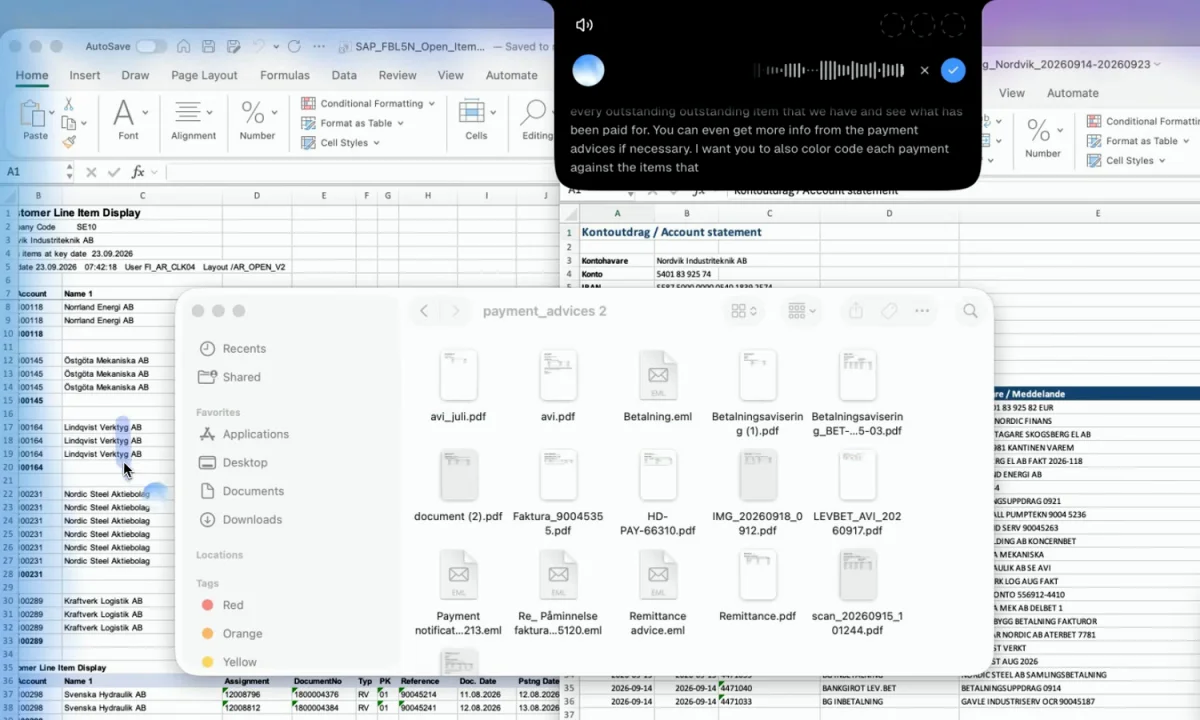
Open the files, hold fn on a Mac (or Ctrl and Space on Windows) and say what you want. Incredible works on the spreadsheet on your screen, and across other workbooks, PDFs and websites in the same request. There is no add-in to install and no Copilot licence to buy.
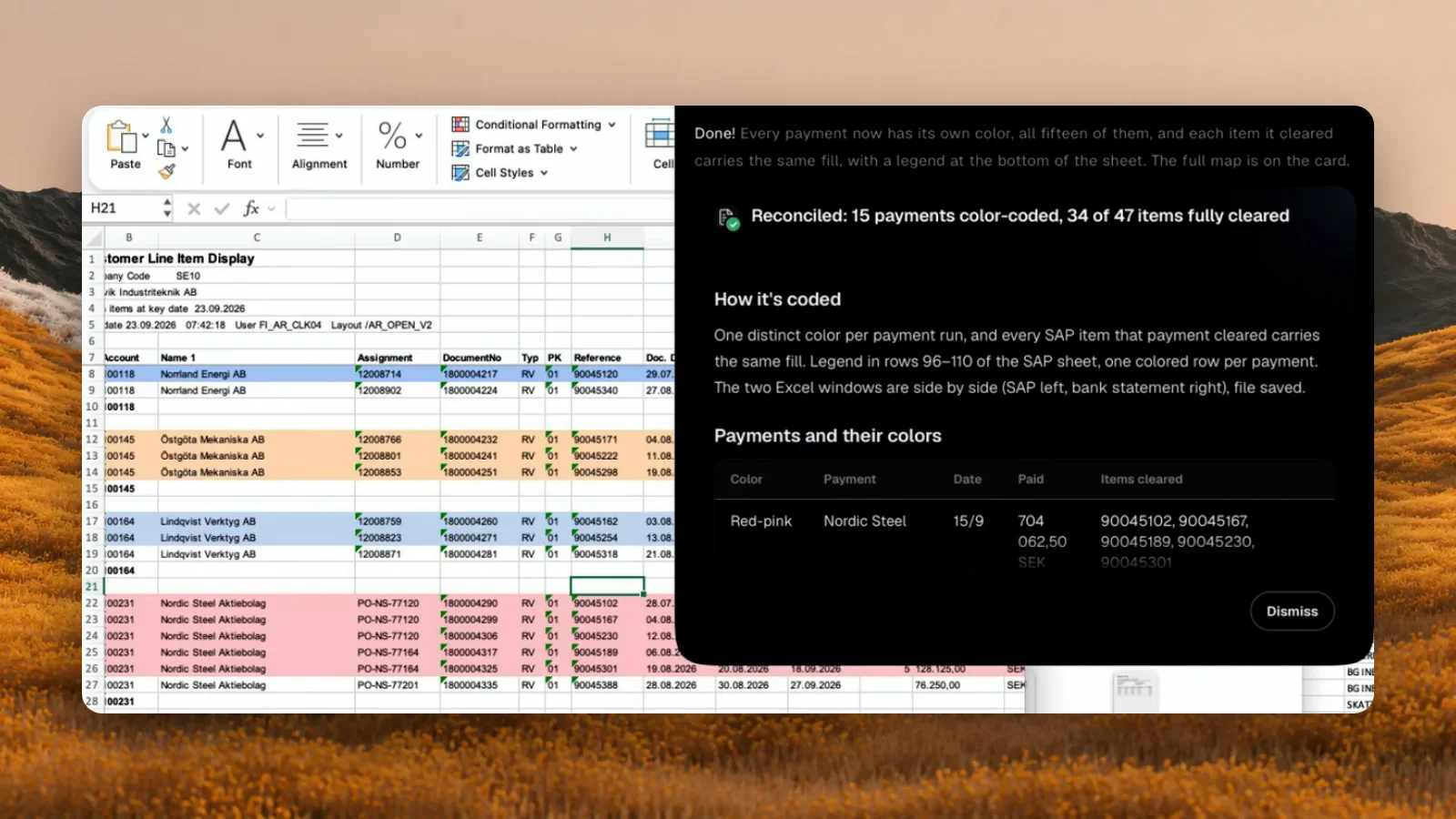
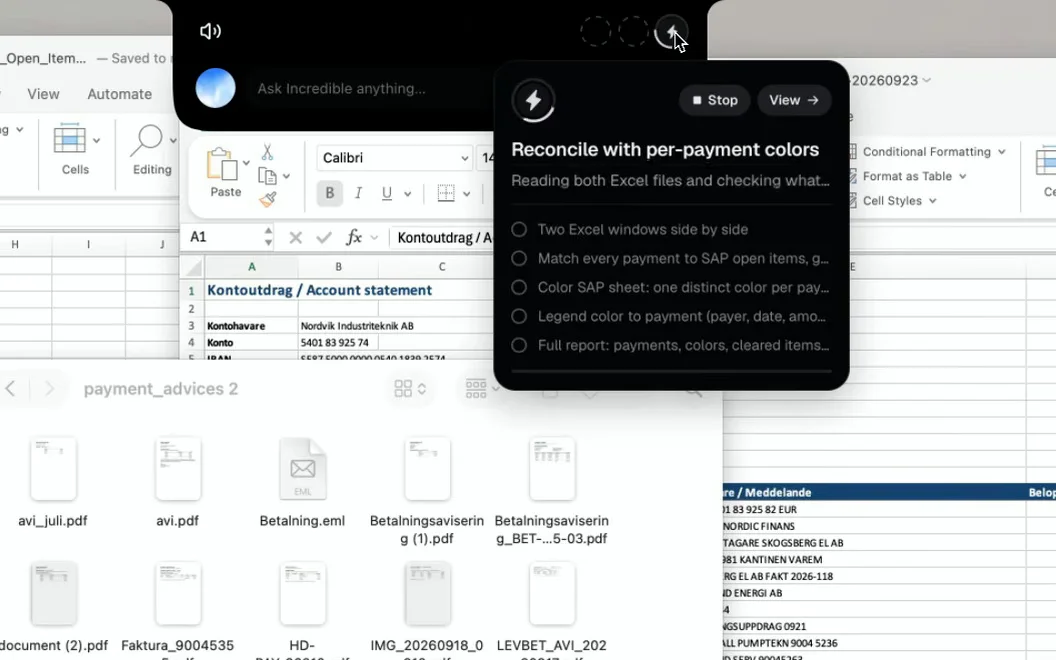
In our recording, it is asked to reconcile a bank statement against an SAP export of open items, with a folder of payment advice PDFs beside them:
"Reconcile every payment against the outstanding items and see what has been paid. Use the payment advices in the folder if you need more detail. Color-code each payment and the items it paid in the same color."
It shows its plan, does the work in the two workbooks and reports back: 15 payments color-coded, 34 of 47 items fully cleared, with a card listing each match so you can check it.
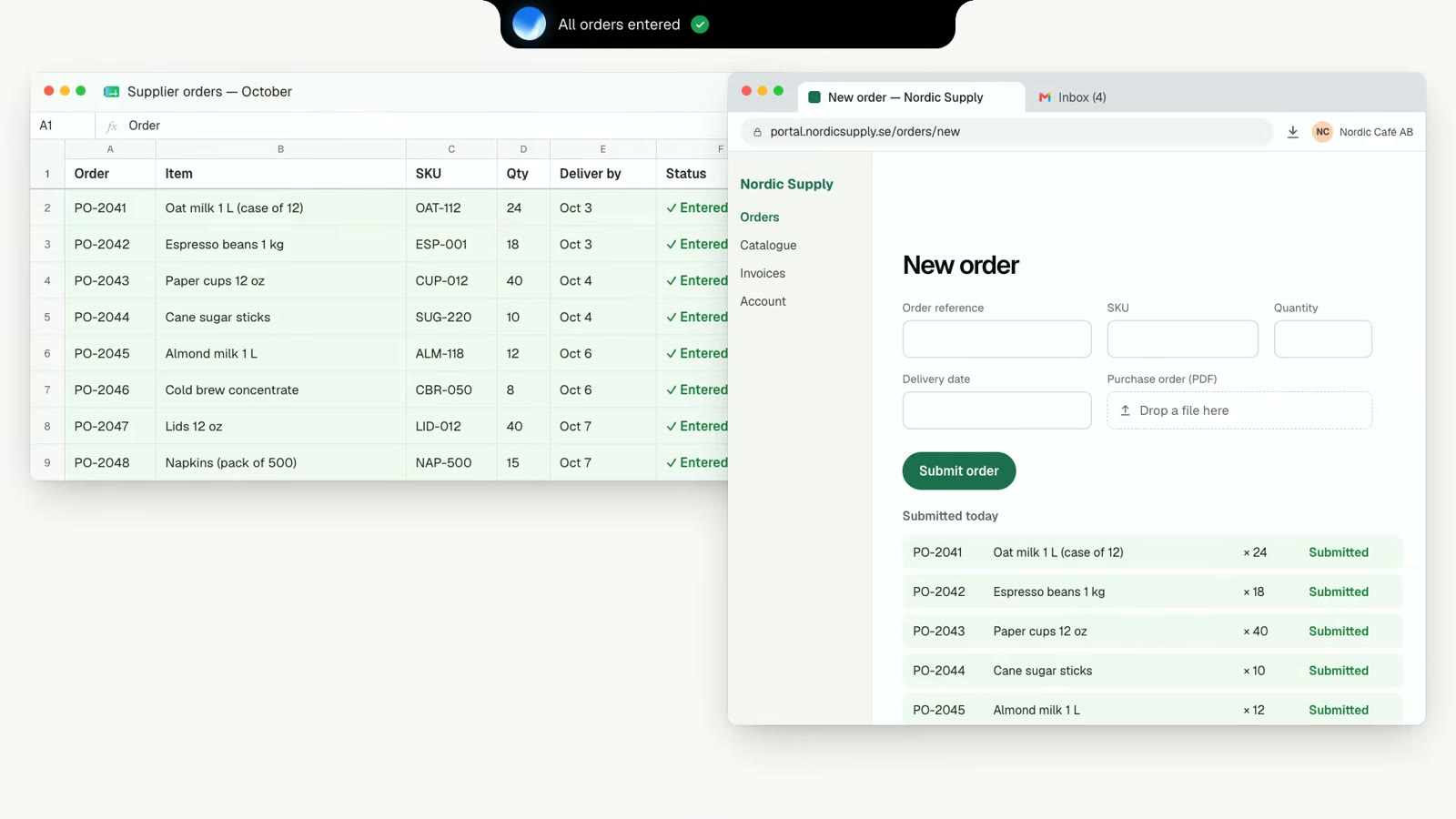
The same key handles the step after the sheet. Say "Enter these orders into our supplier portal" and it reads the rows and fills in the form in your own browser, signed in as you, and asks before anything is sent. The website needs no API or import button.
It can also start a file from nothing, as the Files guide shows: "Create an Excel file tracking this quarter's marketing spend, with columns for date, channel, amount, and notes, and save it to my Desktop." A job you do every week can be taught once and run by name or on a schedule (how teaching works). Incredible runs on macOS 13 or later and Windows 10 or later.
“It’s Copilot on steroids.”
Kyle Rademacher, Office Manager, ProGuard Security Services
Best for: finance, operations and sales people whose spreadsheet work starts or ends in another app. Download it, or read AI for Excel on Mac for more on the Mac.
2. ChatGPT for Excel: best add-in on any ChatGPT plan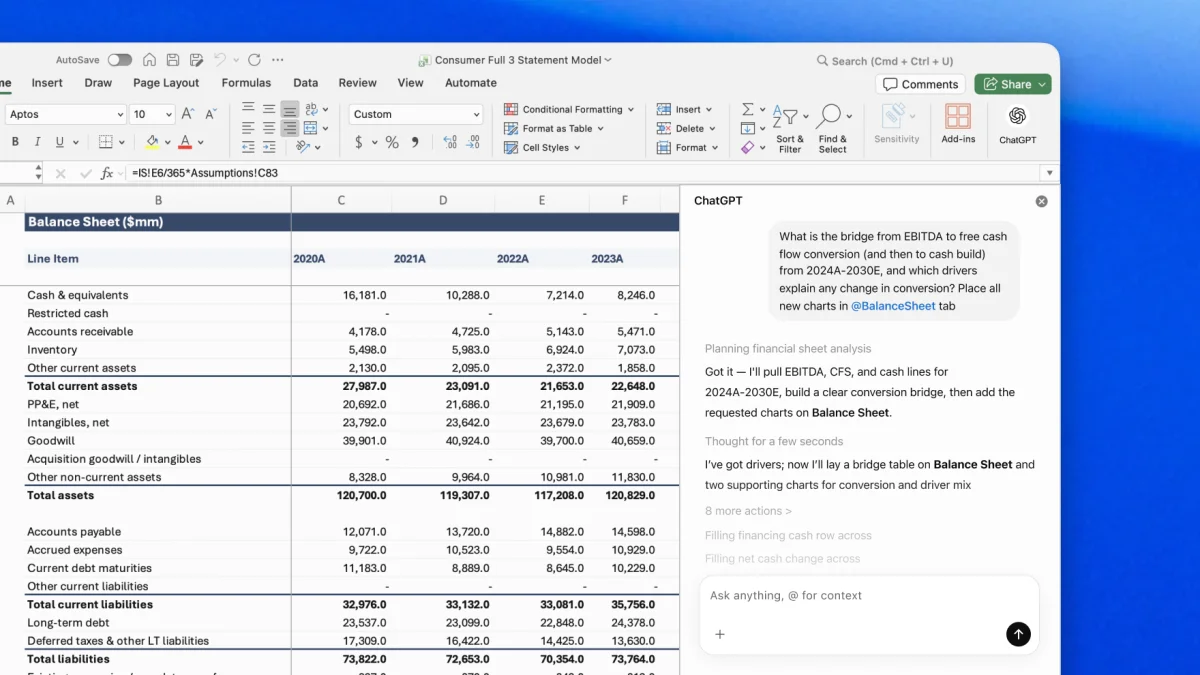
ChatGPT for Excel is an add-in that puts ChatGPT in a sidebar next to your workbook. OpenAI's launch post says it became generally available on May 5, 2026, together with ChatGPT for Google Sheets, and its product page lists it for every ChatGPT plan, Free and Go included. You add it from Home, Add-ins in Excel.
It builds a sheet from a description, with formulas included, answers questions across tabs, and finds and fixes errors. OpenAI says it links its answers to the cells it uses, keeps your formulas and formatting, and asks for permission before it changes the workbook, so each edit can be undone. For a file you would rather not open in Excel, ChatGPT itself can analyze an uploaded .xlsx or .csv file and chart it, as its help page describes.
Best for: building, fixing and explaining a workbook, if you already use ChatGPT. How Incredible compares with ChatGPT
3. Copilot in Excel: best if your company already pays for it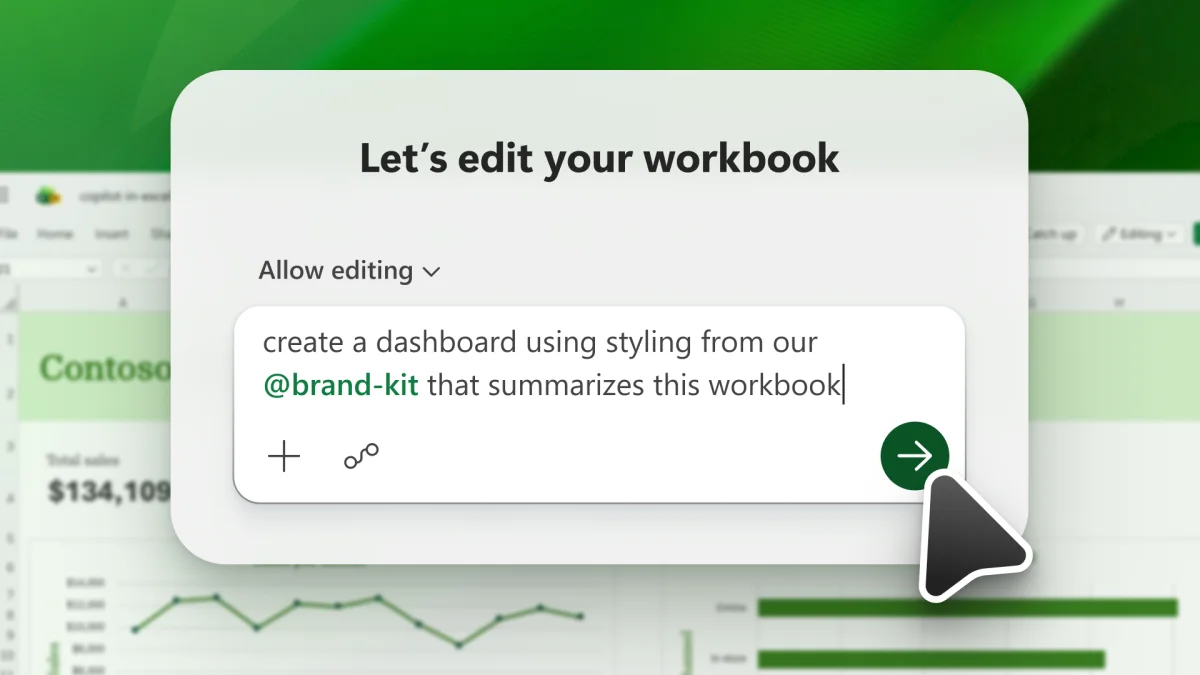
Copilot is Microsoft's AI in the Excel ribbon. Microsoft's support page lists three modes: edit, which changes the workbook directly; plan, which proposes the steps for you to review first; and chat, which only answers. It adds and edits sheets, formulas, conditional formatting, charts and PivotTables, and can pull data from other workbooks in OneDrive, SharePoint or on your computer.
All three modes work in Excel on Windows, Mac and the web. On iPad it can chat and plan, and on iPhone and Android only chat; Microsoft says edit mode is rolling out to iPad and iPhone. Microsoft also says Copilot "might not be included with your Microsoft 365 subscription" or may be turned off by your organization.
Best for: teams whose Microsoft 365 plan already includes Copilot, for work inside the workbook.
4. Claude for Excel: best for financial models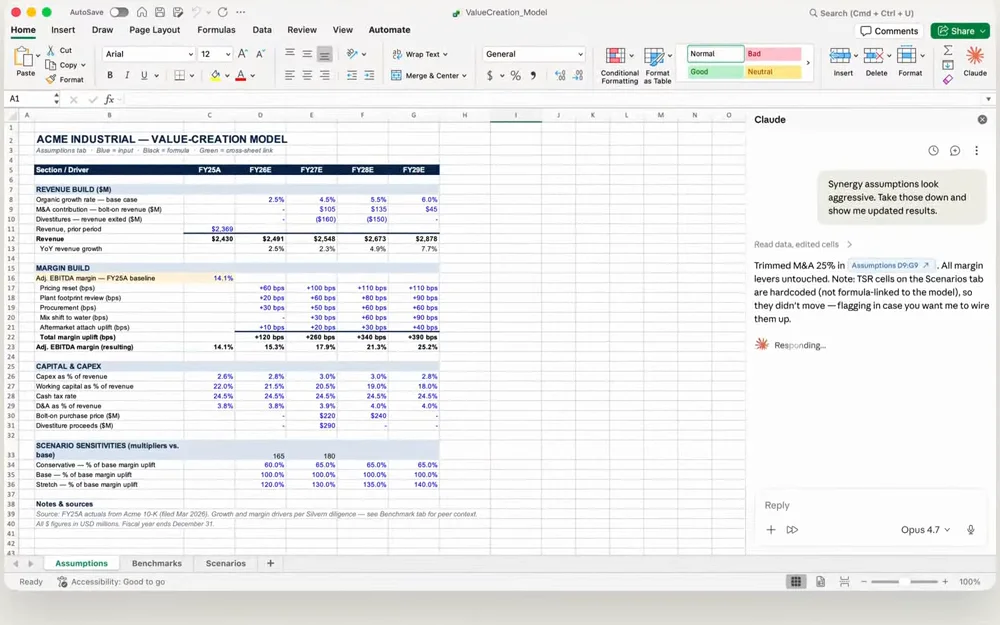
Claude for Excel is an add-in in a sidebar. Anthropic's documentation says it answers questions about a workbook with cell-level citations, changes assumptions while keeping formula links intact, traces errors such as #REF! to their cause, and builds or fills in models. It can sort, filter, edit PivotTables and apply conditional formatting, and one conversation can span Claude for PowerPoint, Word and Outlook too.
It runs in Excel on the web, on Windows with Microsoft 365, and on Mac from version 16.46, and needs a Claude Pro, Max, Team or Enterprise plan. It does not support data tables, macros or VBA, and Anthropic advises using it only with spreadsheets you trust, since a file from outside can hide instructions.
Best for: analysts who build and audit financial models. How Incredible compares with Claude
5. Gemini in Google Sheets: best if your team works in Sheets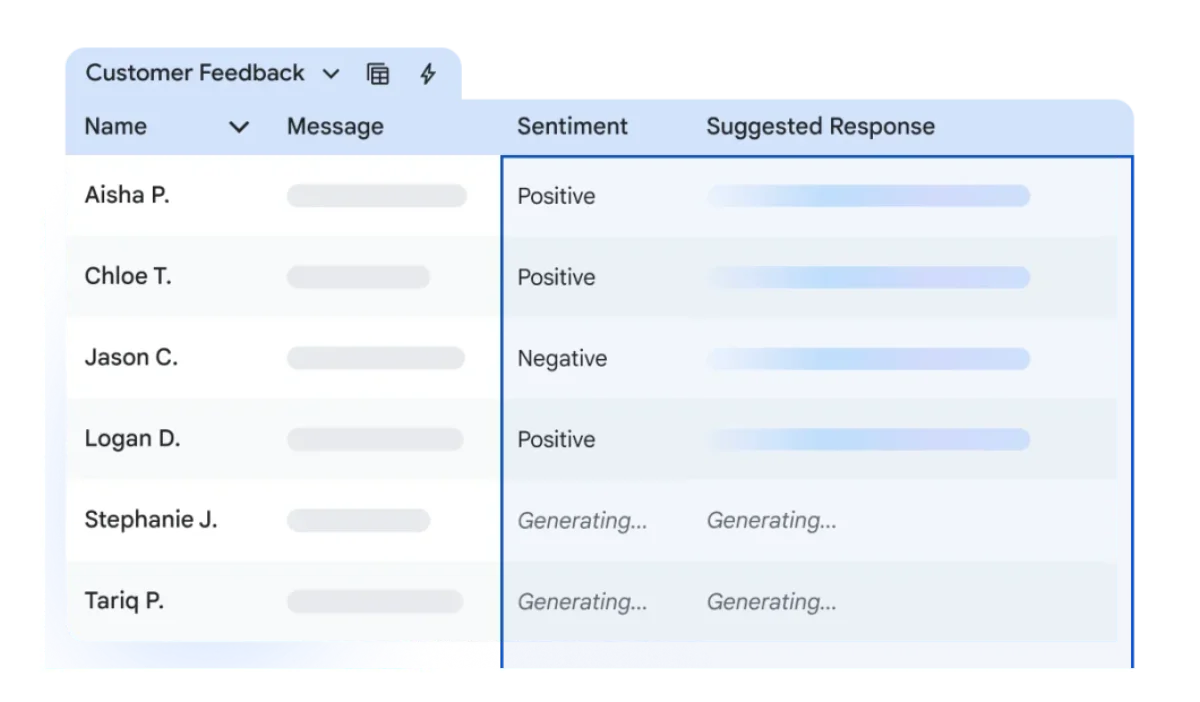
Gemini is built into Google Sheets. Google's help page says it creates tables, formulas, charts and PivotTables, applies conditional formatting and fills ranges. The AI function, =AI() or =Gemini(), writes, summarizes or categorizes text in a cell, and Fill with Gemini completes a column from the rows next to it.
It needs an eligible Google Workspace or Google AI plan. It works best with native Sheets files, so an Excel file has to be saved as a Google Sheets file first. Google also notes that charts Gemini makes don't update when the source data changes.
Best for: teams who already keep their numbers in Google Sheets.
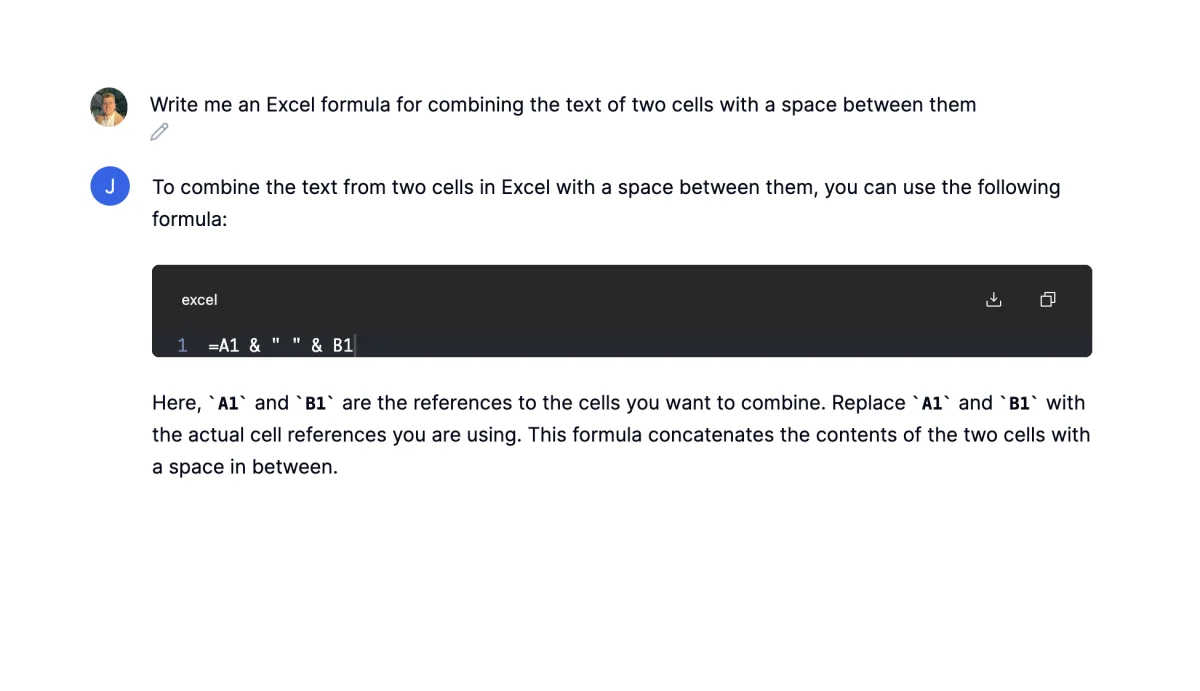
Julius is a web workspace where you upload a spreadsheet and ask about it. Its Excel page lists formulas from plain text, charts, answers to questions about your data, forecasting and data cleaning, with downloads back to CSV or Excel. You work on the uploaded copy, not the workbook open on your computer.
Its pricing page lists a free plan with daily credits, Plus at $20 a month ($16 billed annually), Pro at $45 ($37) and Business at $450 a month for up to 50 team members. Julius says it is SOC 2 Type II compliant.
Best for: analysis and charts from a file, when you don't need the result back in the original workbook.
Formula Bot is now called Better Analyst. Its Excel AI page says you upload an .xlsx, .xls or .csv file, or paste your data, and ask in plain English for formulas, answers and charts, with no Excel plugin. It also turns PDF bank statements and invoices into spreadsheets, and can rebuild a dashboard or a report on a schedule.
Its pricing page lists a free plan, Starter at $20 a month, Max at $40 per user a month and Business at $80 per user a month.
Best for: people who want formulas explained and a weekly report that rebuilds itself.
The add-ins are good at what happens inside one workbook. Most of the time an Excel job takes goes on the steps around it: opening the other file, finding the PDF, typing the result somewhere else. Matching two files is the common case; see how to compare two Excel files with AI. For the wider field on a Mac, see the best AI for Mac.
Try this now. Open a spreadsheet, point at a column and say: "Add a total under this column and bold the header row." Then open two files that should agree and say: "Compare these two files and color every row that appears in both." Incredible is free for 7 days. Download it, or read the Quickstart first.
It depends on where the work ends. If the job stays inside one workbook, an add-in in Excel does it well: ChatGPT for Excel, Copilot in Excel or Claude for Excel. If the data also comes from PDFs, another workbook or a website, or has to be typed into another system, Incredible does the whole job, because it clicks and types in Excel and in your other apps, on Mac and Windows.
Yes. OpenAI lists ChatGPT for Excel for ChatGPT Free users as well as paid plans. Julius and Better Analyst (formerly Formula Bot) have free plans with limits, and Incredible is free for 7 days. Copilot in Excel and Claude for Excel need a plan that includes them.
Several. Microsoft lists Excel on Mac with edit, chat and plan modes for Copilot. Anthropic says Claude for Excel runs on Excel for Mac version 16.46 or later. Incredible runs on macOS 13 or later and works on the Excel file open on your screen, with no add-in.
Yes, if it can use the other app. Incredible reads the rows in your spreadsheet and fills them into a CRM, a supplier portal or another web form in your own browser, signed in as you, and asks before anything is sent. The add-ins in Excel work inside the workbook.
Through Google Sheets. Google says Gemini works best with native Sheets files, and an Excel file has to be saved as a Google Sheets file first. It needs an eligible Google Workspace or Google AI plan.
It clicks and types in your browser, files and apps, exactly like you do.
Requires macOS 13 or Windows 10, or later.
 Download for Mac
 Download for Windows