The short answer
For the CRM work itself, Incredible: hold one key, say the job, and it clicks and types in whatever CRM, inbox and browser tabs your team already uses, on Mac and Windows. If you are choosing a CRM anyway, HubSpot and Pipedrive both include an AI assistant on their paid plans, and Attio is the modern pick for a small team. Apollo is for finding prospects, Gong for call analysis, and Lavender for better cold emails.
Free for 7 days. Mac and Windows.
The best AI assistant for a small sales team: Incredible, HubSpot Breeze, Pipedrive Nova, Attio, Apollo, Gong and Lavender, ranked.
Last updated: October 28, 2026
A small sales team spends a surprising part of the week as data entry clerks. The call happened, so it gets logged. The event is over, so forty leads go into the CRM by hand. The reply needs writing, and the deal stage needs moving. Every tool on this list takes some of that off the team. The difference is whether you have to move into its CRM to get the help.
For the CRM work itself, Incredible comes first. Hold one key and say the job, and it clicks and types in the CRM, inbox and browser tabs your team already uses, on Mac and Windows, with no integration to set up. If you are choosing a CRM anyway, HubSpot and Pipedrive both include an AI assistant, and Attio is built around one. Apollo finds and researches prospects, Gong analyzes calls, and Lavender coaches your cold emails.
Incredible is free for 7 days. Try it on your computer.
| # | Tool | Best for | Where it works |
|---|---|---|---|
| 1 |  Incredible Incredible |
Doing the CRM work in the tools you already have | Any CRM in your browser, plus email and files, on Mac and Windows |
| 2 | HubSpot Breeze | Teams on HubSpot, or moving to it | Inside HubSpot |
| 3 | Pipedrive Nova | Call notes that become CRM updates, on every plan | Inside Pipedrive |
| 4 | Attio | A new CRM built around AI, free for up to 3 seats | Inside Attio |
| 5 | Apollo.io | Finding prospects and writing outbound | Apollo, synced to your CRM |
| 6 | Gong | Analyzing every call and email at scale | Gong, synced to your CRM |
| 7 | Lavender | Coaching on cold emails as you write them | Gmail and Outlook |
How we ranked them. Every tool here takes some sales admin off a team of 2 to 10 people who live in a CRM, email and LinkedIn. The order weighs how much of the work each one actually does rather than suggests, whether it works with the CRM you already have, what it costs a small team to start, and how quickly you can try it. Claims about each tool come only from its maker's own website, product pages or pricing page, read on October 28, 2026. Incredible is our product.
1. Incredible: best for doing the CRM work for youIncredible is not a CRM and does not ask you to change yours. Hold fn on a Mac (or Ctrl and Space on Windows) and say what needs doing. It sees your screen, then clicks and types in your apps and your own browser, signed in as you, until the job is done. The CRM needs no API, integration or import button.
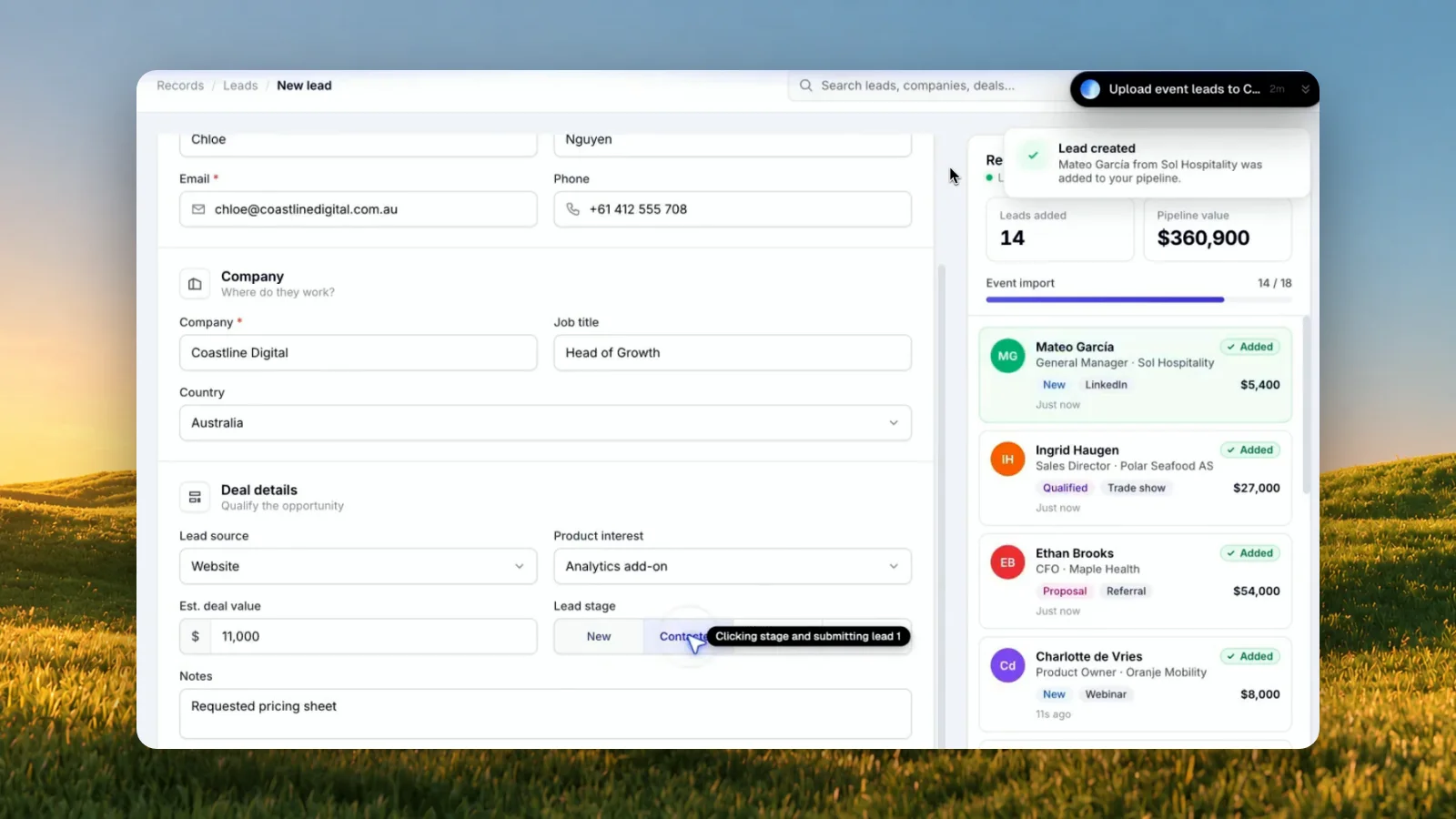
In our recording, the leads from last week's event are in a spreadsheet and the CRM is open in Chrome:
"Could you take this spreadsheet and go through all the leads and update them in my CRM? Fill in all the details and click create lead."
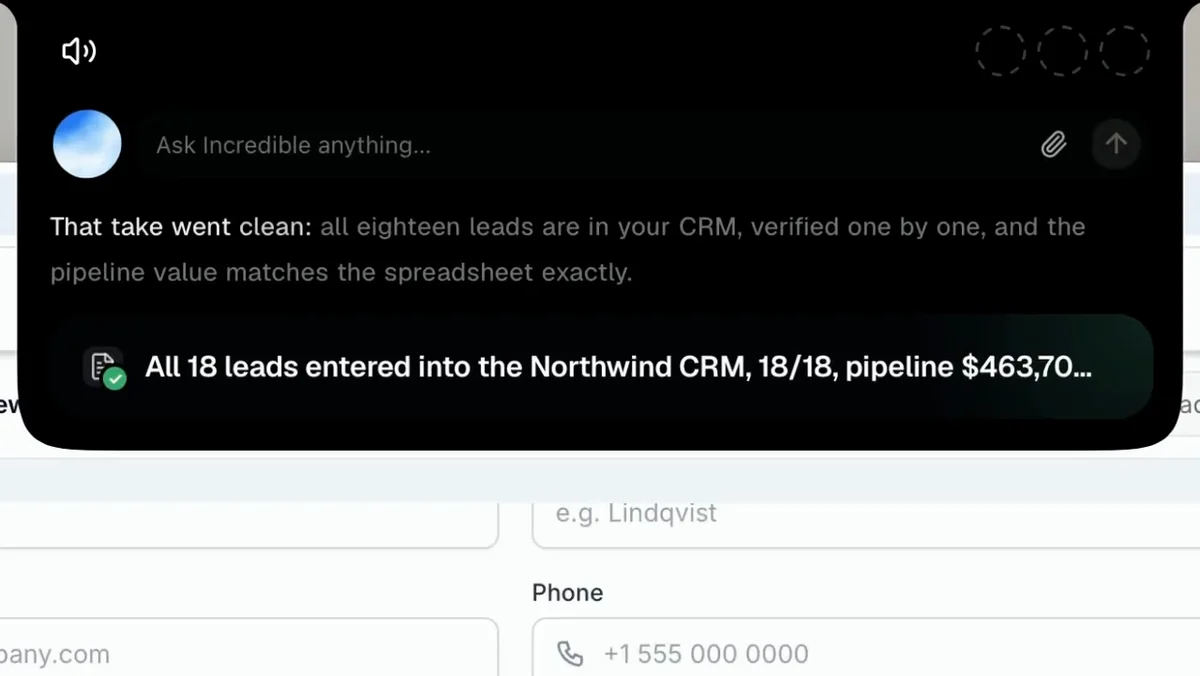
It enters them one by one, then finishes with "All 18 leads are in your CRM, verified one by one, and the pipeline value matches the spreadsheet exactly." The same goes for a single record: "Update the deal to proposal and set a follow-up for Friday" is a sentence you would otherwise turn into clicks yourself, field by field.
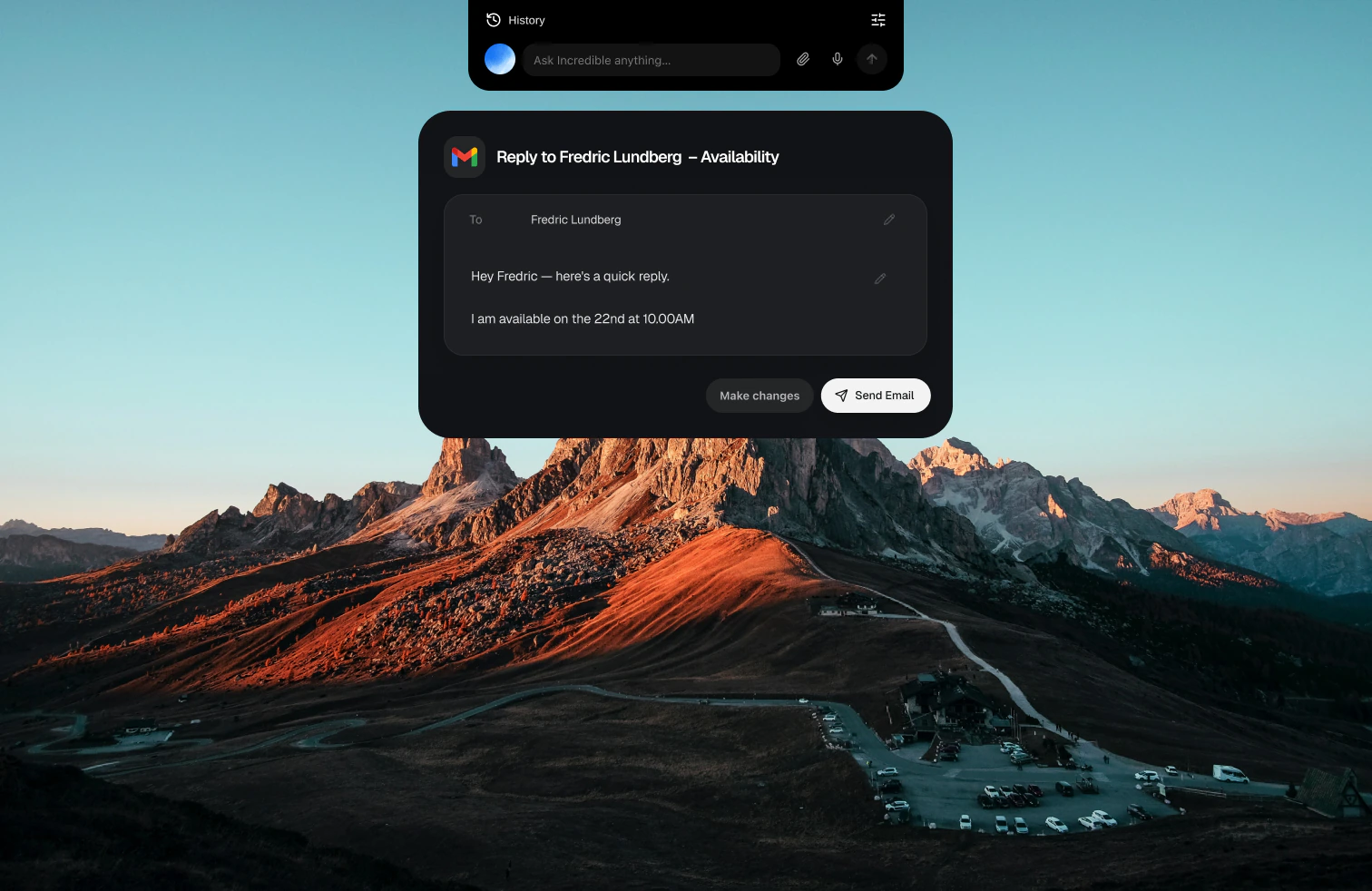
The same key handles the inbox. Say "Reply to this and say Thursday works" and it writes the reply in your email and waits for you to press Send. With apps like Gmail, Slack and Google Calendar connected, it works in them directly (how to connect an app). With Autopilot it waits for something to happen and then acts, for example "Whenever a customer replies on the proposal thread, draft my answer."
For a team, a job one person teaches Incredible, such as sending this week's price list to customers, can be shared so anyone in the team can ask for it. So can notes on how you write to customers, and the names of your products and customers so it hears them right. A team plan is paid per seat and can start with one. Incredible runs on macOS 13 or later and Windows 10 or later.
Best for: small teams who are happy with their CRM and tired of typing into it. Download it, or read how it enters spreadsheet rows into any website.
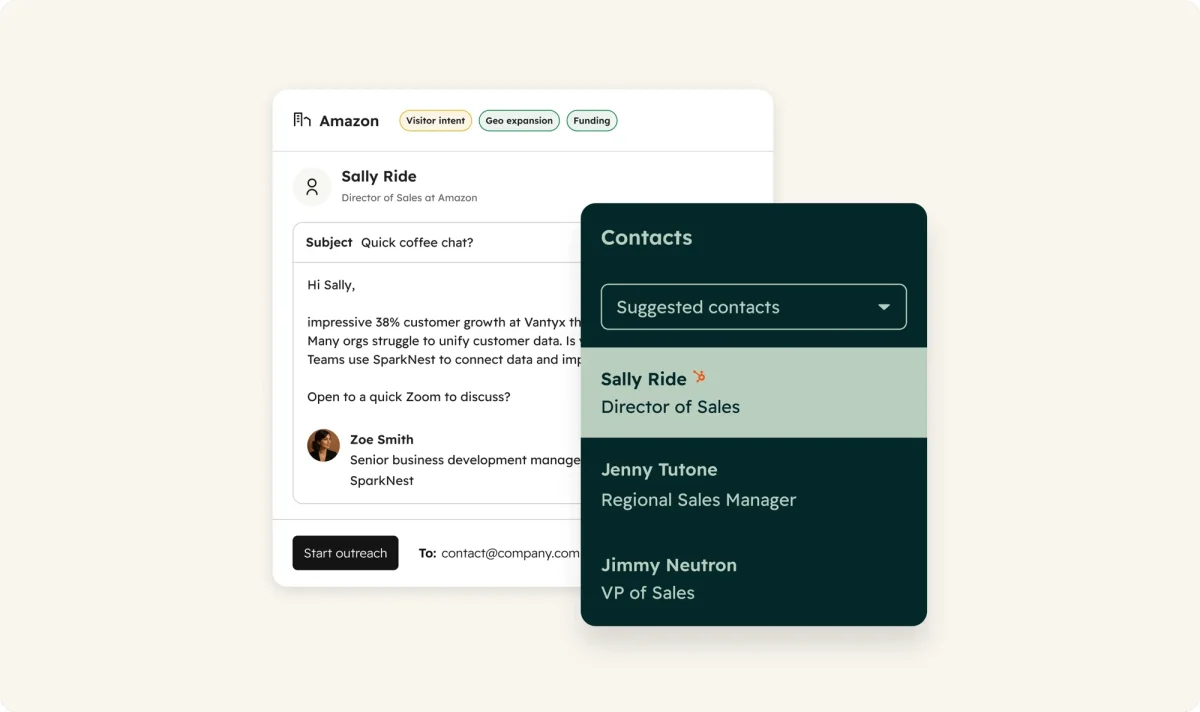
Breeze is the AI inside HubSpot. HubSpot's Breeze Assistant page says it pulls an account's history and writes talking points before a meeting, and helps draft emails, proposals and reports from your CRM data, "included with HubSpot subscriptions at no additional cost." The Sales Hub page says its AI reads call transcripts, emails and deal history to suggest CRM updates and draft follow-up emails.
The prospecting agent researches accounts, finds contacts and drafts outreach in each rep's voice. Reps can review each email first, or let it send on its own. It is on the Starter, Professional and Enterprise plans and costs $1 per lead, paid in HubSpot Credits, when it recommends outreach.
The pricing page lists Sales Hub free for up to 2 users, Starter from $7 per seat a month, and Professional at $90 per seat a month billed annually ($100 monthly) plus a one-time $1,500 onboarding fee.
Best for: teams that already keep their pipeline in HubSpot, or are ready to move it there.
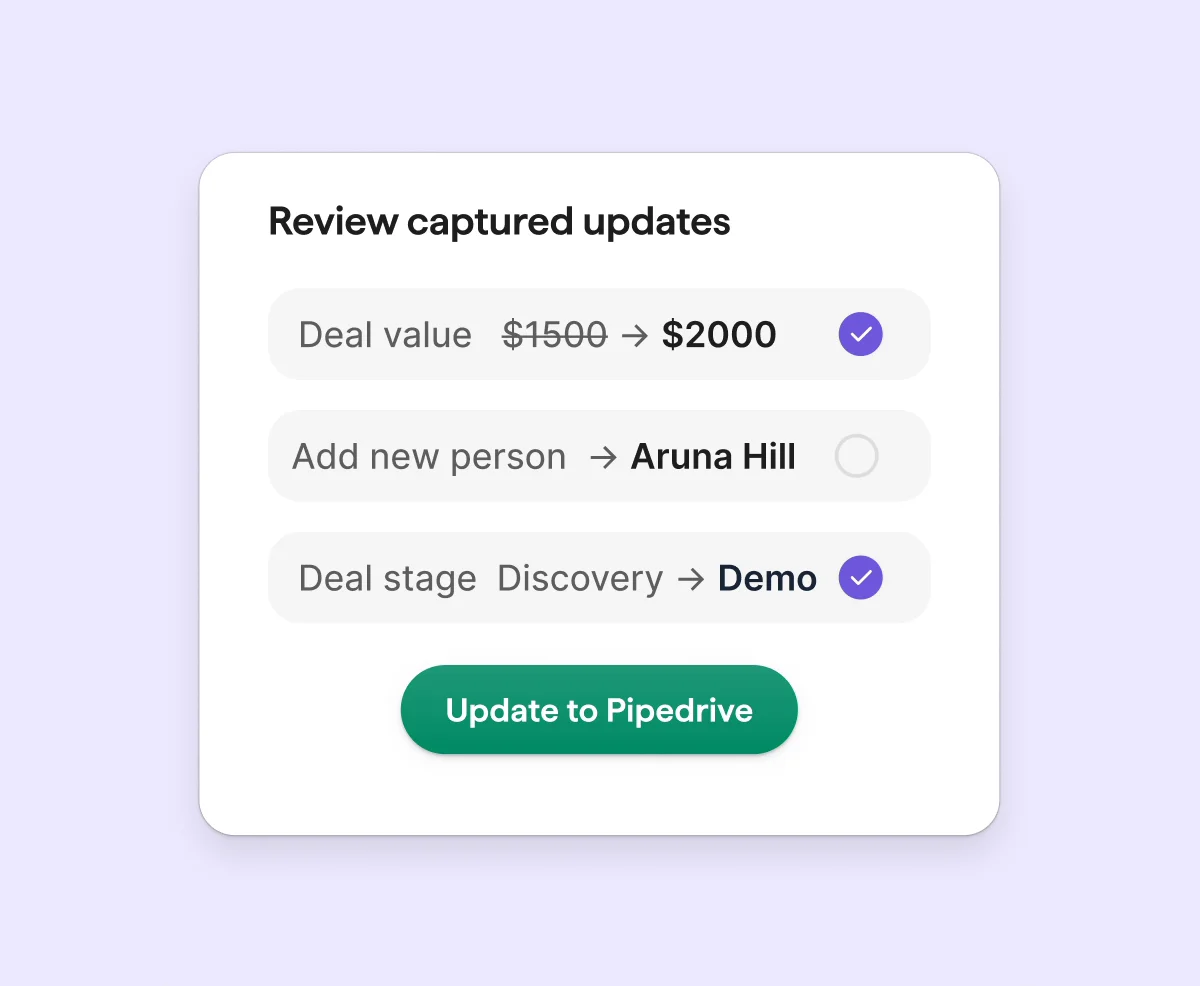
Nova is Pipedrive's AI, and its Nova page says it is "included in all plans, at no additional cost." Before a call it writes a brief from the deal history, past emails and earlier conversations. During the call it records and transcribes, through the desktop app with no bot, for VoIP, phone calls and in-person meetings, or with a bot in Meet, Zoom or Teams. Afterwards it writes a recap to the deal and drafts CRM updates, which you approve with one click.
Pipedrive's AI page also lists an email writer that drafts from a short prompt, email summaries and suggestions for which deals to work next. The pricing page lists Lite at $14 per seat a month billed annually ($24 monthly), Growth at $39 ($49), Premium at $59 ($79) and Ultimate at $79 ($99). There is a 14-day free trial with no credit card, and no free plan.
Best for: teams on the phone all day who want the call logged without typing it up.
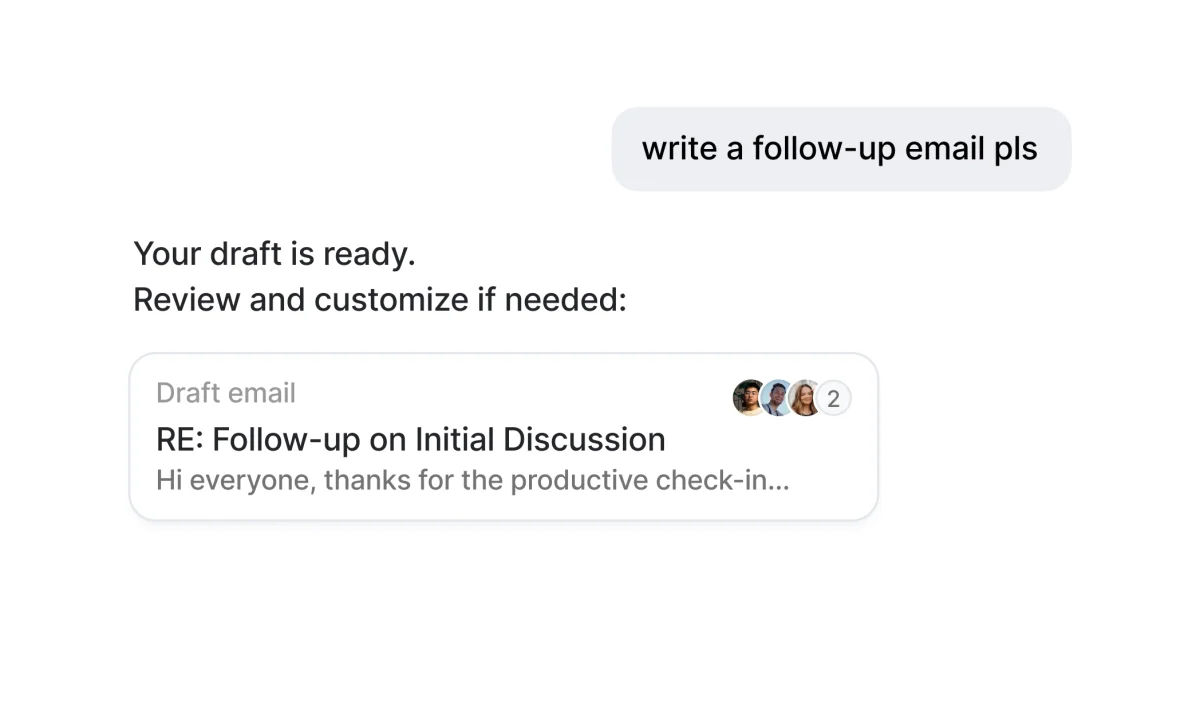
Attio is a CRM with AI built into it. Its AI page says it records, transcribes and logs every call, syncs a summary to the CRM, and can "draft follow-ups, update records, schedule next steps, create account briefs." Ask Attio searches, updates and creates records from a typed request, and a web agent does research on the web for you.
Attio's pricing page, which showed us prices in euros, lists a free plan for up to 3 seats, Plus at €39 per user a month (€31 billed annually) for up to 10 seats, and Pro at €93 (€74) with call intelligence and sequences. AI use draws on monthly credits that come with each plan. There is a 14-day trial of Pro with no credit card.
Best for: a small team starting a CRM from scratch, or ready to leave the old one.
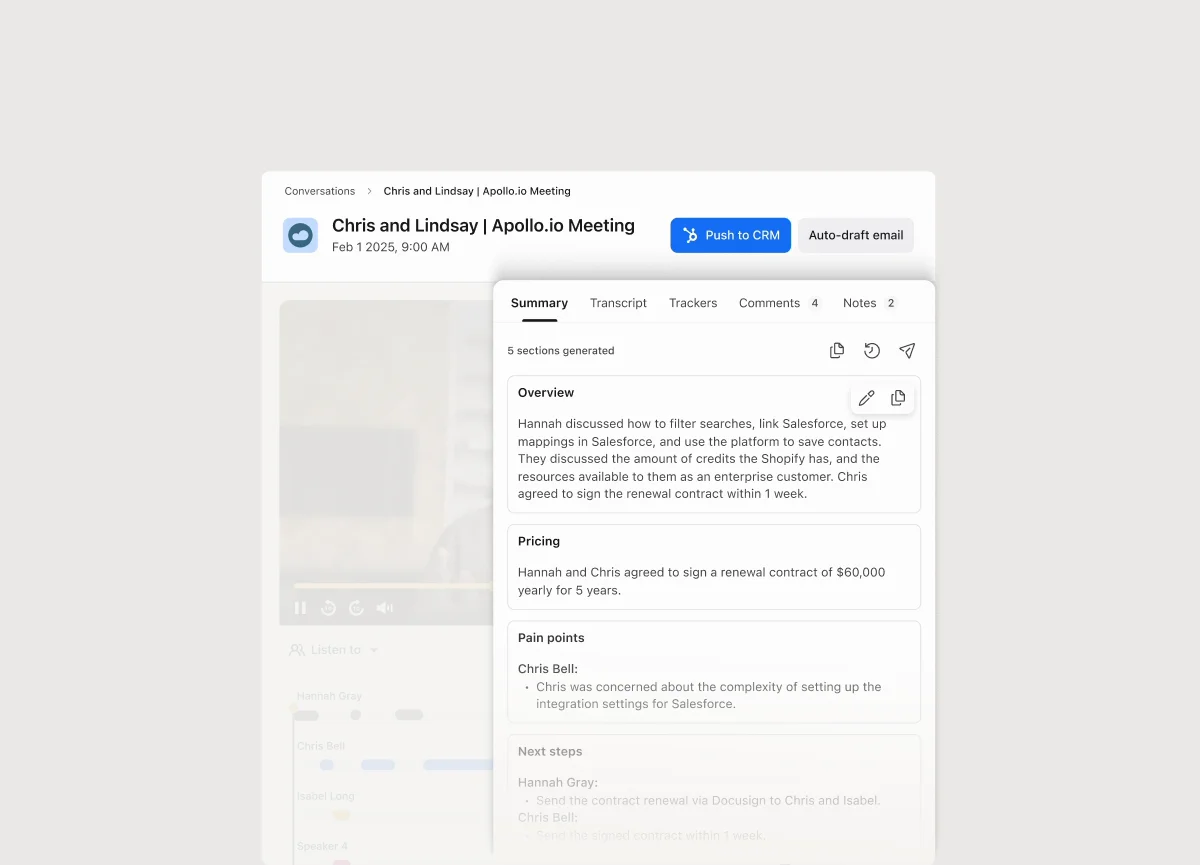
Apollo is a prospecting database with AI on top. Its AI page says it pulls lead lists from a plain-language description, researches leads with live web data, writes whole emails or parts of them in your brand's voice, and triggers follow-ups based on what a prospect does. The call assistant transcribes calls and writes summaries, CRM updates and follow-up emails.
The pricing page lists a free plan with 5 AI Assistant chats, AI research and 150 minutes of call recording, Basic at $49 per seat a month billed annually ($65 monthly) and Professional at $79 ($99) with AI lead scoring and 4,000 minutes of call recording with AI insights. Apollo says the AI Assistant is currently free on paid plans as an introductory offer. Paid plans have a 14-day trial.
Best for: teams that need a steady list of new people to contact, and the first emails to them.
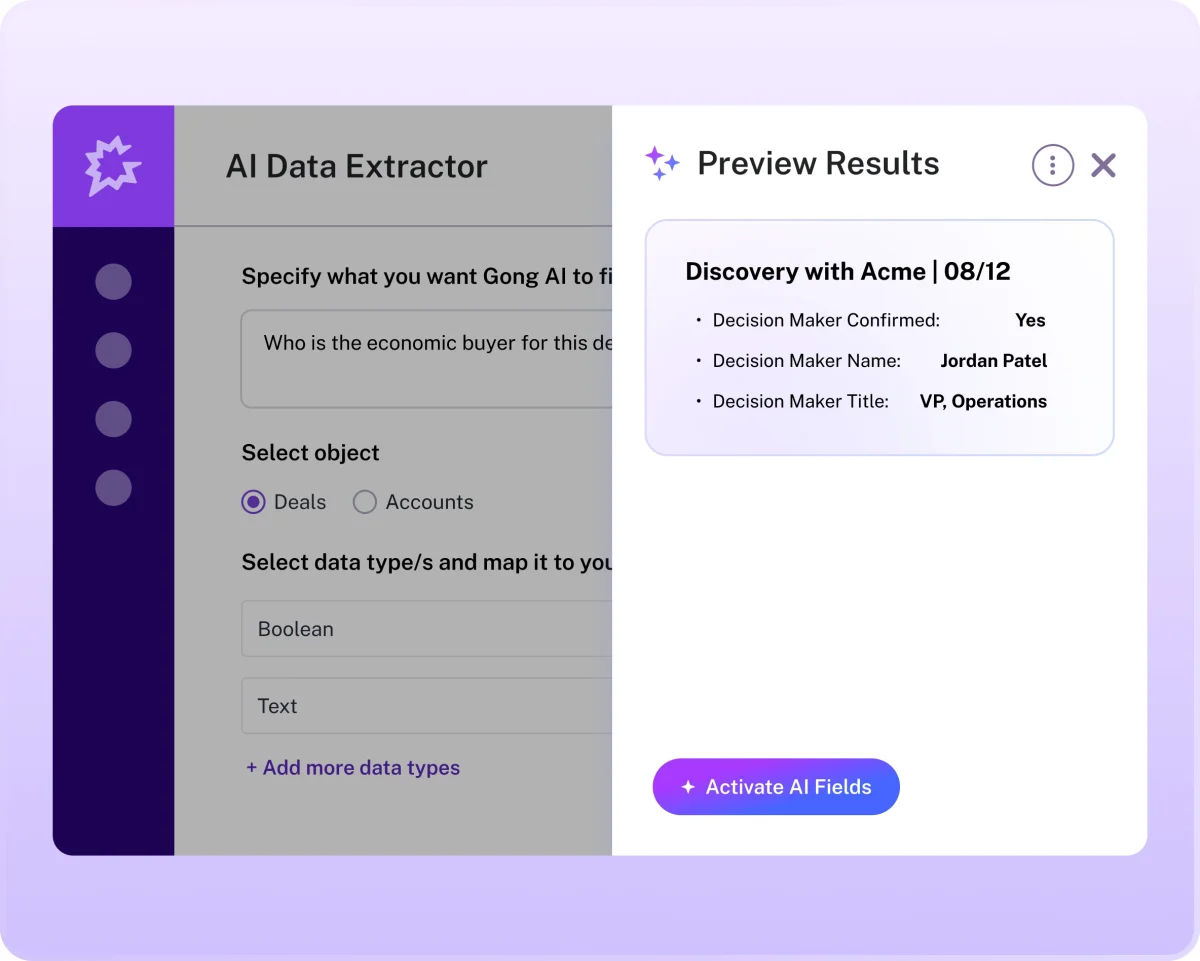
Gong records and analyzes your team's calls and emails. Its AI agents page lists AI Data Extractor, which "listens to calls and emails, identifies key deal and account details, and automatically fills out CRM fields with no rep input required," along with AI Composer for follow-up emails, AI Briefer for briefs on any contact, call, deal or account, and agents that review deals and forecast revenue.
Gong does not publish prices. Its pricing page says licenses are priced per user, with a platform fee based on the number of users, and asks you to fill in a form for a proposal. There is no free plan or trial on the page.
Best for: a sales manager who wants every call reviewed, more than a rep who wants the typing done.
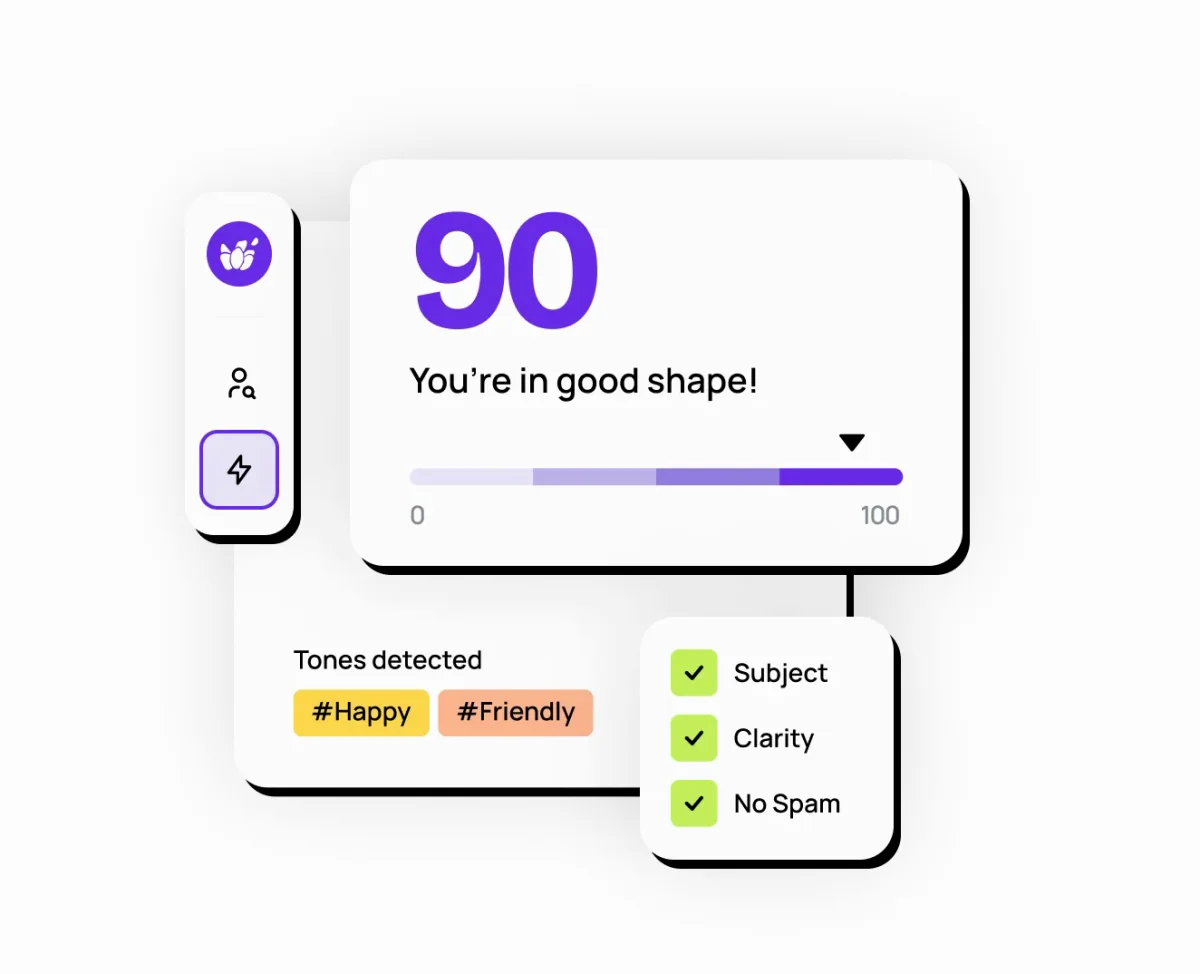
Lavender's Email Coach sits in Gmail and Outlook 365 and helps reps write personal, one-to-one sales emails. It suggests drafts, gives context on the person you are writing to, scores each email against best practice, and fixes what would hurt replies. It connects to Outreach, Salesloft, HubSpot, Apollo and Gong, among others.
The same page lists a free plan with 5 email analyses a month, Starter at $29 a month ($27 billed annually), Individual Pro at $49 ($45) and a Team plan at $99 per seat ($89), which adds a coaching dashboard for managers. There is a 7-day free trial with no credit card, and Lavender says it is SOC 2 certified. Its newer agent, Ora, researches and sends emails by itself for $500 per agent a month.
Best for: reps who write their own cold emails and want each one to be better.
The CRM tools are good at what happens inside their own CRM. A small team's week mostly goes on the steps between apps: the spreadsheet from the event, the reply in Gmail, the record that needs updating after the call. If you talk instead of type, the best AI dictation software covers the other half; for jobs that start in a spreadsheet, see the best AI for Excel.
Try this now. Open your CRM and the spreadsheet from your last event, hold fn and say: "Take the leads in this spreadsheet and enter each one in my CRM." Then open an email from a prospect and say: "Reply to this and say Thursday works." Incredible is free for 7 days. Download it, or read the Browser guide first.
It depends on whether you want to change CRM. If you keep the CRM you have, Incredible does the typing in it for you: it enters leads, fills in records and drafts replies by clicking and typing in your own browser, with no integration. If you are picking a new CRM, HubSpot, Pipedrive and Attio each build an AI assistant into the CRM itself.
Yes. Incredible types into any CRM that runs in your browser, the way you would; in one recording it entered 18 leads from a spreadsheet and checked each against the sheet. Pipedrive Nova and Attio draft CRM updates from your calls, and Gong AI Data Extractor fills CRM fields from calls and emails.
Yes, with limits. HubSpot has a free plan for up to 2 users, Attio is free for up to 3 seats, Apollo has a free plan with 5 AI Assistant chats a month, and Lavender has a free plan with 5 email analyses a month. Incredible is free for 7 days, and Pipedrive has a 14-day trial.
Incredible works in any CRM you can open in a browser, because it uses the page the way a person does. Lavender works in Gmail and Outlook and connects to HubSpot, Apollo, Gong and others. HubSpot Breeze, Pipedrive Nova and Attio work inside their own CRMs.
Gong does not publish prices. Its pricing page says licenses are priced per user, with a platform fee based on the number of users, and asks you to fill in a form for a proposal.
It clicks and types in your browser, files and apps, exactly like you do.
Requires macOS 13 or Windows 10, or later.
 Download for Mac
 Download for Windows