 Download for Mac
 Download for Windows
When an agent works well for you, you can share it. Sharing makes a link to the agent's setup: its name, its look, what it does, and the rules, routines and skills you choose. Anyone with Incredible can use the link to add their own copy, which works with their own apps and accounts.
Your chats, files and memory stay with you.
Share an agent
- Right-click the agent in the sidebar and click Share. Or open the agent's Settings and click Share.
- Look over What will be shared and untick anything you want to keep to yourself.
- Click Create link.
- Click Copy and send the link to whoever you want.
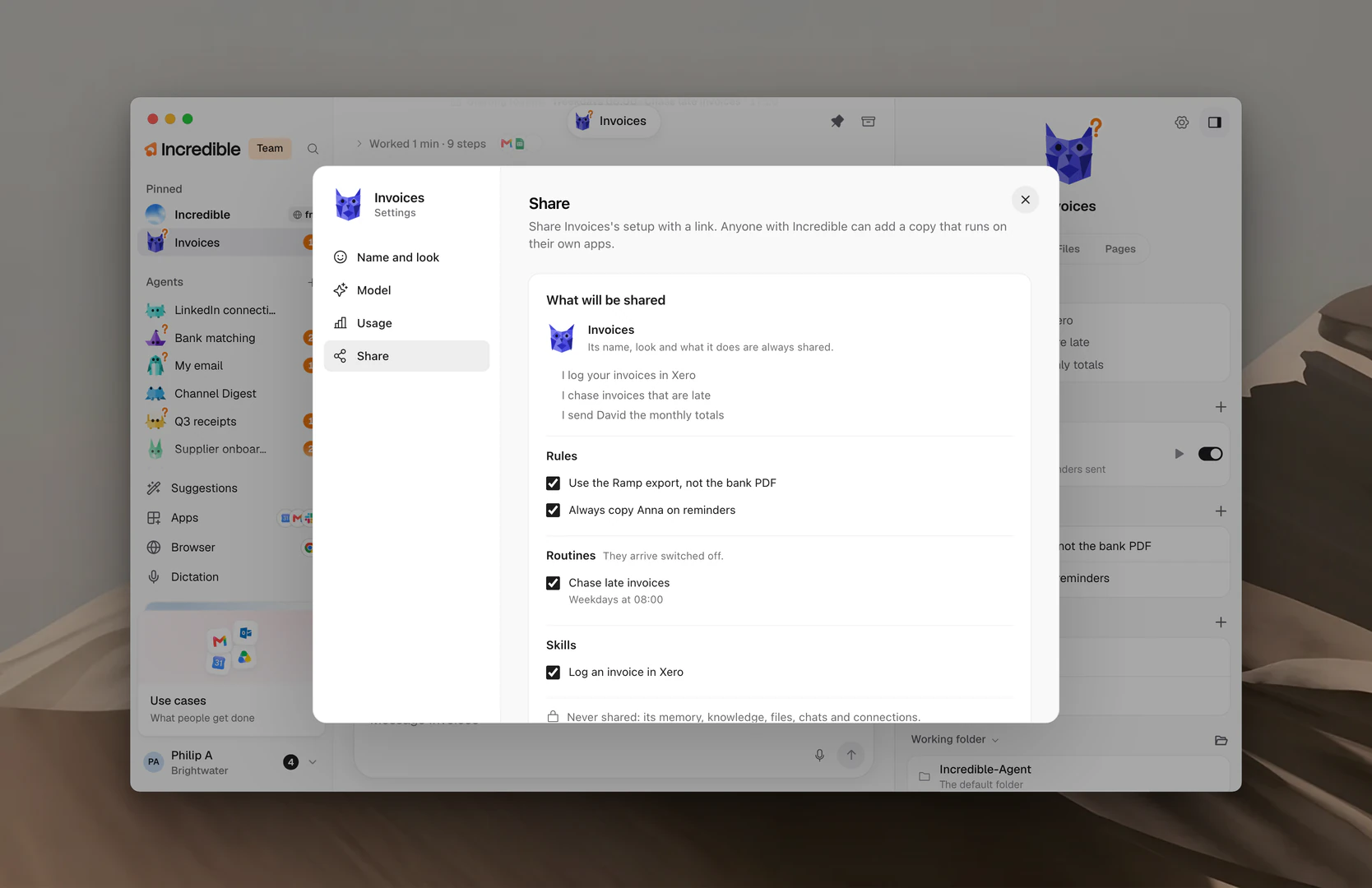
What goes with it
"Its name, look and what it does are always shared." Below that are three lists, each with a checkbox per item, all ticked to start:
- Rules: the rules in the agent's Memory.
- Routines: "They arrive switched off." The other person turns on the ones they want.
- Skills: the agent's own skills.
What never goes
"Never shared: its memory, knowledge, files, chats and connections."
The person who adds it reads: "It works with your own apps and accounts. Nothing else of the person who shared it comes along."
The sharing terms
The first time you share, Incredible shows Before you share:
"Anyone with the link can see what you share and add a copy of this agent. Share only what you have the right to share, and nothing private or harmful. Incredible may take down a shared agent that breaks the terms."
Click Read the sharing terms to read them in full, then Accept and create link. You only do this once.
Update the link or stop sharing
Once an agent is shared, its Share page shows the link at the top, with Copy and Open.
- Update the link. Change what is ticked and click Update link. The same link now shows what is ticked now.
- Stop sharing. Click Stop sharing. The link shows nothing from then on.
You can also find every agent you share at incredible.one/account, under Your shared agents, with Open, Copy link and Stop sharing.
Add an agent someone shared with you
There are two ways in.
Open the link. The link opens the agent's page on incredible.one. Click Add to Incredible, and the app opens. If you don't have Incredible yet, the page offers the download instead.
Paste the link in the app. Click + next to Agents in the sidebar. In the New agent window, click Add from a link, paste it, and click Continue.
Either way, Incredible shows Add a shared agent: the agent's character and name, who shared it, What it does, its Routines, Skills and Rules it follows. Click Add.
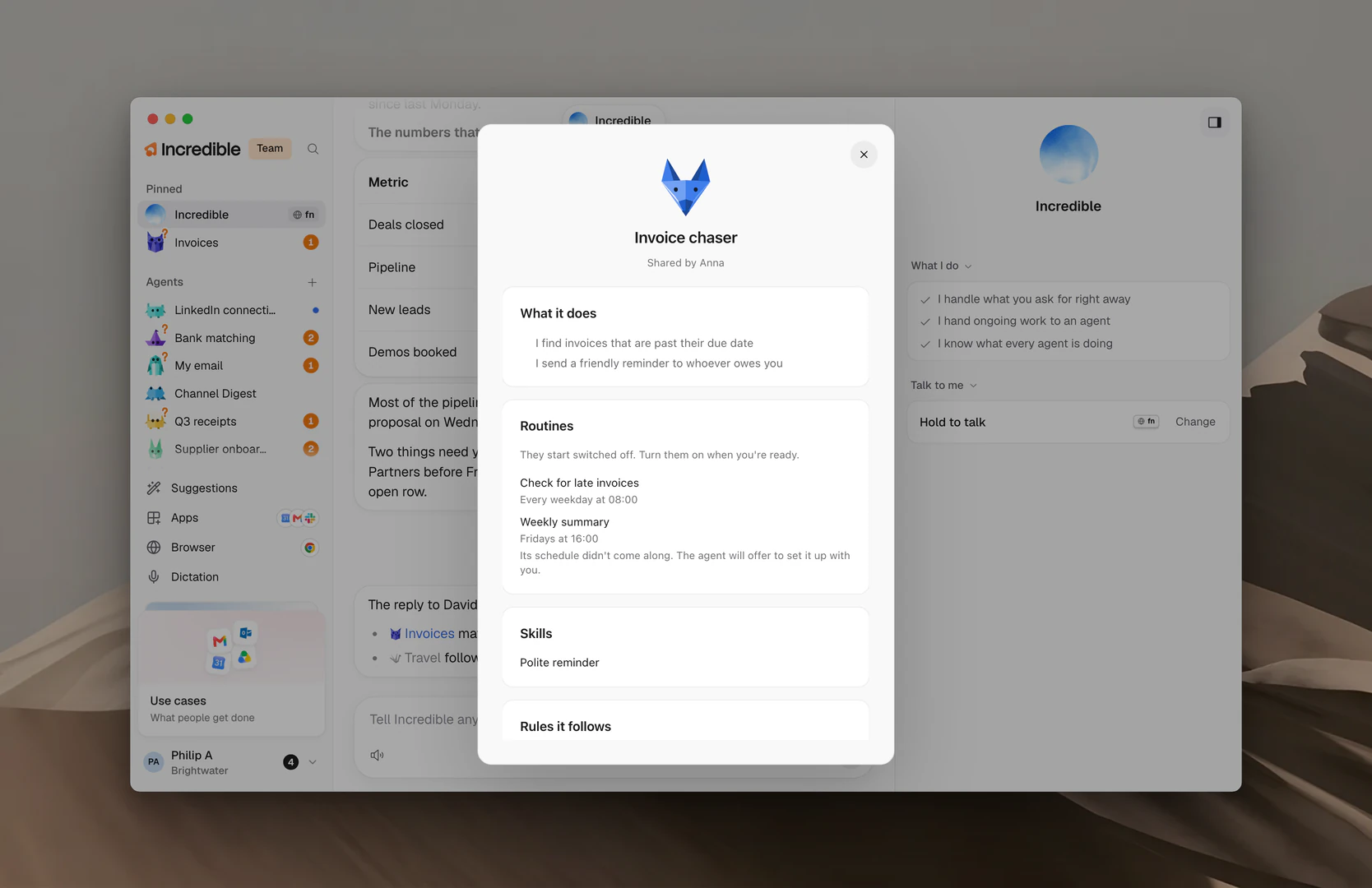
The new agent opens in your sidebar and introduces itself. It asks for what it needs to work for you, like the apps it uses. Its routines start switched off; turn them on in its panel when you're ready. See Routines.
Note: If a link doesn't work, Incredible says why in one sentence. An agent can stop being available when the person who shared it stops sharing.
Related guides
- Agents: make agents and find them in the sidebar
- Agent settings and models: the rest of an agent's Settings
- Routines: turn on the routines a shared agent brought
- Memory: an agent's rules, which you can share
- Skills: an agent's skills, which you can share