 Download for Mac
 Download for Windows
A skill is a saved way of doing a job: the steps, the format and the tone you want, written down once. When a job fits a skill, Incredible and your agents follow it, so the job comes out your way every time.
For example, a skill can say how your weekly update is laid out, how you reply to a customer complaint, or which order to do the month-end checks in.
Where skills live
All your skills are in Settings → Skills. The page lists your own skills and, if you are in a team, the ones your team shares. When you open a skill from Search (⌘K on a Mac, Ctrl+K on Windows), it opens in a tab beside Incredible's chat instead.
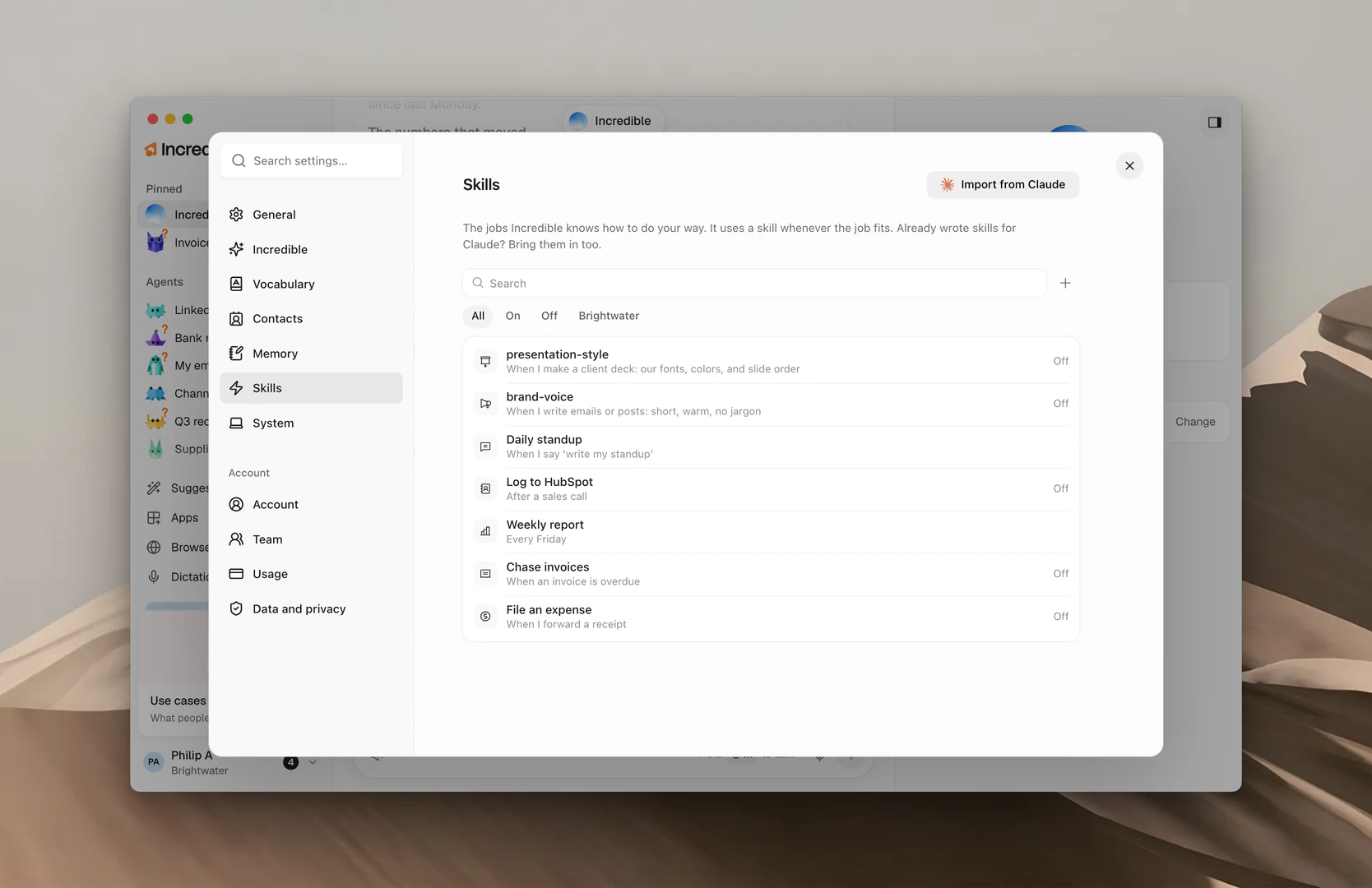
Use the filters at the top to show All, only the skills that are On or Off, or the ones shared with your team.
Each agent also has a Skills section in its panel, on the Agent tab. It lists the skills that belong to that agent.
Make a skill
Ask for it after a job. When Incredible or an agent has done a job the way you like, say so and it saves the job as a skill.
"Save this as a skill."
A message says Skill saved with View to open it. While a skill is still being written, it shows Building.
Ask an agent. In an agent's panel, click + (Add a skill) next to Skills. This sends "Help me set up a new skill." to the agent, and you work out the skill together in its chat.
Write it yourself. In Settings → Skills, click + (New skill). Give it a name, fill in When to use it in one sentence, write the Steps, and click Create skill.
"When to use it" is how Incredible knows the skill fits. Write it plainly: "When I ask for the weekly update."
Give a skill to an agent
A skill that no agent has is open to every agent. A skill you give to an agent becomes that agent's own.
- Open the agent and find Skills in its panel.
- Click Give it a skill.
- Click the skill you want. Search your skills if the list is long.
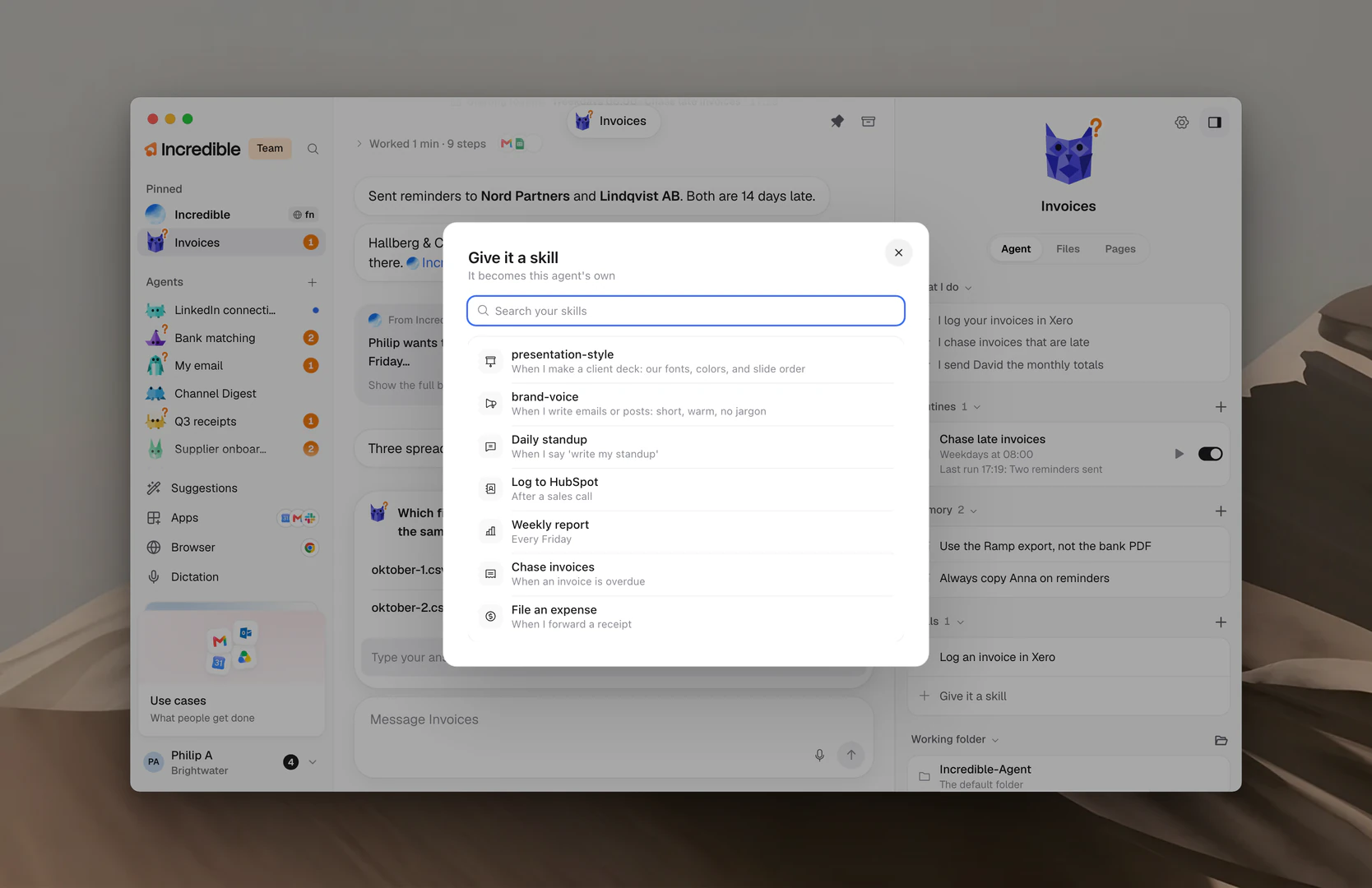
To take a skill away, click it in the agent's panel, then click Take it away. The skill stays in your list.
An agent with no skills of its own says "None of its own yet. It uses the ones no agent has."
Change or turn off a skill
Open a skill to read its steps.
- Edit lets you change its name, When to use it and Steps. Click Save when you are done.
- The On switch turns the skill on or off. A skill that is off is not used, and shows Off in the list.
- Delete removes it for good, after you confirm.
Under More options while you edit, Let Incredible improve it lets Incredible sharpen the steps over time. Changes apply right away.
Import from Claude
If you already wrote skills for Claude, in Claude Code or the Claude app, you can bring them into Incredible.
- Open Settings → Skills and click Import from Claude.
- Incredible looks for Claude skills on this computer and lists them.
- Tick the ones you want and click Import.
Turn on Keep in sync to update imported skills when they change in Claude.
Team skills
In a team, open one of your skills and click Share, then choose Everyone in your team. Incredible uses it for everyone in the team, and it says On for everyone in the team. Choose Only you to stop sharing.
A skill a teammate shared has no switch of its own: it is on for the whole team. Click Make a copy to get your own version you can change. See Teams.