The best private AI assistants in 2026, ranked on where your data goes: Incredible, Apple Intelligence, Lumo, LM Studio, Duck.ai, Claude and ChatGPT.
Last updated: October 4, 2026
The AI agent wants your email password, your CRM login and access to the supplier portal, so it can do the work on a computer somewhere else. You would like to keep those.
The best private AI assistant in 2026 does real work without collecting your work along the way. For that, Incredible comes first: it works in your own browser and apps, signed in as you, so your logins never go to someone else's computer, and it asks before anything is sent. Apple Intelligence, Proton's Lumo and LM Studio are strong for private chat, and Claude and ChatGPT get more private once you change a setting.
| # | Assistant | Best for | Trains on your chats |
|---|---|---|---|
| 1 |  Incredible Incredible |
Doing the work in your own apps, logins kept at home | No |
| 2 | Apple Intelligence | On-device help on an Apple Silicon Mac | Designed not to collect your personal data |
| 3 | Proton Lumo | Private chat with no logs | No |
| 4 | LM Studio | Models that run entirely on your computer | Not with local models |
| 5 | Duck.ai | Anonymous chat with well-known models | No; providers are bound by agreement |
| 6 |  Claude Claude |
Strong writing, with incognito chats | Only if you allow it |
| 7 |  ChatGPT ChatGPT |
Everything, once you turn training off | Unless you opt out |
"Private" means three things here: who can read what you send, whether it trains a model, and where your logins end up when an assistant acts for you. The order weighs privacy against usefulness, since an assistant that can't book an invoice leaves the copying and pasting to you. Claims about each assistant come only from its maker's own privacy pages, read on October 4, 2026.
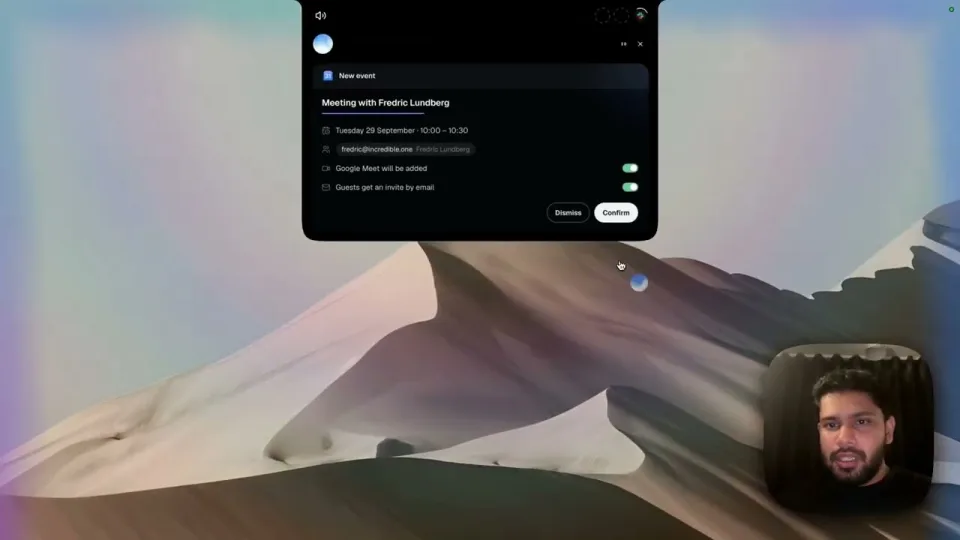
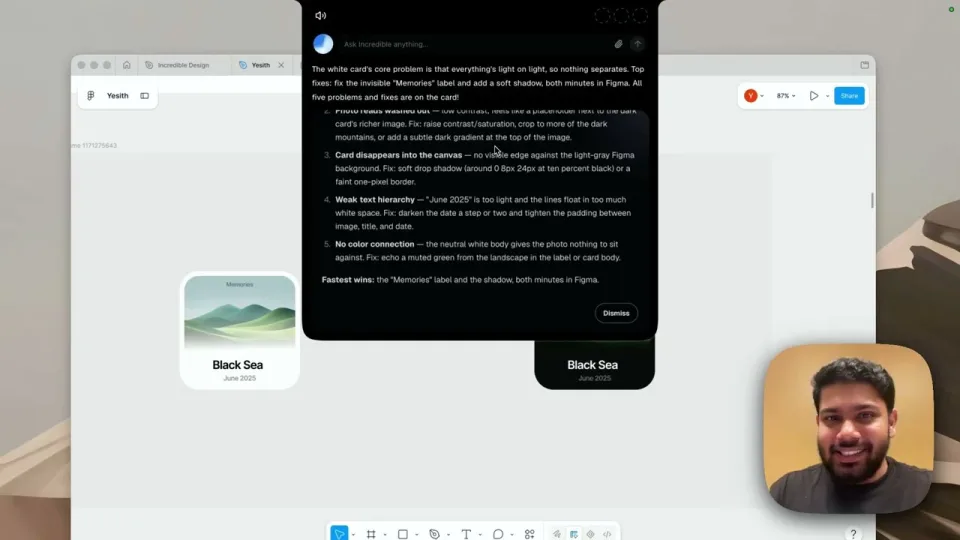
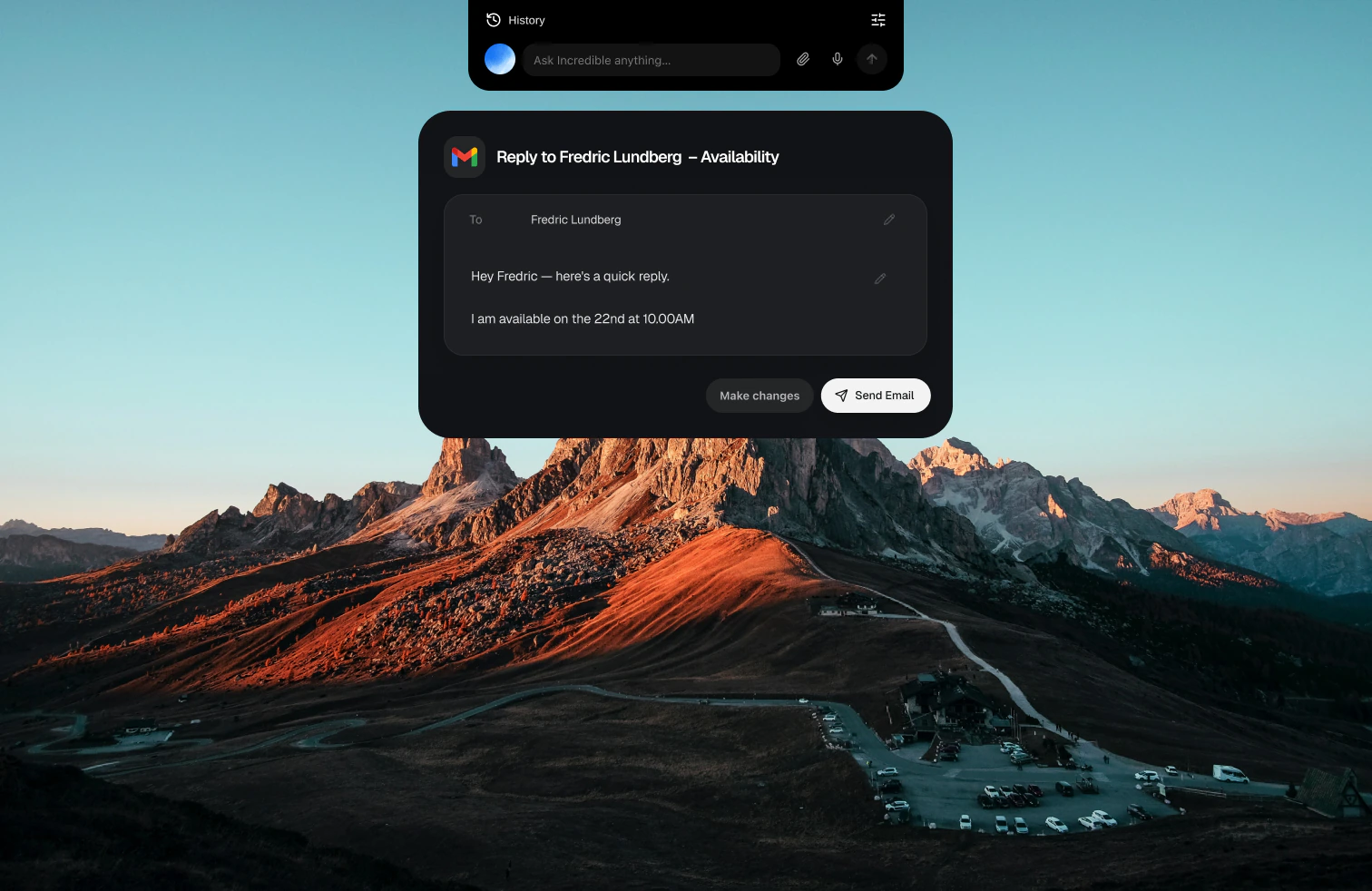
1. Incredible: best private AI assistant for getting work doneHold the talk key and say the task, and Incredible clicks and types in your browser, files and apps, on Mac and Windows. That is why it ranks first here: it works in your own browser, signed in as you, so your logins stay on your computer. Its browser extension talks only to the Incredible app on the same computer, and it asks before anything is sent.
Incredible does not train on your data, and its contracts with its AI providers forbid them from using it to train their models. It keeps zero data retention with those providers wherever possible, and data on its servers is encrypted at rest and in transit. It holds a SOC 2 Type 2 report, issued by Sensiba, and is GDPR compliant; the details are in its Trust Center.
“Usually, automating a process means writing a brief and spending months to get it running. With Incredible, our people just hit record and do the task themselves.”
Håkan Enhager, VP Global IT and Digital, CellMark
Best for: people and teams who want the work done in their own systems, without giving their passwords to another company's computer.
Apple's privacy notice says many models run entirely on the device, and bigger requests go to Private Cloud Compute, where the data "is not stored or made accessible to Apple." You can export a report of every request that left your Mac. Siri AI, in beta with macOS 27, acts mostly in Apple's own apps and needs Apple Silicon.
Best for: everyday writing help and Siri on a Mac, with the strongest on-device story of the big companies.
Proton's privacy page says Lumo runs open-source models on servers Proton controls, keeps no logs and never trains on your chats, and saved chats use zero-access encryption. It's built in Europe. It answers and writes, but doesn't act in your apps.
Best for: asking about sensitive things, such as health, money or a contract, without anyone keeping a copy.
LM Studio runs open models on your own computer, so with a local model your prompts never leave the machine. You choose and download the models yourself, and speed depends on your hardware.
Best for: technical people who want the most private setup and are happy to manage models.
Duck.ai lets you chat with models from providers such as Anthropic and OpenAI without an account. Its privacy policy says it strips your IP address before passing your prompt on, and its agreements stop providers training on prompts and require deletion within 30 days, with limited exceptions.
Best for: quick questions to a mainstream model without an account.
6. Claude: best mainstream assistant for privacy controlsAnthropic's privacy center says it uses Free, Pro and Max chats for training only if you allow it, or if a chat is flagged for safety review. Incognito chats are never used.
Best for: strong writing and analysis, with incognito chats for the sensitive ones. How Incredible compares with Claude
7. ChatGPT: private once you change the settingsOpenAI's help page says it may train on your ChatGPT conversations unless you turn that off. Temporary chats are not used, and Business, Enterprise and Edu data isn't used by default.
Best for: people who want ChatGPT's range and are willing to switch training off. How Incredible compares with ChatGPT
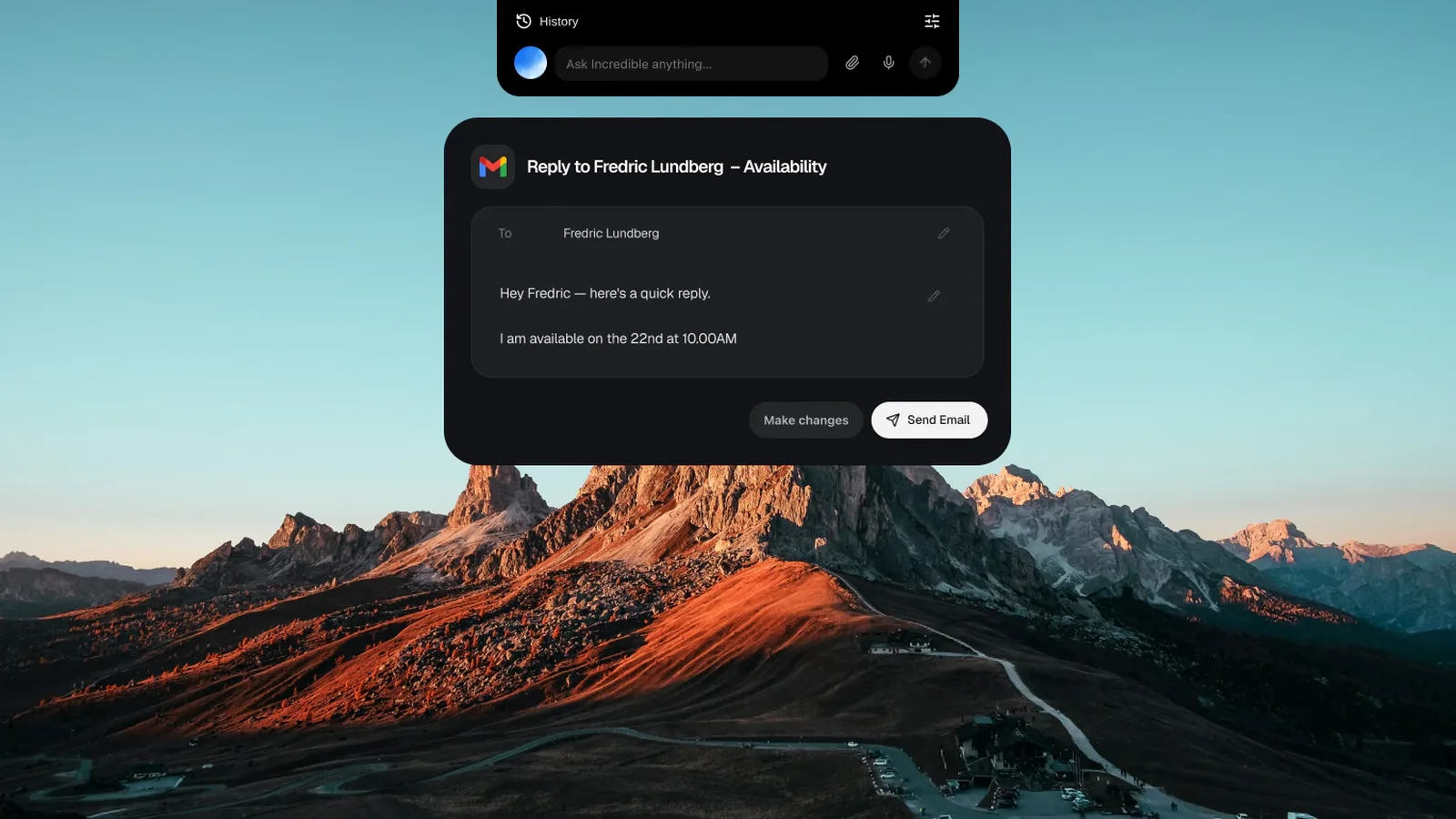
Try this now. Open an email that needs an answer, hold the key and say: "Draft a reply to this." Incredible writes it in your own email and waits for you to press Send. It's free for 7 days with no card. Download it, or read the Quickstart first.
For getting work done, Incredible. It works in your own browser and apps, signed in as you, so your logins stay on your computer, it asks before anything is sent, and it does not train on your data. If you want nothing to leave your computer at all, run local models in LM Studio. For private chat, Proton’s Lumo keeps no logs and encrypts saved chats so Proton cannot read them.
Partly, in several ways. LM Studio runs open models on your own computer. Apple Intelligence runs many requests on the device and sends bigger ones to Private Cloud Compute, which Apple says does not store them. Incredible works in the browser and apps on your own computer, so your logins never leave it, while its AI providers are bound by contracts that forbid training on your data.
It depends on your settings. OpenAI says it may use ChatGPT conversations to train its models unless you turn that off, and temporary chats are not used. Anthropic says it uses Claude chats for training if you allow it, and incognito chats are never used. Business and enterprise plans of both work differently.
Incredible holds a SOC 2 Type 2 report, issued by Sensiba, and is GDPR compliant. Data on its servers is encrypted at rest and in transit, and it does not train on your data. The details are in its Trust Center at trust.incredible.one.
Apple designed it to be. Many requests run on your device, and larger ones go to Private Cloud Compute, where Apple says the data is not stored or made accessible to Apple. On a Mac you can export a report of every request that left the device from System Settings, Privacy and Security.
It clicks and types in your browser, files and apps, exactly like you do.
Requires macOS 13 or Windows 10, or later.
 Download for Mac
 Download for Windows