 Download for Mac
 Download for Windows
Customize Incredible
Contacts
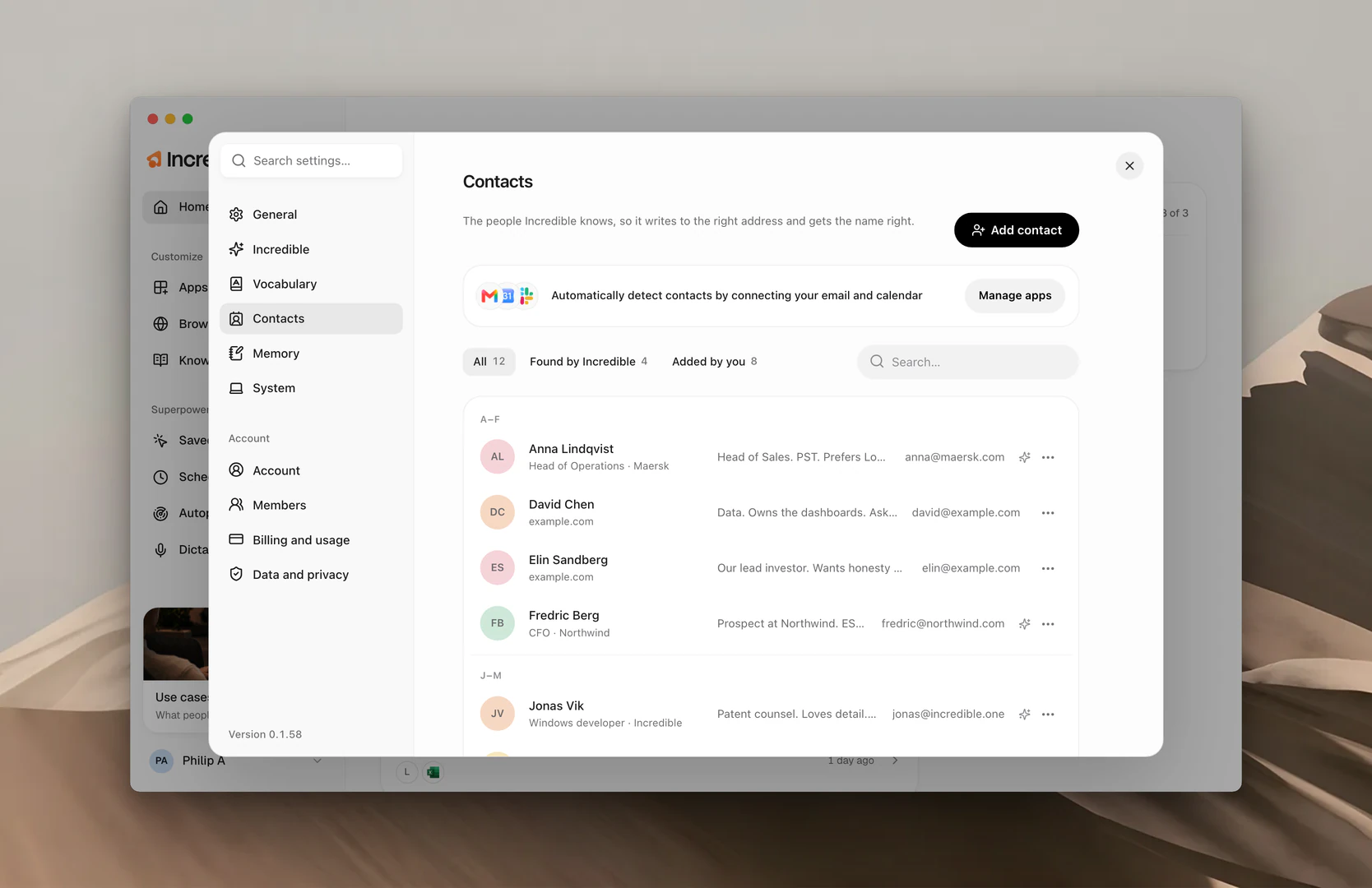
The people Incredible knows, so it writes to the right address and gets the name right when you ask.
When you say "send this to Fredric", Incredible has to hear the name as you spell it and know which Fredric and which address. Contacts is how it does both. Click your name at the bottom of the sidebar, choose Settings, then Contacts.
Where contacts come from
Connect your email and calendar, and Incredible learns the people you work with on its own. Click Connect apps (or Manage apps, once something is connected) to connect them. Gmail, Outlook, Google Calendar, Outlook Calendar and Microsoft Teams find new people. Slack fills in details for people already found.
- Each contact arrives with a name, an email address, and the company where Incredible can tell.
- A small spark at the end of the row means Incredible found them. Use Found by Incredible and Added by you at the top of the list to see just one kind.
- Once a week it checks again and adds anything new, like another email address. The name, role and company you set are kept.
Add a contact
There are two ways to add a contact: say it to Incredible, or add it in the app.
Say it. Tell Incredible who they are.
"Add Nicholas Berg to my contacts. He goes by Nick, he's the CFO at Acme, and his email is nick@acme.com."
In the app. Click Add contact and fill in their Name and Email, plus Goes by, Role and Company if you know them. Use What Incredible should know for anything else, like "Prefers a short email." Then click Save.
"Goes by" is worth filling in. If you call Nicholas "Nick", that's the spelling Incredible listens for and the name it uses when it addresses him.
Edit a contact
Editing works the same two ways.
Say it. Tell Incredible what changed.
"Update Nick's contact, his new email is nick@acme.io."
In the app. Click the contact (or choose Edit from its ... menu), change their details, and click Save.
Delete a contact
And the same two ways to remove one.
Say it. Ask Incredible to drop them.
"Remove Nick Berg from my contacts."
In the app. Open the contact's ... menu and choose Delete.
Removing is immediate, and Incredible stops listening for that name.
How Incredible uses a contact
It hears the name the way you spell it. A speech model has no way to know your colleague is Fredric, not Frederick. Incredible feeds your contacts' names to its transcription, so the name comes back right the first time. Their names also show in Vocabulary, under Included from your Contacts.
It reaches the right address. Ask it to email someone and it uses the address on their contact, rather than guessing.
"Email Fredric the updated offer and ask if Thursday still works."
It asks instead of guessing. If two people share a first name, Incredible asks which one you mean. If the person has no saved address, it asks before sending anything.
Related guides
- Vocabulary: other names and words you want spelled your way
- Knowledge: everything else Incredible should know about your work
- Apps: connecting the apps Incredible learns contacts from