Download for Mac
 Download for Windows
AI Design Feedback in Figma: Ask Which Design Is Better (2026)
Put two designs on screen, ask out loud which is better and why, and get a design review with fixes. Plus the Figma agent and ChatGPT screenshots.
 Emil WagmanCTO
The short answer
Open the designs in Figma or any other app, hold Incredible’s key and ask, for example "which one of these designs do you prefer and why?" It looks at your screen and answers with a pick, the reasons and fixes. Ask a follow-up such as "why would the white one be better?" and it reviews that one too. Inside Figma, the Figma agent can also give design feedback, and ChatGPT reviews a screenshot you upload.
Free for 7 days. Mac and Windows.
You have two versions of a design and can't decide. Asking a colleague means a message, a link and waiting. Asking ChatGPT means a screenshot and an upload.
With Incredible, you ask out loud while the designs are on your screen. It looks at them and answers with a pick, the reasons and the fixes. The recording above shows a designer doing it in Figma with two versions of a photo card.
What Figma and ChatGPT offer below comes from their own help pages, read on 21 November 2026.
Ask it which design is better
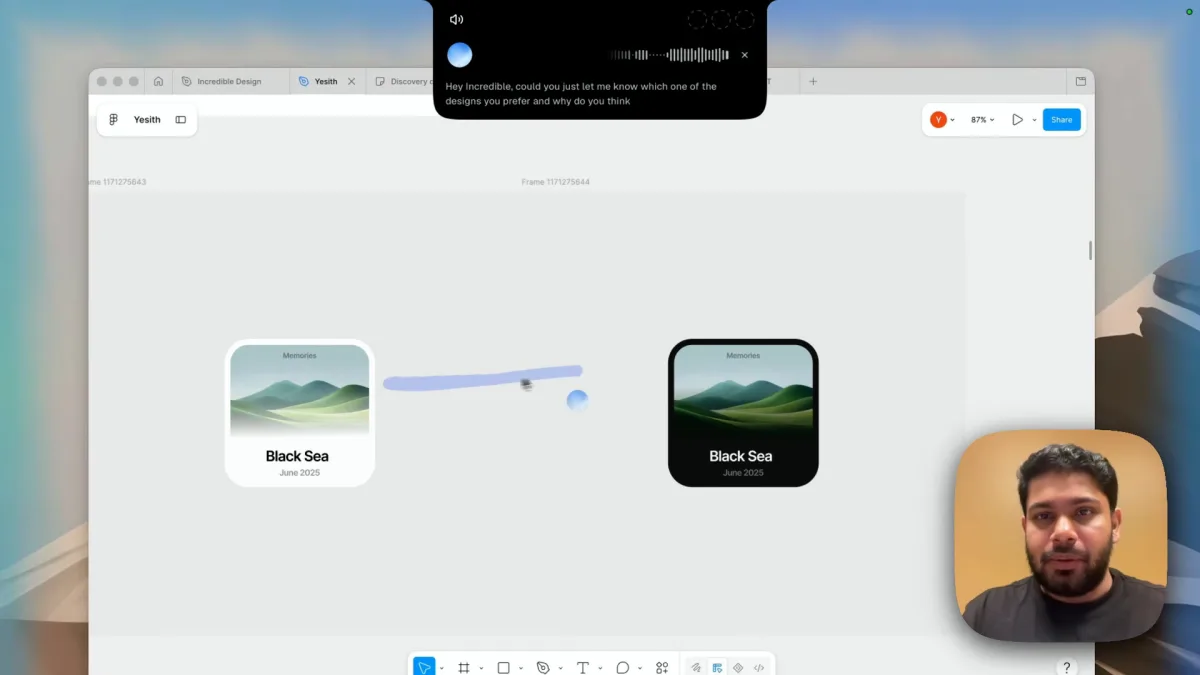
Put the designs side by side, hold the talk key (fn on a Mac, Ctrl and Space on Windows) and ask the way you would ask the designer next to you:
"Hey Incredible, could you just let me know which one of the designs you prefer and why do you think?"
You don't export anything, select a frame or explain what the cards are. Incredible looks at your screen when you ask.
A pick, the reasons and what to fix
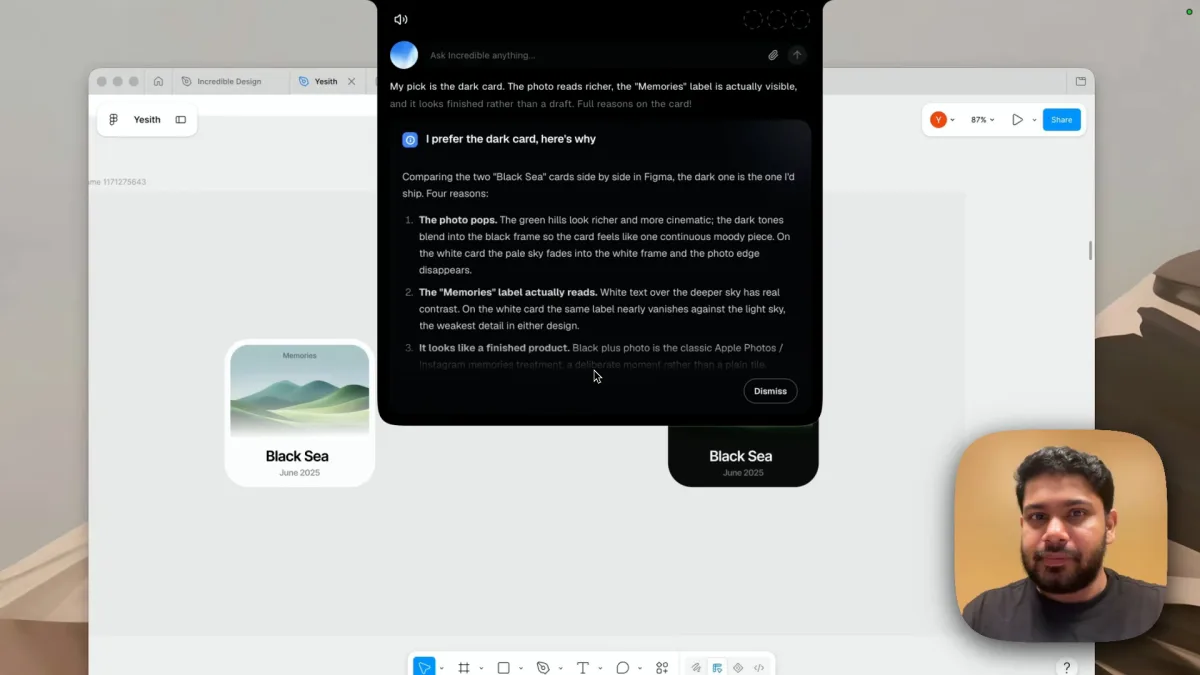
The answer starts with one line: "My pick is the dark card. The photo reads richer, the 'Memories' label is actually visible, and it looks finished rather than a draft." The card under it gives four reasons, each tied to something on the canvas:
- The photo pops. The dark tones blend into the black frame. On the white card, the pale sky fades into the white frame and the edge of the photo disappears.
- The "Memories" label reads. White text over the deeper sky has real contrast. On the white card it nearly vanishes.
- It looks finished. Black with a photo reads as a deliberate memories treatment, not a plain tile.
- Better text hierarchy. "Black Sea" in white on near-black has strong contrast, and the gray date reads clearly.
Then it says what to change before shipping the dark one: a subtle gradient behind "Memories" so the label survives lighter photos, and the date one step lighter. That is design feedback you can act on in a minute.
Ask the follow-up
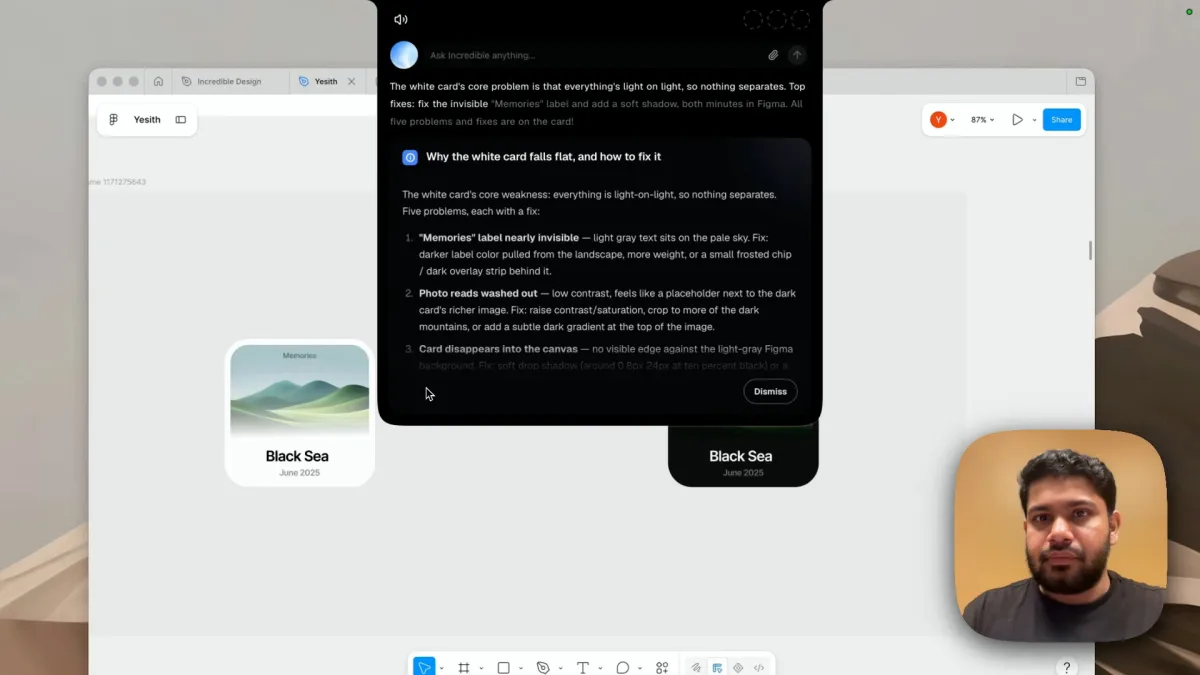
The designer pushed back: "Hey Incredible, why do you think the white card is better?" Instead of agreeing, Incredible explained why it falls flat and how to fix it. Its summary: everything is light on light, so nothing separates. The top two fixes, a visible "Memories" label and a soft shadow, take minutes in Figma.
The card lists five problems with a fix each. The label needs a darker color pulled from the landscape, more weight, or a small frosted chip behind it. The washed out photo needs more contrast or a crop toward the dark mountains. And the card has no visible edge against the light gray canvas, so it needs a soft drop shadow, with the size given in pixels.
You can keep going the same way: "make the white one as strong as the dark one", "is this readable for someone with poor eyesight?", "what would you change for a phone screen?"
Design feedback in Figma and ChatGPT
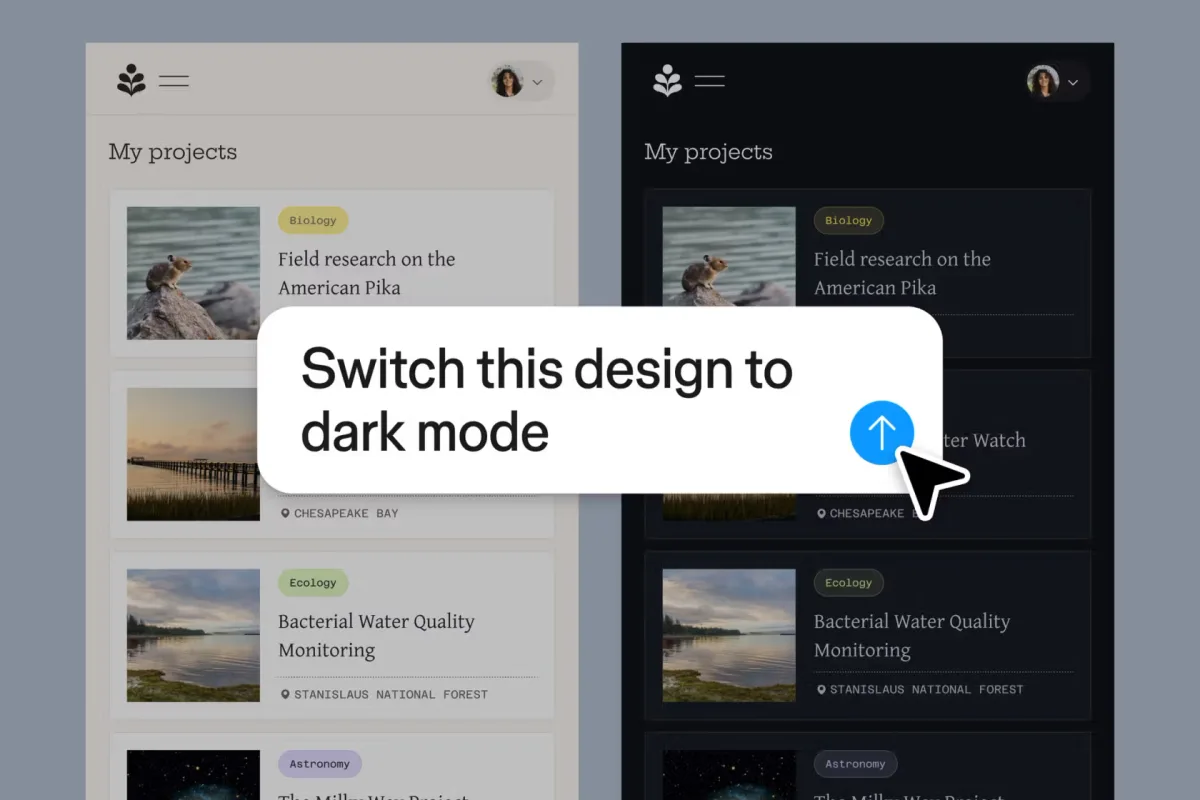
The Figma agent. Figma's help article says you can work with an agent in design files to "get design feedback": accessibility feedback, a design critique from the point of view of different personas, such as a new user or a VP of Product, and ways to improve conversion. It is listed on the Starter, Professional, Education, Organization and Enterprise plans, and the same page says some of its features need a paid plan.
ChatGPT. You upload a screenshot of the design and ask about it. OpenAI's help page says image inputs work on Free and paid plans, with PNG, JPEG and non-animated GIF files up to 20MB.
Which to use. If you live in Figma and want feedback inside the file, try the Figma agent. If you want a second opinion on whatever is on your screen, in Figma, Sketch, Canva or a browser, without taking a screenshot, ask Incredible, and keep the conversation going out loud.
Try this now. Open two versions of anything you are working on, hold the key and ask: "Which one is better, and what would you fix?" Incredible is free for 7 days on Mac and Windows. Download it, or read the Quickstart first.
For more on what it can do with what's on your screen, see AI that can see your screen, and for the wider field, the best AI assistants for Mac.
Frequently asked questions
Can AI give feedback on my design?
Yes. In our recording, a designer had two versions of a photo card in Figma and asked Incredible out loud which one it preferred and why. It picked the dark card with four reasons and two small fixes, then, asked about the white card, listed five problems with a fix for each.
Is there an AI design review for Figma?
Figma’s own agent can run a design critique, give accessibility feedback and suggest ways to improve conversion, according to Figma’s help center. Incredible works on top of Figma, or any other design app, by looking at your screen when you ask, with no plugin to install.
Can ChatGPT critique a design?
You can upload a screenshot of the design to ChatGPT and ask about it. OpenAI says image inputs work on Free and paid plans, for PNG, JPEG and non-animated GIF files up to 20MB. Incredible skips the screenshot: it sees the design where it is open.
What should I ask an AI about a design?
Ask what you would ask a colleague: which version is better and why, what is hard to read, what looks unfinished, how to make one version as strong as the other. Ask for fixes, not only opinions. In the recording, the answers named concrete changes like a darker label color, a soft drop shadow and a gradient behind a label.
Does it work on Windows and with other design apps?
Incredible runs on macOS 13 or later and Windows 10 or later, and looks at whatever is on your screen, so it works with Figma, Sketch, Canva, a browser mockup or an exported image.