 Download for Mac
 Download for Windows
Using Incredible
Dictation
Hold a key and talk. The words land wherever your cursor is, in any app, with the ums and false starts tidied away.
Hold the shortcut and talk
On a Mac, hold Ctrl + Shift. On Windows, hold Alt + Space. Put your cursor where the words should go, hold, speak, release. It works in any app: an email, a document, a chat box, a form field.
"Hi Anna, Thursday at 2 works for me."
"Thanks for the intro, copying in Fredric."
For longer stretches, use hands-free mode: on a Mac tap Ctrl + Shift + Space, on Windows Alt + Space + M. Incredible keeps listening without you holding the keys. Press the shortcut again to finish.
Speak in whichever language you like. Dictation writes what you said in the language you said it, and never translates. The language is set under Settings → General → Dictation language, and detected automatically as you speak. The shortcut can be changed under Settings, by clicking Change next to Shortcuts.
Cleanup
Click Cleanup on the Dictation page to choose how much Incredible tidies. This only changes what gets pasted, never what you said.
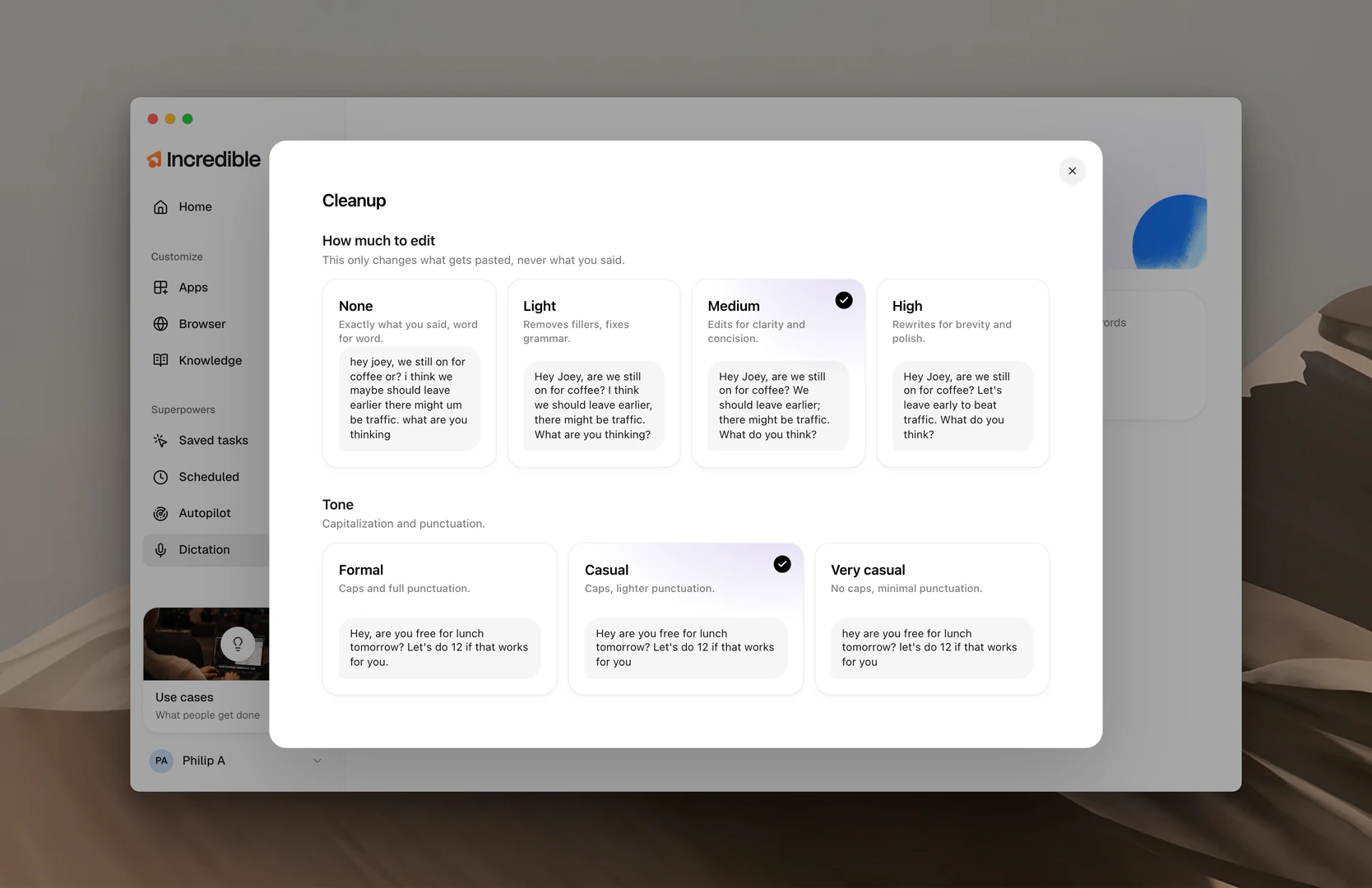
How much to edit
- None. Exactly what you said, word for word.
- Light. Removes fillers, fixes grammar. The default.
- Medium. Edits for clarity and concision.
- High. Rewrites for brevity and polish.
Say "hey joey, we still on for coffee or? i think we maybe should leave earlier there might um be traffic" and Light gives you "Hey Joey, are we still on for coffee? I think we should leave earlier, there might be traffic." High gives you "Hey Joey, are we still on for coffee? Let's leave early to beat traffic."
Tone
- Formal. Caps and full punctuation. The default.
- Casual. Caps, lighter punctuation.
- Very casual. No caps, minimal punctuation.
Vocabulary
Click Vocabulary to open your Vocabulary: the words speech recognition gets wrong, like a colleague's name, your product, or an acronym only your team uses. Add a word once and it comes out right every time. The people in your Contacts are included automatically. Coming from Wispr Flow? Import from Wispr Flow brings your words over. You can read more about Vocabulary here.
Your history
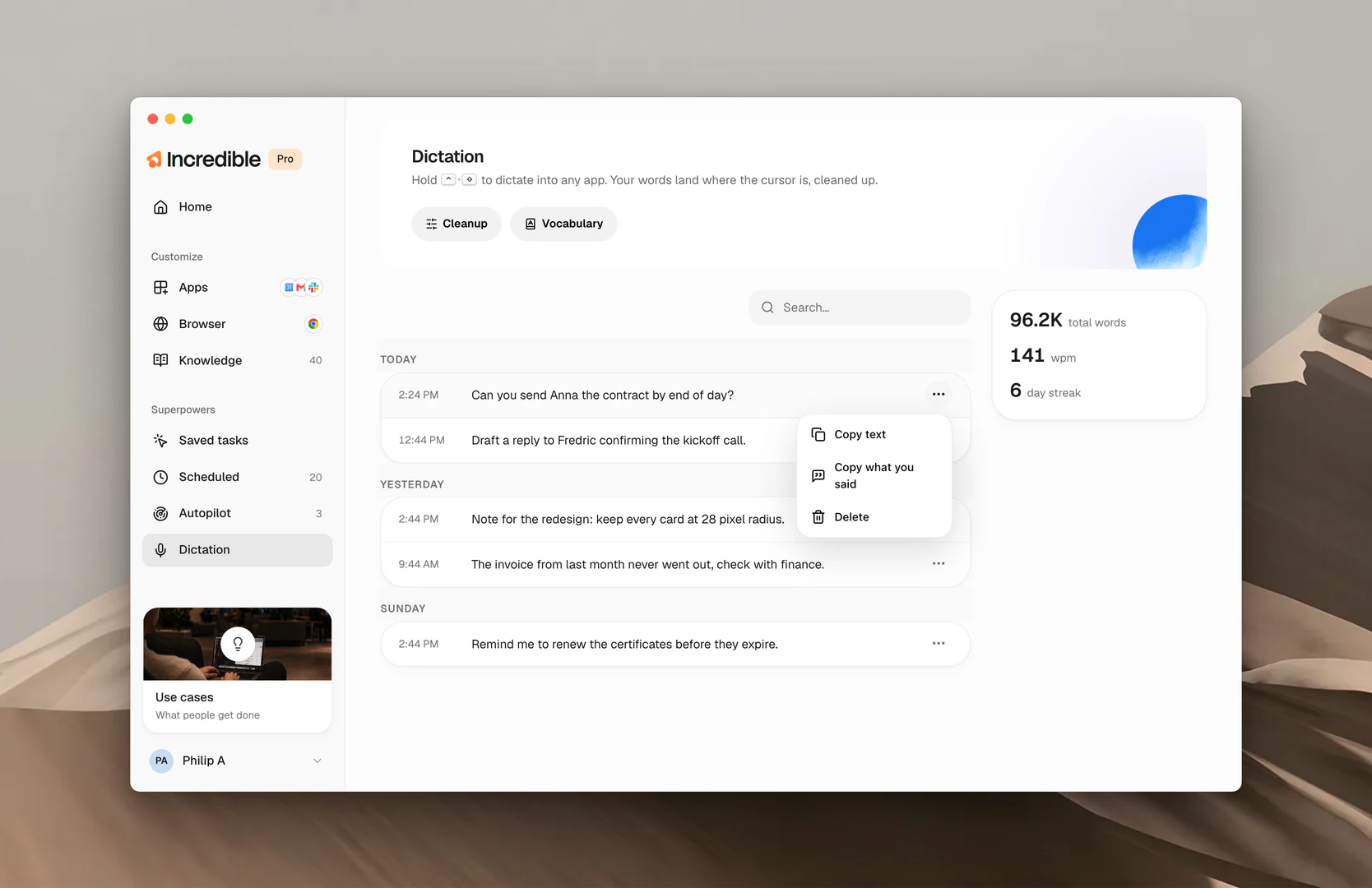
Everything you dictate is listed on the Dictation page, grouped by day with the time it landed. Search it to find a line you want to reuse. Open the menu on any entry to Copy text, Copy what you said (your words before cleanup) or Delete it. The card on the right keeps count: total words dictated, your words per minute, and how many days in a row you've used it.
Related guides
- Vocabulary: names, jargon and shortcuts spelled your way
- Using Incredible: the talk key, and how it differs from dictation