Revealing our $2.7M pre-seed — read the announcementRevealing our $2.7M pre-seed

Draft and send a personalized cold email to every lead in a spreadsheet

Personalize cold emails from Google Sheets and send them with your approval

Get started with MacWorks on Mac and Windows

Still drafting every cold email by hand?

What this workflow does

This workflow personalizes cold emails from Google Sheets and sends them through Gmail or Outlook with your approval. It reads each lead and available company details, drafts one email per lead, pauses for review, then sends the emails you approve.

The problem

Salespeople and founders often have to read each spreadsheet row, draft a relevant message, and send every email by hand. Repeating those steps for an entire lead list takes attention away from other sales work.

The solution

The workflow handles cold email outreach by reading lead details from Google Sheets and drafting personalized messages in Gmail or Outlook. After you review and approve them, it sends the approved emails from your signed-in account.

This is what you give

This is what you get

Lead spreadsheetsheets.google.com/lead-list
Recipient emailjane.doe@example.com
Email subjectAn idea for Acme Inc
Email bodyHi Jane, I noticed Acme Inc...

How it works, step by step

  1. 1

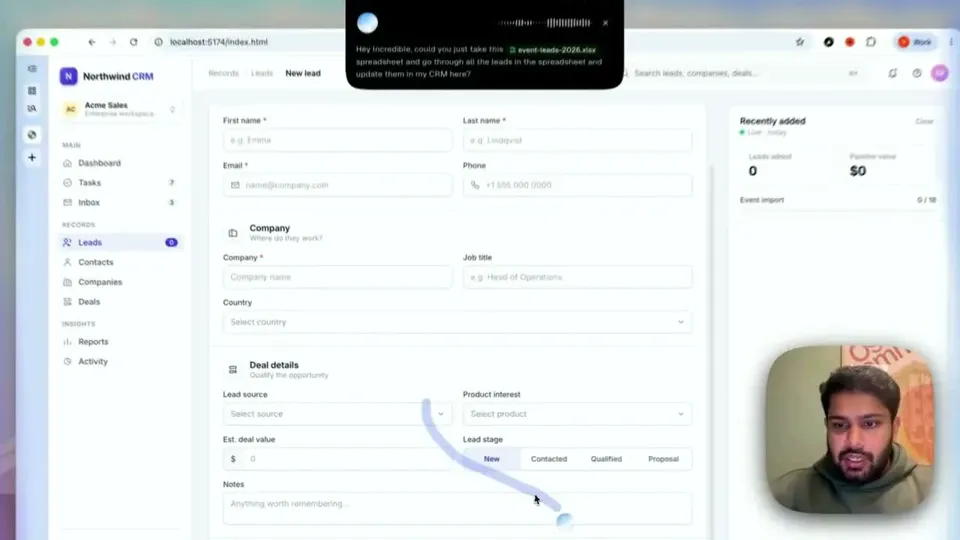
    Open the lead list. Incredible opens Google Sheets and reads each lead and the available company details.

  2. 2

    Draft each cold email. It writes one cold email per lead in Gmail or Outlook, personalizing the message around the lead’s company.

  3. 3

    Pause for approval. It presents the prepared emails and waits for you to approve them before anything sends.

  4. 4

    Send the approved emails. After you approve, it sends the emails using your signed-in Gmail or Outlook access.

Trusted by teams at

More workflows like this

Other ready-made workflows that work in the same apps.

Loved by the very best

It’s not about taking the work away from me—it’s about boosting me. We are seeing higher accuracy and better results across the board
Håkan EnhagerVP Global IT and Digital, CellMark
Using Incredible is a real game-changer
Alexander AronssonCEO, Vätternkök
It has been really great to see how both the team and the company have developed. David and Philip have had a clear goal for the company all along.
Peter SchönHead of Business Development

Frequently asked questions

How can I send personalized cold emails from a Google Sheets lead list?

Incredible reads the leads in Google Sheets and drafts one cold email around each lead’s company. You approve the prepared emails before it sends them using your signed-in email access.

Does this workflow send cold emails without approval?

No. The workflow prepares one personalized email per lead and waits for your approval before anything sends.

What does the workflow personalize in each cold email?

Each cold email is written around the lead’s company. The workflow uses the information available in the Google Sheets lead list rather than promising additional research or enrichment.

Can this workflow send cold emails with Gmail and Outlook?

Yes. This workflow uses Gmail and Outlook for drafting and sending through your own signed-in email access. It sends only after you approve the prepared emails.

Do I need code or API connections to automate these cold emails?

No. You teach Incredible by doing the real task while it records the steps, then it repeats those steps on demand. There is no code to write and no API to connect.

Is my lead and email data used to train Incredible?

Customer data is not used to train Incredible. This includes the lead and email data handled by the workflow.

Published Aug 21, 2026 · Updated Aug 24, 2026