Download for Mac
 Download for Windows
Import your memories from other AIs
You can now import your memories from other AIs. Incredible asks ChatGPT, Claude, Gemini or Copilot what they know about you, and uses it from your next task.
 Emil WagmanCTO
Start where you left off
If you have used ChatGPT for a year, it knows a lot about how you work. The language you write to customers in. That you sign with your first name. That you never book meetings before ten. Starting over with a new assistant meant teaching all of that again, one correction at a time.
Now it takes one click. Open Memory in Incredible, choose Import from your AI, and pick the assistant you use.
Two ways to bring it over
Let Incredible do it. Incredible opens ChatGPT, Claude, Gemini or Copilot in your browser, asks what it remembers about you, and saves the answer in Incredible. You only need to be signed in there.
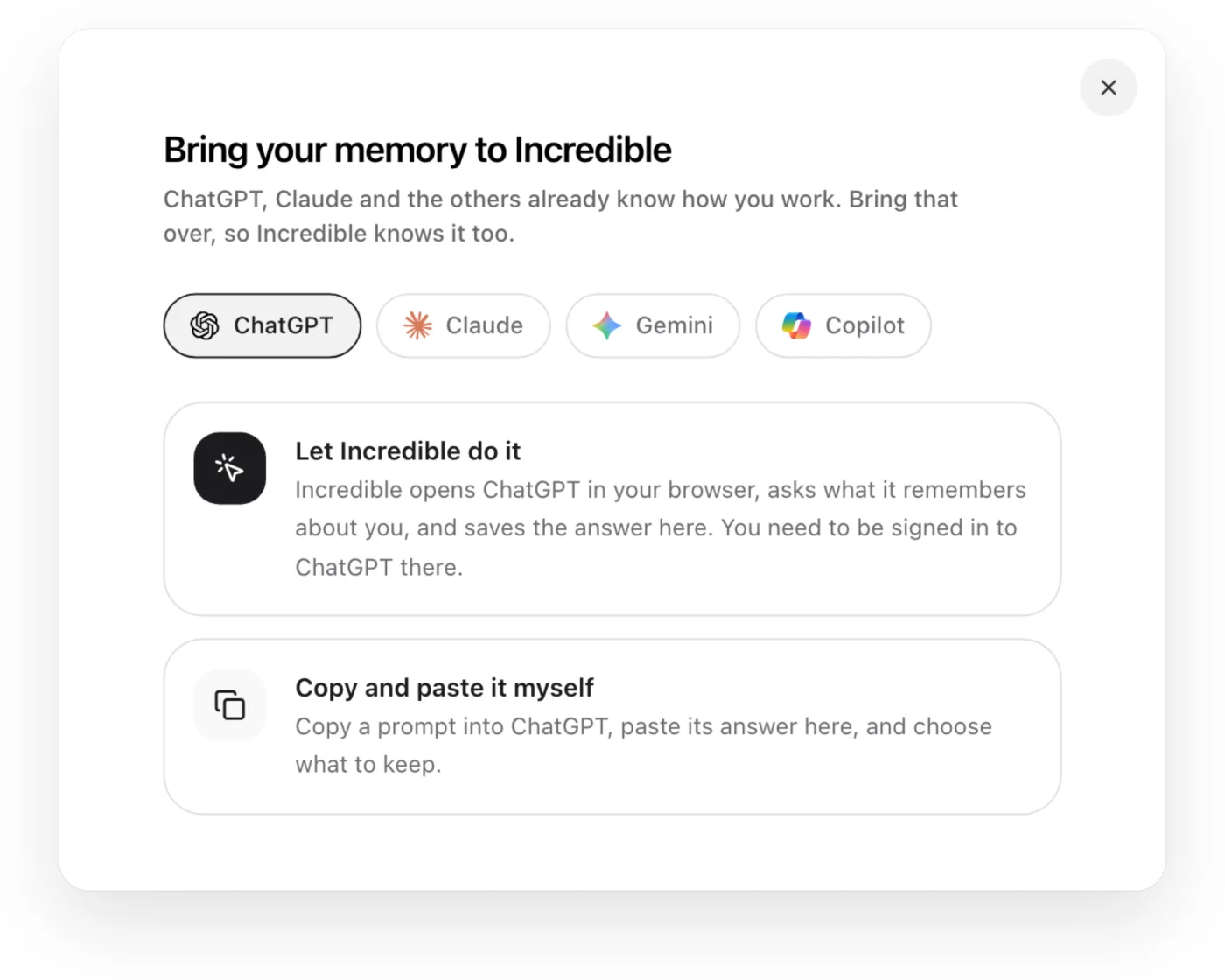
Copy and paste it yourself. Copy the prompt Incredible gives you, paste it into the other AI, paste its answer back, and choose what to keep.
Every memory is yours to change
What comes over lands on the Memory page as short notes: what it is, when it applies, and the note itself. Change any of them, delete the ones you don't want, or add your own. Incredible keeps adding to it as you work together.
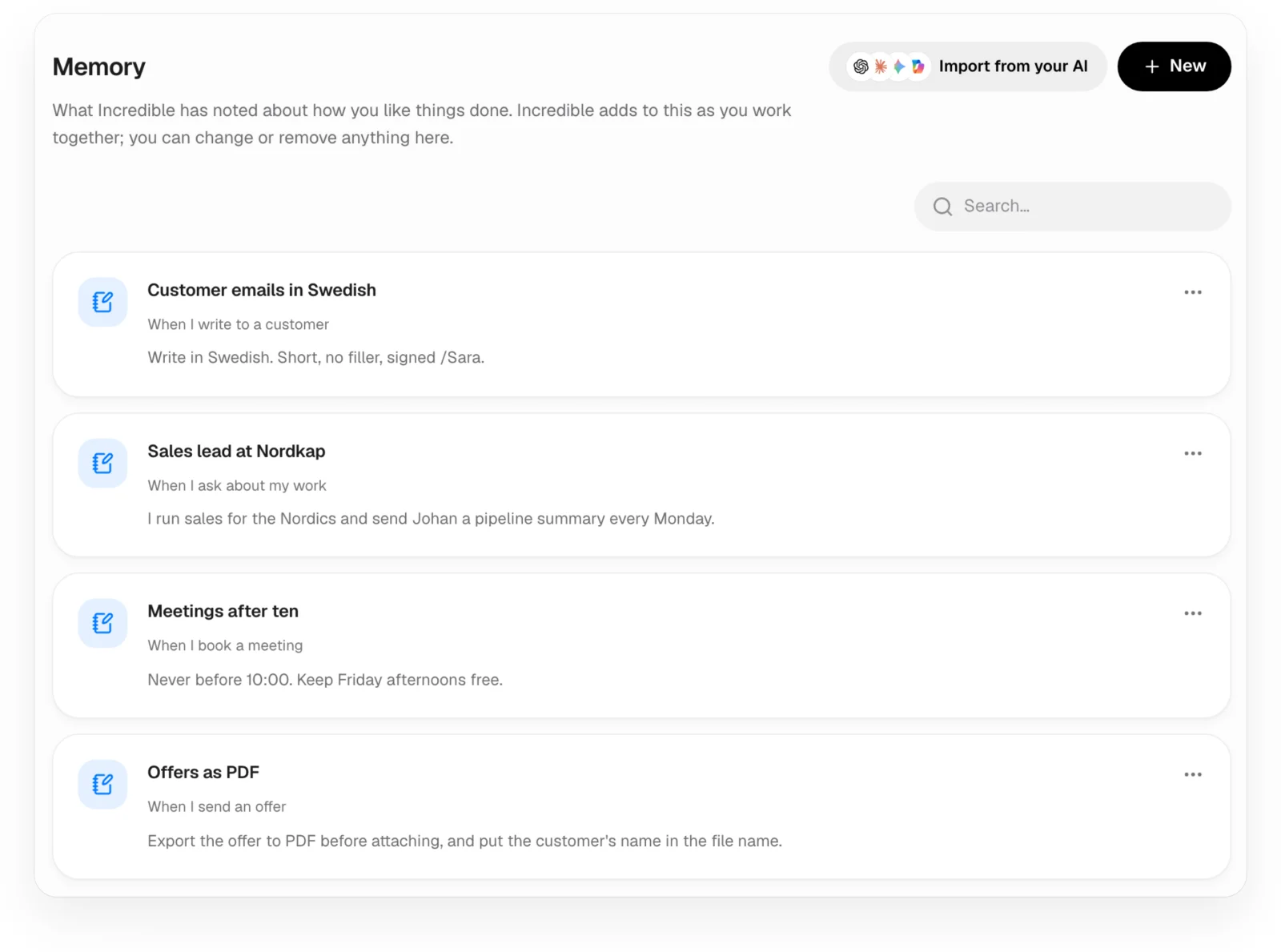
Then just ask. With "Customer emails in Swedish" in your memory, a reply to a customer is written in Swedish without you saying so.
Bring yours over
Already using Incredible? Update to the latest version and open Memory. New to Incredible? Start the free trial and bring your memory over before your first task.