Downloaden voor Mac
 Downloaden voor Windows
How to Use AI to Find Leads: Build a Lead List from Any Website (2026)
Turn a company directory with no export into a call list: 213 companies with phone, address, revenue and staff in Excel. Plus Apollo, Clay and Sales Navigator.
 Emil WagmanCTO
Het korte antwoord
Open the directory or register where your prospects are listed, hold Incredible’s key and say "take all of these results and make them into a spreadsheet." It goes through every page of results in your own browser and saves an Excel file with the phone numbers, addresses and company size the site shows. Then ask for the cut you want, such as only the companies with more than 50 employees. Apollo, Clay and LinkedIn Sales Navigator search their own data instead of the page you have open.
7 dagen gratis. Mac en Windows.
You sell to a kind of company, and somewhere there is a website that lists all of them: a national company register, an industry association, a trade fair's exhibitor page. It shows the phone number, the address and how big each company is. It just won't give you the list as a file.
You can ask an AI to make that list for you. With Incredible on your Mac or Windows PC, you open the search results, hold one key and say what you want. The recording above shows it on a real search: all 213 companies that come up for "volvo" on allabolag.se, a Swedish company register, saved as one Excel file you can call down.
What the lead tools say about themselves below comes from their own pages, read on 21 November 2026.
Ask for the list out loud
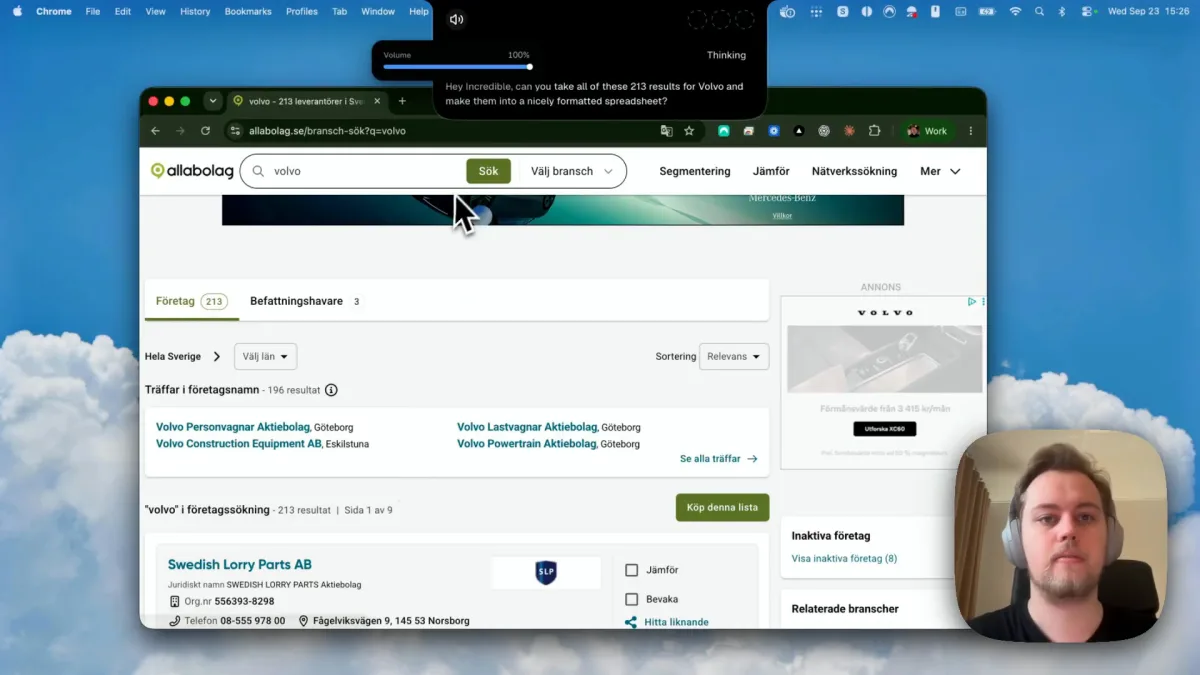
Start where a person would. Search the directory the way you normally do, by industry, region or name, until the results are the companies you want to call. Then hold the talk key (fn on a Mac, Ctrl and Space on Windows) and say it:
"Can you take all of these 213 results for Volvo and make them into a nicely formatted spreadsheet?"
You don't list the columns or explain the site. Incredible looks at the page you are on and works out what each result card holds. It runs in your own Chrome, or another Chromium browser such as Edge, Brave or Arc, so a directory you are signed in to looks the same to it as it does to you.
It goes through every page of results
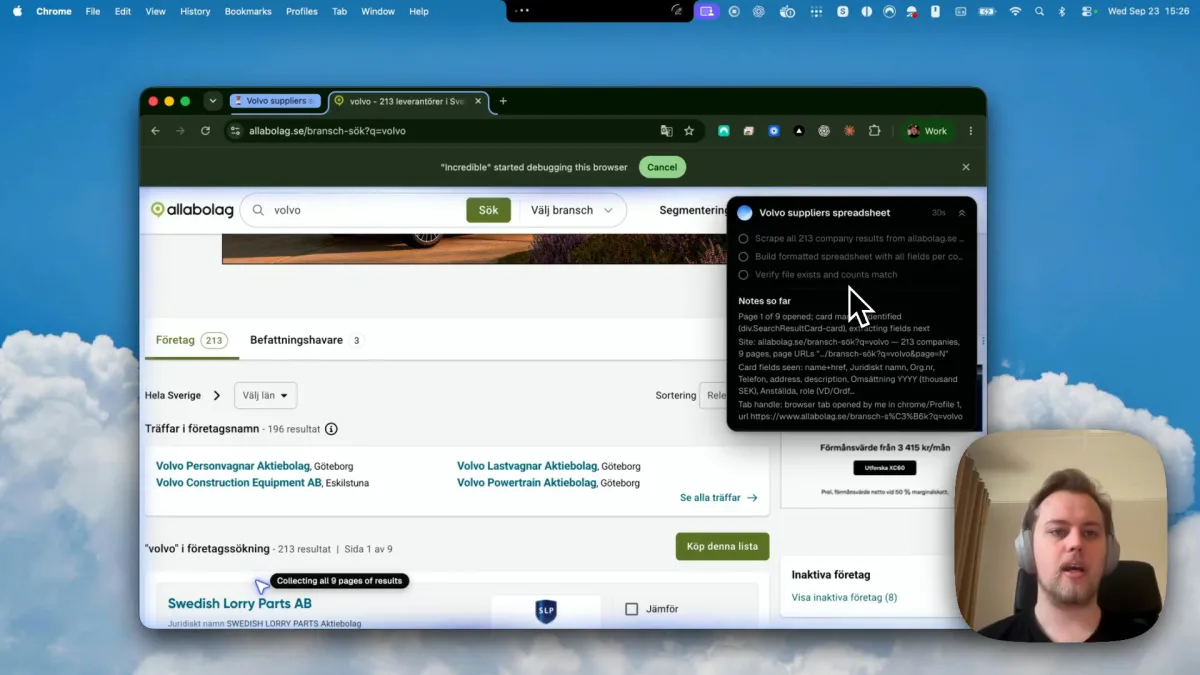
A lead list is rarely one page. Here the 213 companies were spread over nine pages, each as a card with a phone number, an address, revenue and number of employees.
Incredible noted what it saw on the first page (213 companies, nine pages, the fields on each card), made a short plan and then went through the pages one by one. The plan stays in a small panel while it works: collect all 213 results, build the spreadsheet, then check that the file exists and the counts match. You can do something else in another window meanwhile.
The columns a seller needs
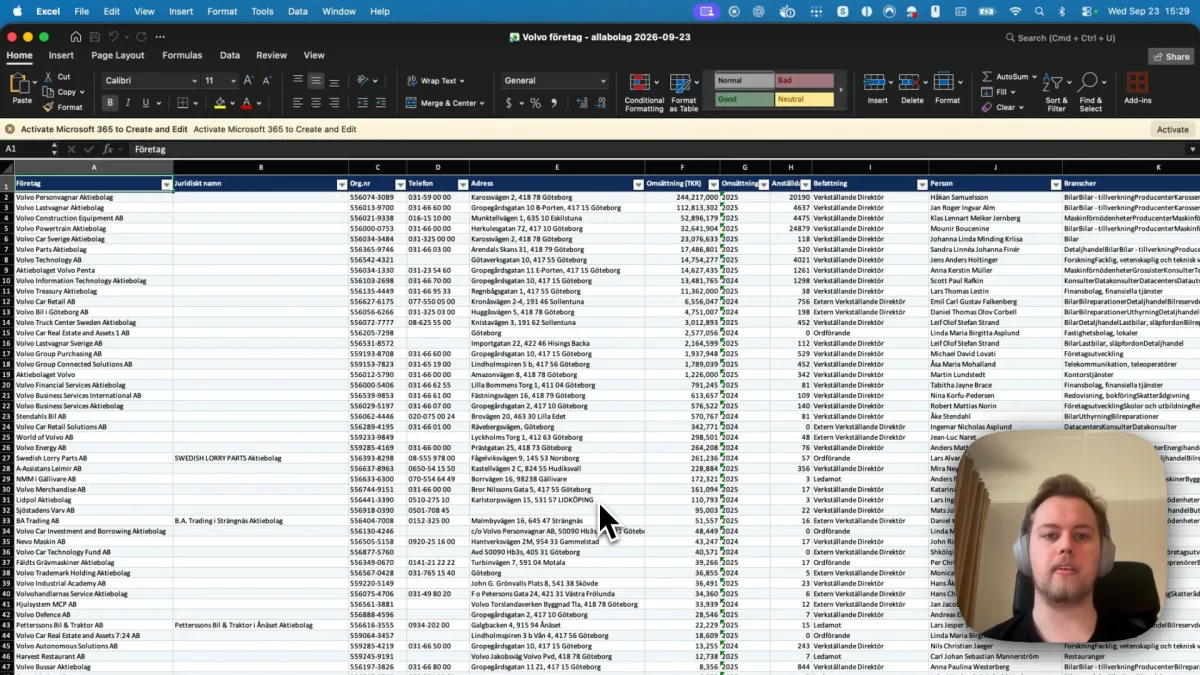
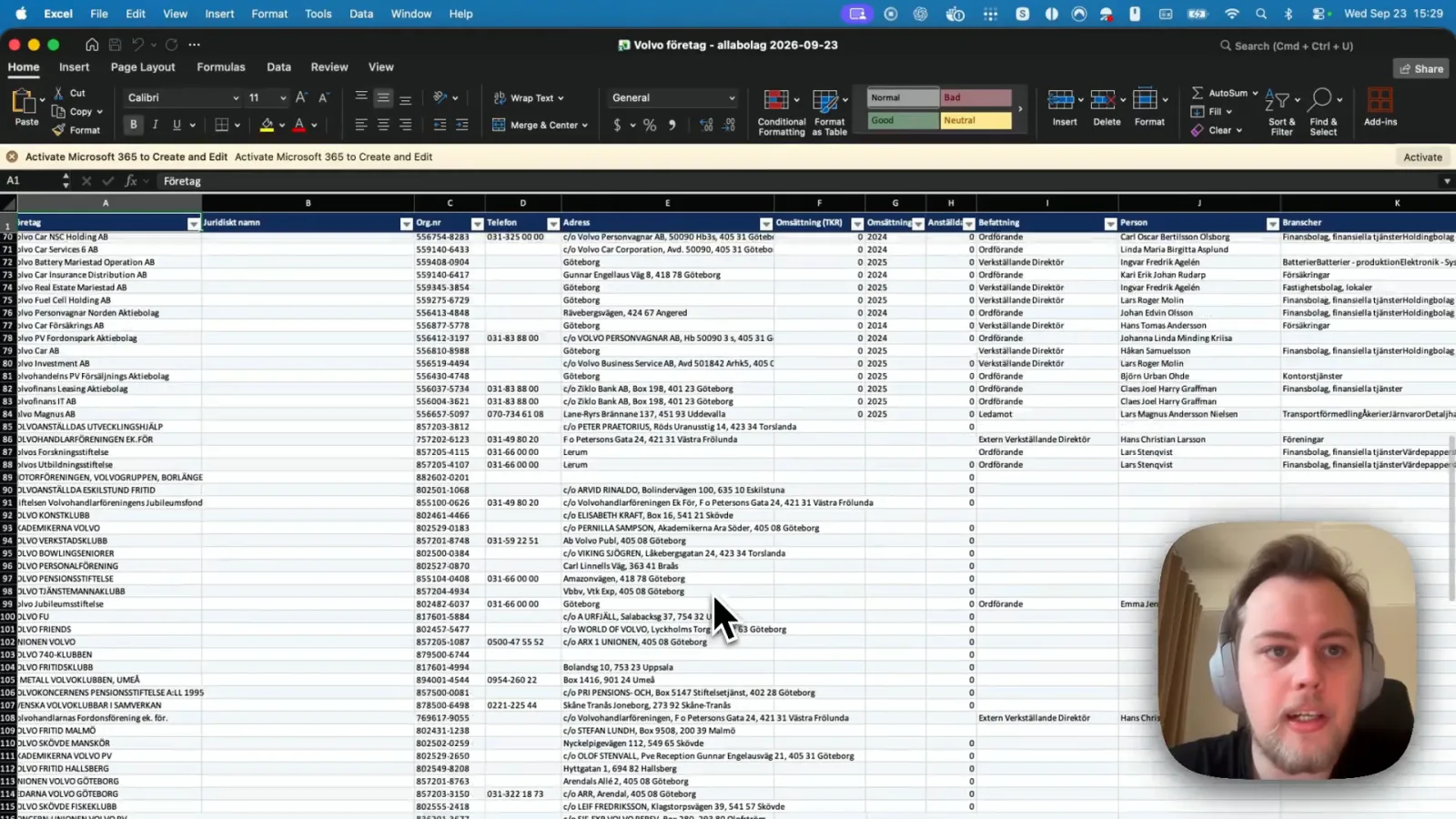
A few minutes later the Excel file was open: 213 rows, no duplicates, and 12 columns. For a seller they sort into three groups.
- Who to call: company, phone and the named person with their role, such as managing director or chair.
- Where they are: the address, which tells you the city and region.
- How big they are: revenue, the year that revenue is from, and number of employees, plus the industries and a short description of what the company does. The organization number lets you tell companies with similar names apart.
The sheet was sorted by revenue, largest first, with a frozen header row and filter buttons, so you can start at the top and work down.
It also said what the site did not have. Only 83 of the 213 companies show a revenue figure on the register, so the other revenue cells are empty rather than guessed. Read that note before you plan your calls around revenue. The sheet holds what the site shows, so there are no email addresses in it, because the register doesn't list them.
Who to call first, and what to ask for next
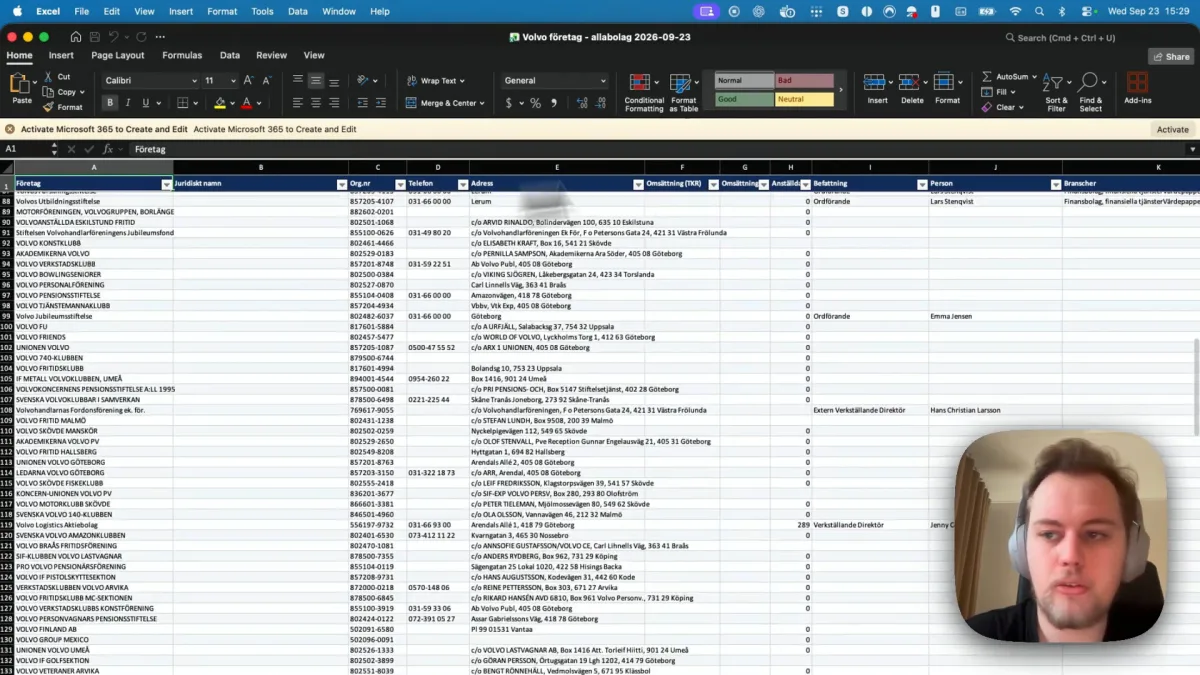
A search on a register catches more than companies. Scroll down this sheet and you reach car clubs, foundations and staff associations with "Volvo" in the name, most with no phone and no revenue. Those are not leads, and you would rather not dial them.
You can tell Incredible what to cut, the same way you asked for the list. These were not part of the recording; they are the kind of follow-up you can say next:
- "Add the ones with more than 50 employees to a new sheet."
- "Remove the clubs, foundations and associations."
- "Keep only the companies with a phone number, and put the ones in Göteborg first."
- "Make the same list for the next search," after you change the search on the site.
If you rebuild the same list every month, you can save the request as a task and run it on a schedule. When the list is ready, the next job is often getting it into your CRM; see how to automate data entry from a spreadsheet into a website.
Before you start, check the directory's terms, since some sites sell their lists and limit copying (this register has a "Köp denna lista", buy this list, button), and follow your local rules for calling or emailing people you have not dealt with before.
Apollo, Clay and LinkedIn Sales Navigator
The well-known lead tools work differently. Each one searches its own data, not the page you have open.
Apollo. Its home page calls it "one connected GTM system" with "240M+ contacts and 30M+ accounts with trusted B2B data," and says its AI agents "research, build lists, write outreach, follow up, and book meetings." It offers to get started for free with no credit card.
Clay. Its home page describes "infrastructure to get any data, run agentic workflows, and launch GTM plays." It lets you buy from many data and AI vendors under one contract, enriches CRM records, and has an AI research agent, Claygent, that customers use to research accounts and qualify leads. It has a 14-day Pro trial.
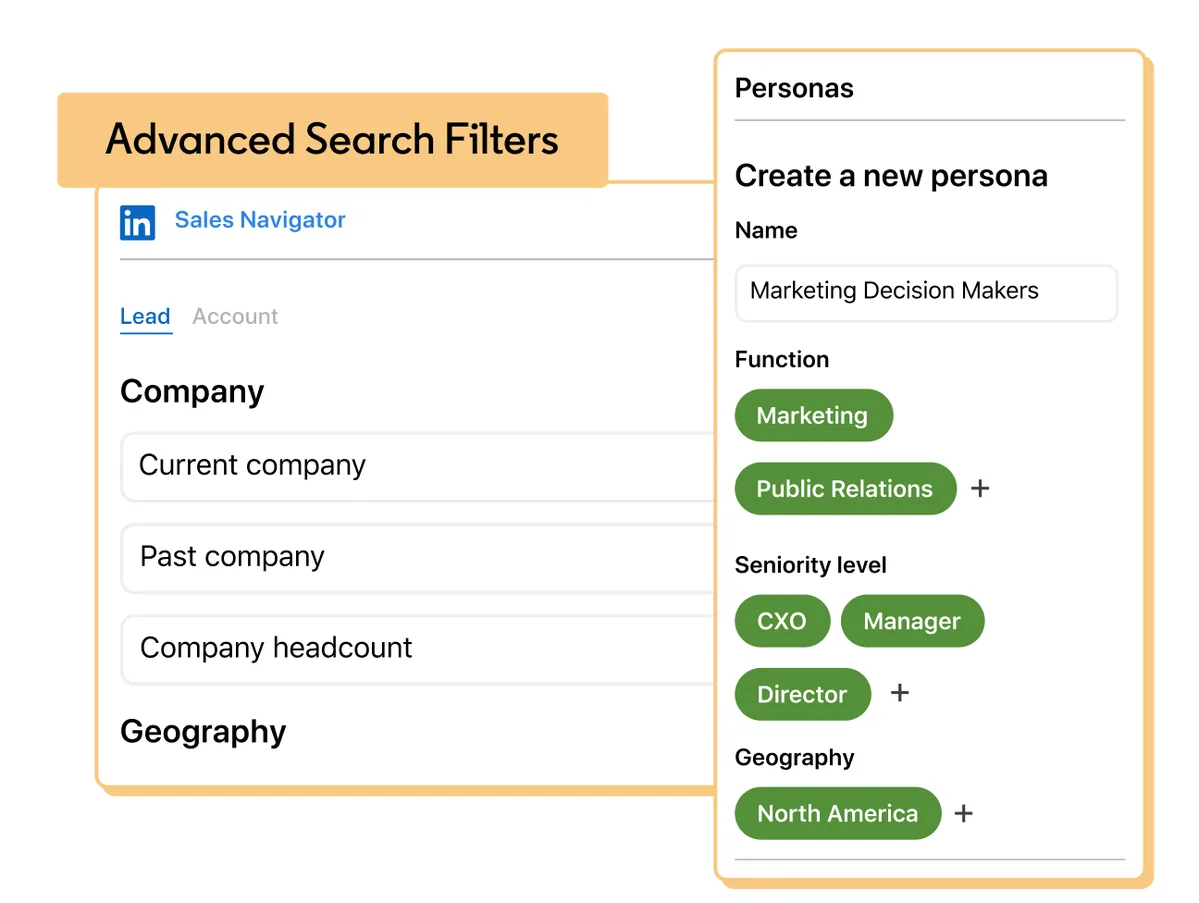
LinkedIn Sales Navigator. LinkedIn calls it "an AI-powered sales tool built on LinkedIn's B2B network," where you "search with 50+ filters" such as function, seniority level and years at company, across more than a billion members, and get alerts when saved searches find new leads.
Which to use. If you want people by job title across many countries, a database like Apollo or Sales Navigator is built for that, and Clay is for teams that want to combine many data sources in one workflow. If the companies you sell to are listed on a website that you can see but they aren't well covered in those databases, such as a national register, a local trade directory or a member list, ask Incredible to collect them from the page itself.
Try this now. Open a directory where your buyers are listed, search for the ones you want, hold the key and say: "Put all of these results in a spreadsheet with the phone number, address and number of employees." Incredible is free for 7 days on macOS 13 or later and Windows 10 or later. Download it, or read the Quickstart first.
The same recording is told as a step-by-step Excel how-to in how to extract data from a website into Excel. For the rest of a sales team's week, see the best AI assistant for sales teams, and for typing the finished list into your CRM, how to automate data entry from a spreadsheet into a website.
Veelgestelde vragen
How do I use AI to find leads?
Find the place your buyers are listed, such as a company register, an industry directory or a member list, and open the search results in your browser. Then ask Incredible to put all the results in a spreadsheet. In our recording it collected 213 companies from nine pages of a Swedish company register into one Excel file with phone, address, revenue, employees and the named person for each.
What is the best AI to find leads?
It depends on where your leads are. If they are on a website you can already see, such as a local register or a trade directory with no export, Incredible collects them from the page you have open. If you want to search a large ready-made database of people and companies, Apollo says it has 240M+ contacts and 30M+ accounts, and LinkedIn Sales Navigator searches more than a billion LinkedIn members with 50+ filters.
Can an AI agent find sales leads for me?
Yes, when you point it at the list. Incredible works in your own Chrome, Edge, Brave or Arc, opens each page of results and saves the companies to Excel. It takes what the site shows: in our recording only 83 of 213 companies showed a revenue figure, so the other revenue cells were left empty. It does not look up email addresses.
Is there a free AI tool to find leads?
Incredible is free for 7 days on Mac and Windows. Apollo’s home page offers to get started for free with no credit card, Clay offers a 14-day Pro trial, and LinkedIn Sales Navigator has a free trial button that leads to LinkedIn Premium.
Is it allowed to collect leads from a website?
Check the site’s terms first, since some directories sell their lists and limit copying, and follow your local rules for calling or emailing people you have not dealt with before.